
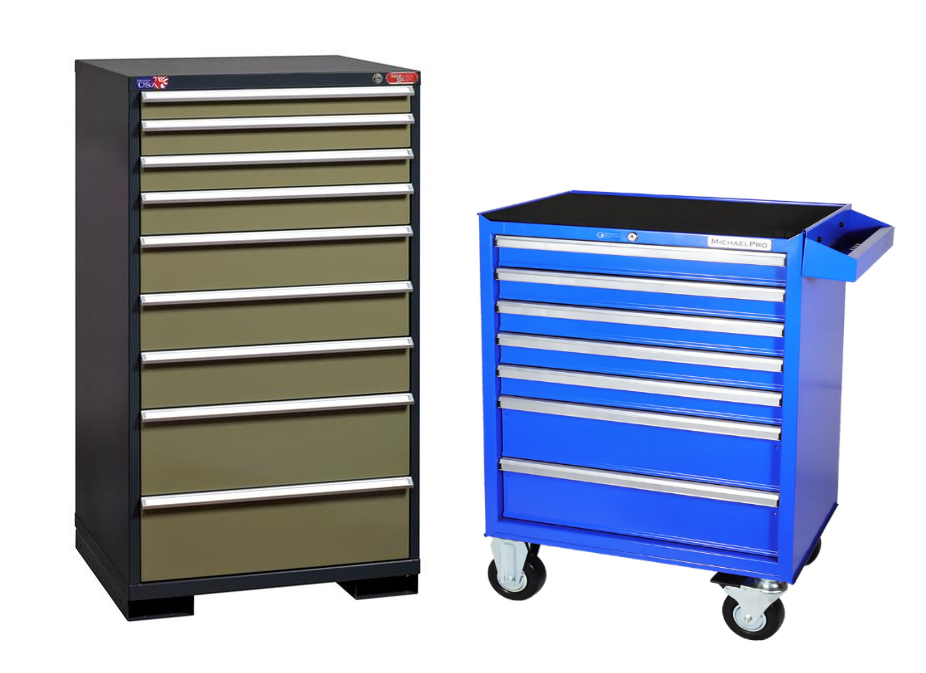
The outside of the cabinet should be cleaned using a general cleaner such as Fantastic. Wipe down all surfaces with a rag and use Scotch-Brite if necessary.
If there are any items in the drawers, they will need to be removed. Removed items should be placed in bins, keeping like items together as much as possible. Place a ticket in each bin with the cabinet's inventory code written on it.
Once the drawers are empty, use a vacuum to remove any remaining debris, then wipe out the drawers using the same cleaner you used for the outside of the cabinet.
Click here for info about how to upload pictures
Due to their size, most cabinets will need to be pictured at wherever they are currently located in the warehouse, rather than a designated picture station. Make sure all available lights in the area are turned on for best picture results. If a pallet jack is available, move the cabinet out into an open space so that you can get pictures of all sides of the cabinet. If a pallet jack is not available, contact your supervisor before continuing with pictures.
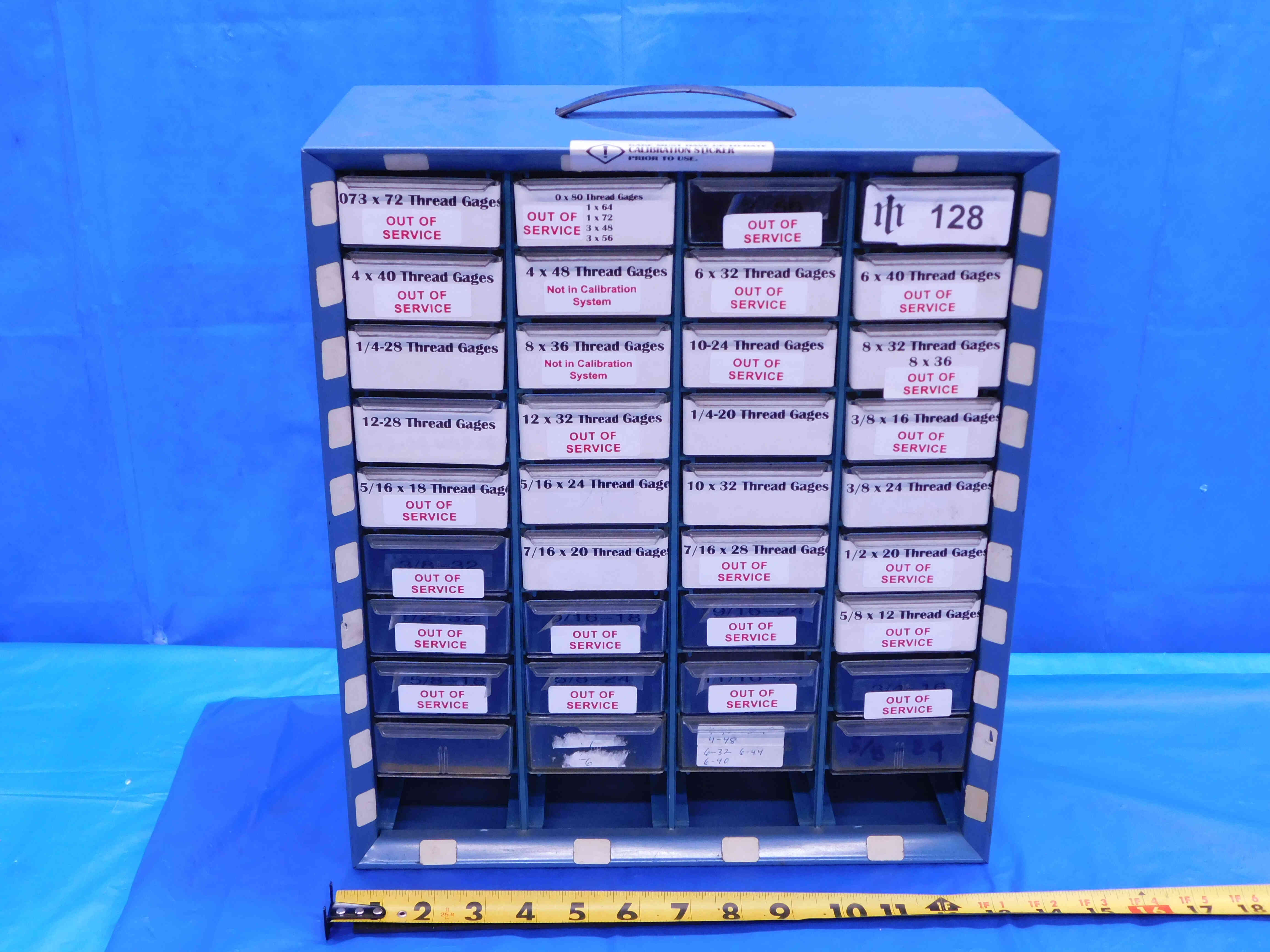
Smaller cabinets and hardware organizers may be able to be pictured at a regular picture station with a blue background like other tooling as long as they are light enough to move safely. In these cases, you can include a tape measure in the pictures to provide additional size reference.
For larger cabinets, you will likely want to take some or all of your pictures in portrait (vertical) orientation rather than the standard landscape (horizontal) orientation we use for other items. Note that the second example below uses both orientations in order to maximize the amount of information shown in each picture.
The size of the cabinet, and how easily you can get around it for different angles, may also affect how many pictures you are able to take. In general, cabinets will require quite a few pictures (you will often use all 10 available slots in the listing) and should include the following:
1. A head-on picture of the cabinet, with the drawers closed.
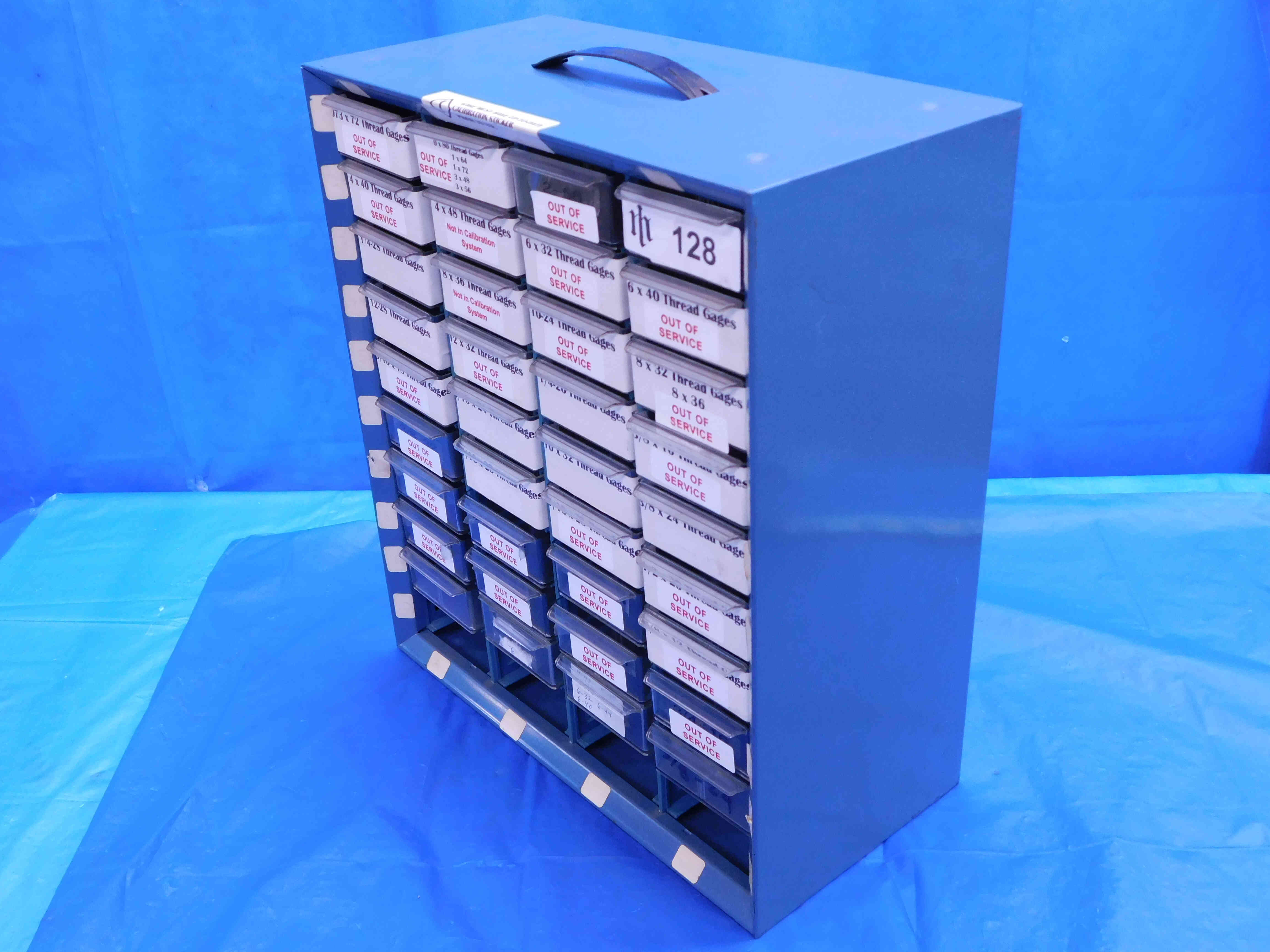
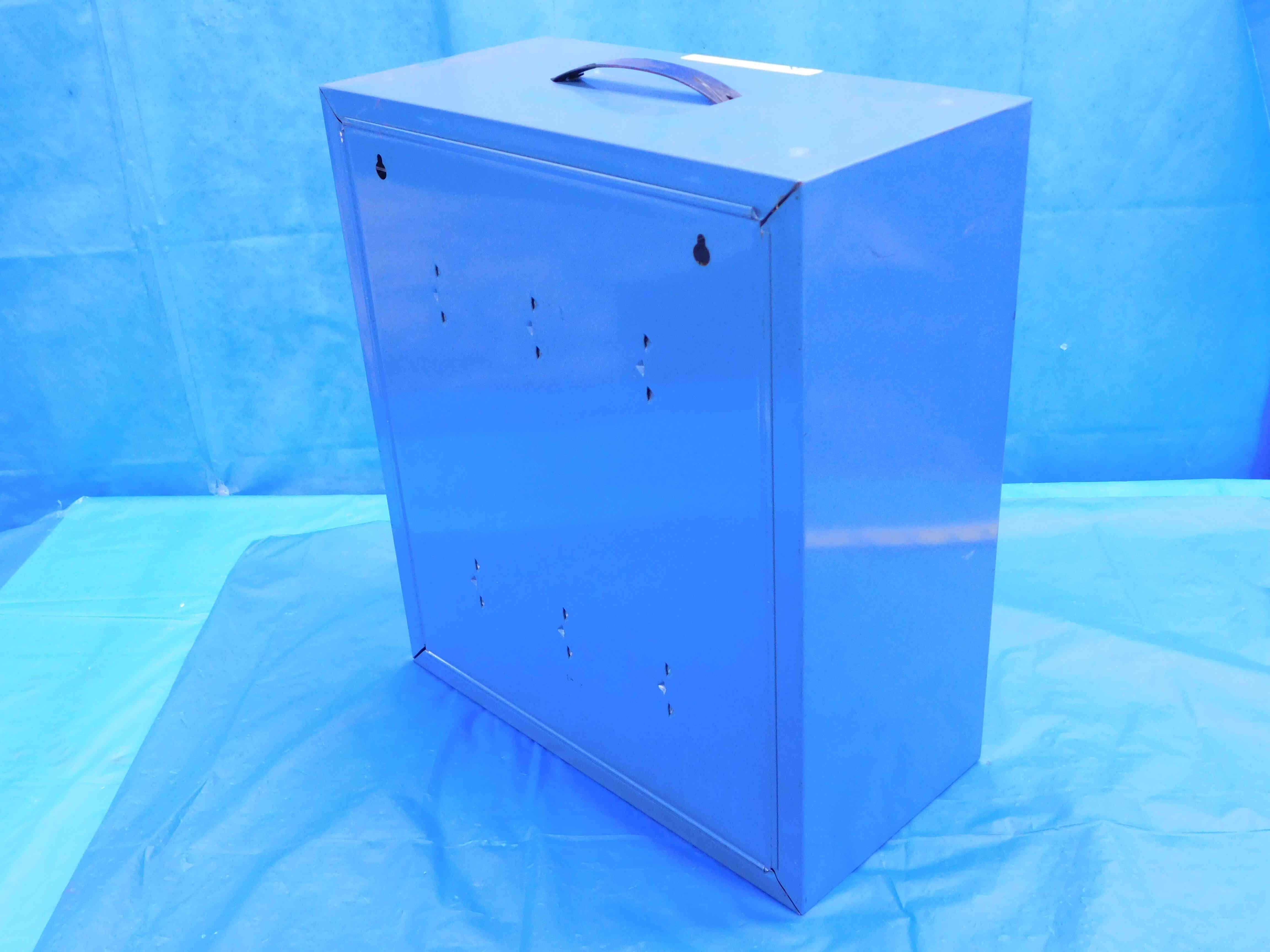
2. Pictures of the sides and back of the cabinet, if accessible. Side pictures should be taken at a three-quarters angle as shown in the example pictures below this list. Make sure the top of the cabinet is clearly visible in at least one of these pictures as well.
3. Pictures showing the inside of the drawers. If there are a large number of drawers, you can partially open multiple drawers at a time in order to reduce the number of pictures this requires. Refer to the example pictures below this list.
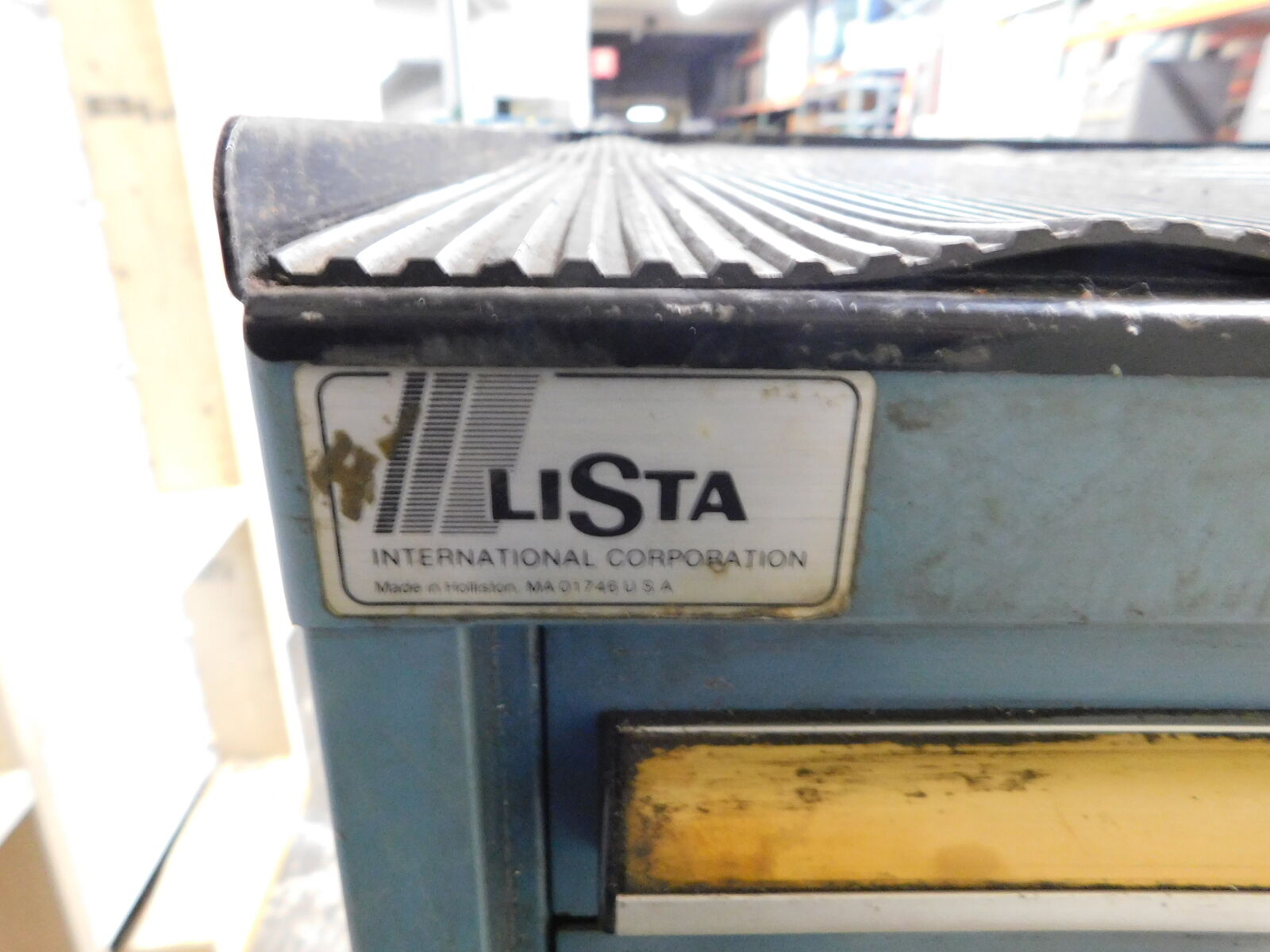
4. A close-up picture of any labeling. Typically cabinets will only be labeled with a brand (if it all), but if there are any part numbers on the cabinet they should be included in pictures as well.
5. Pictures clearly showing any damage to the cabinet.
Refer to the examples below:
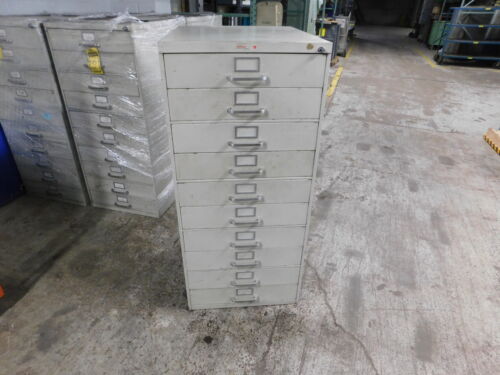
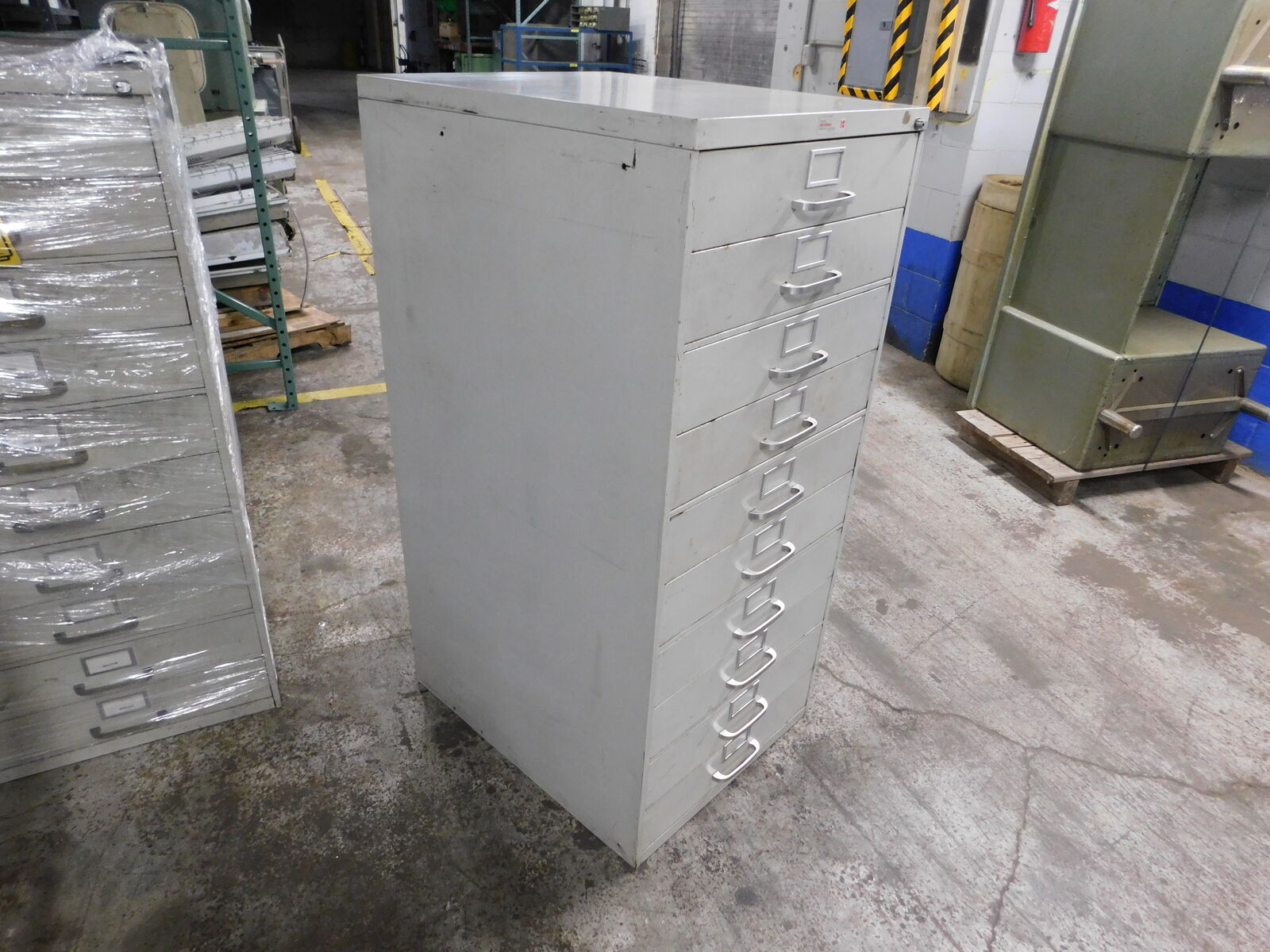
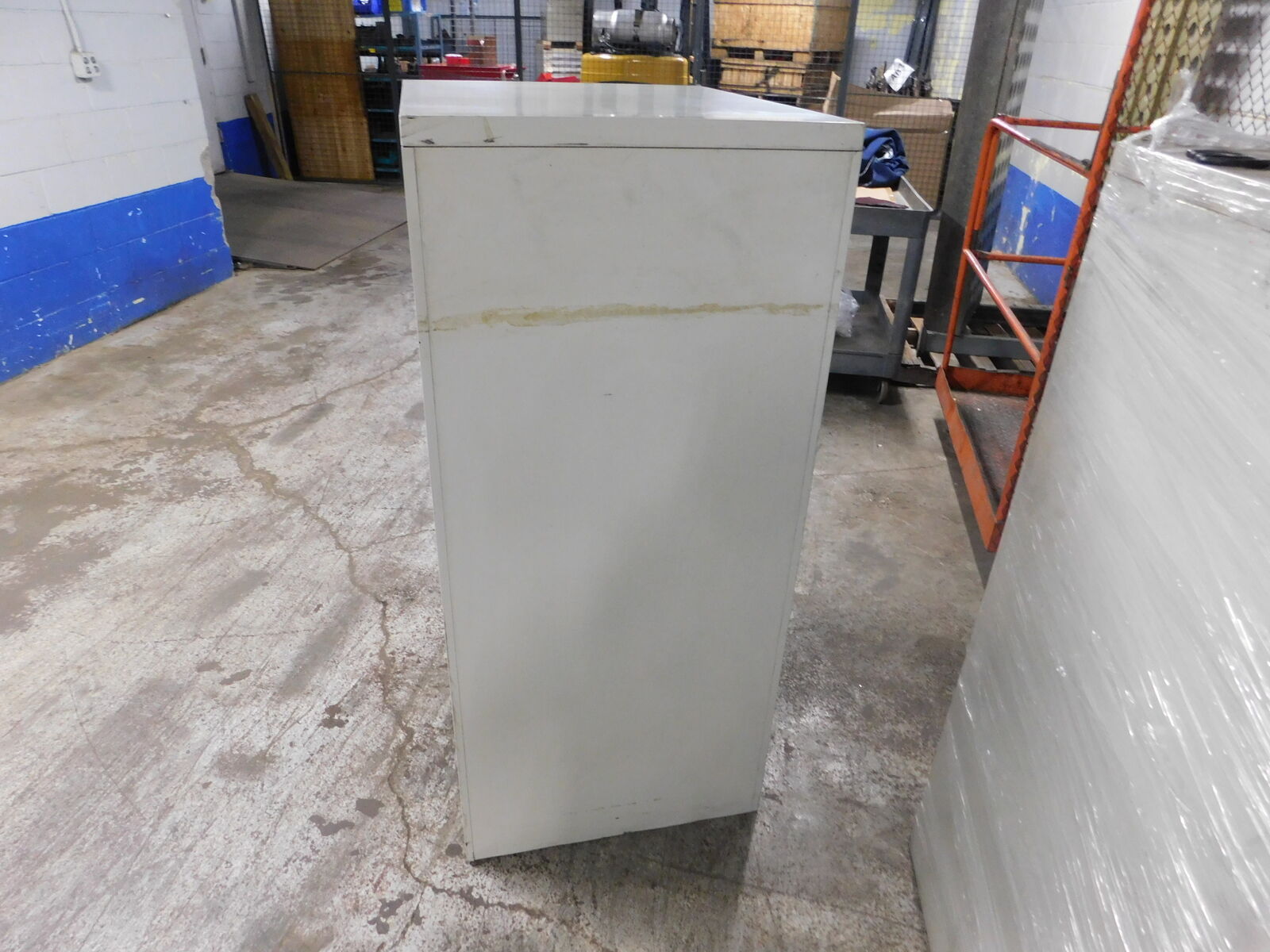
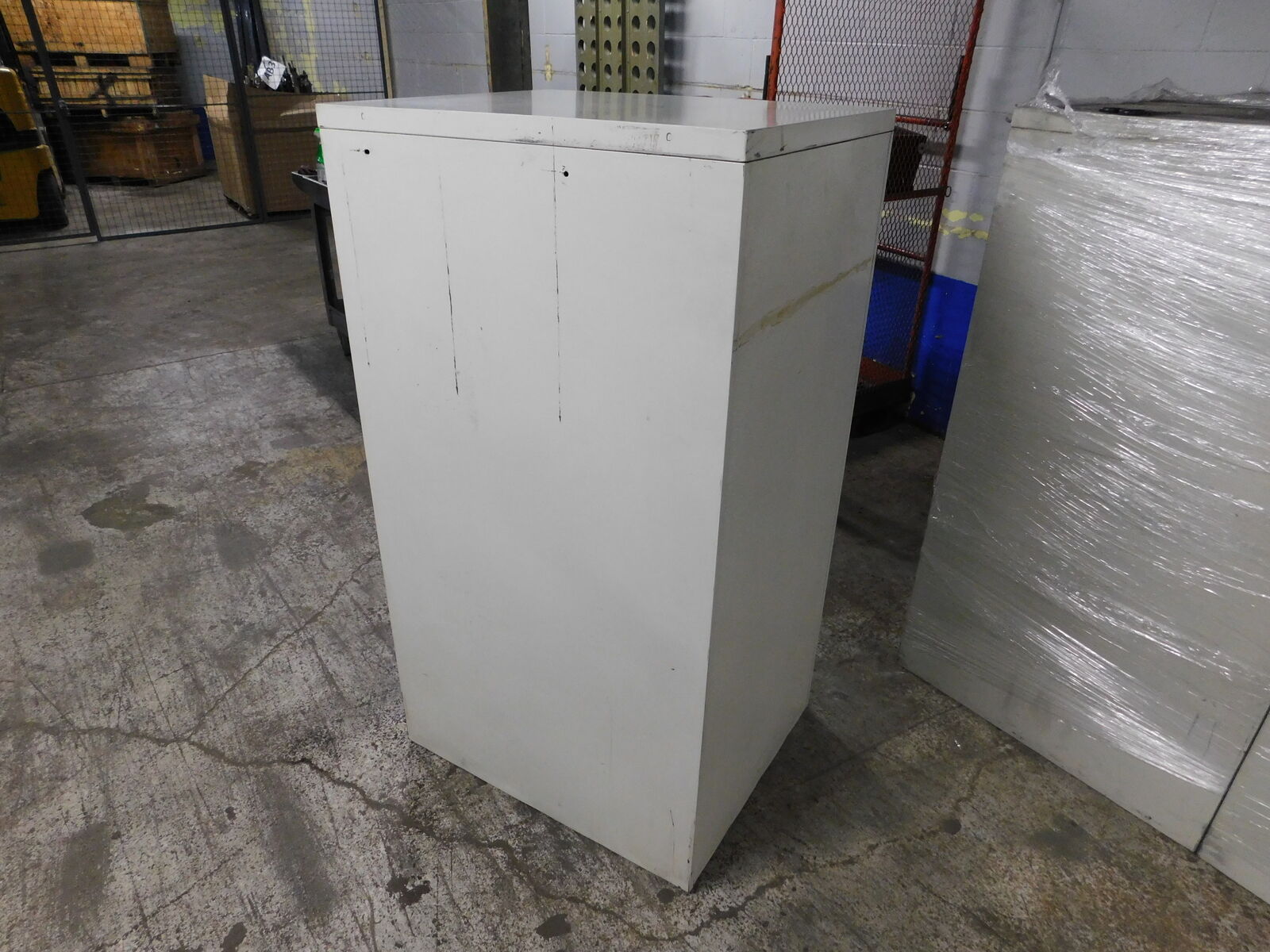
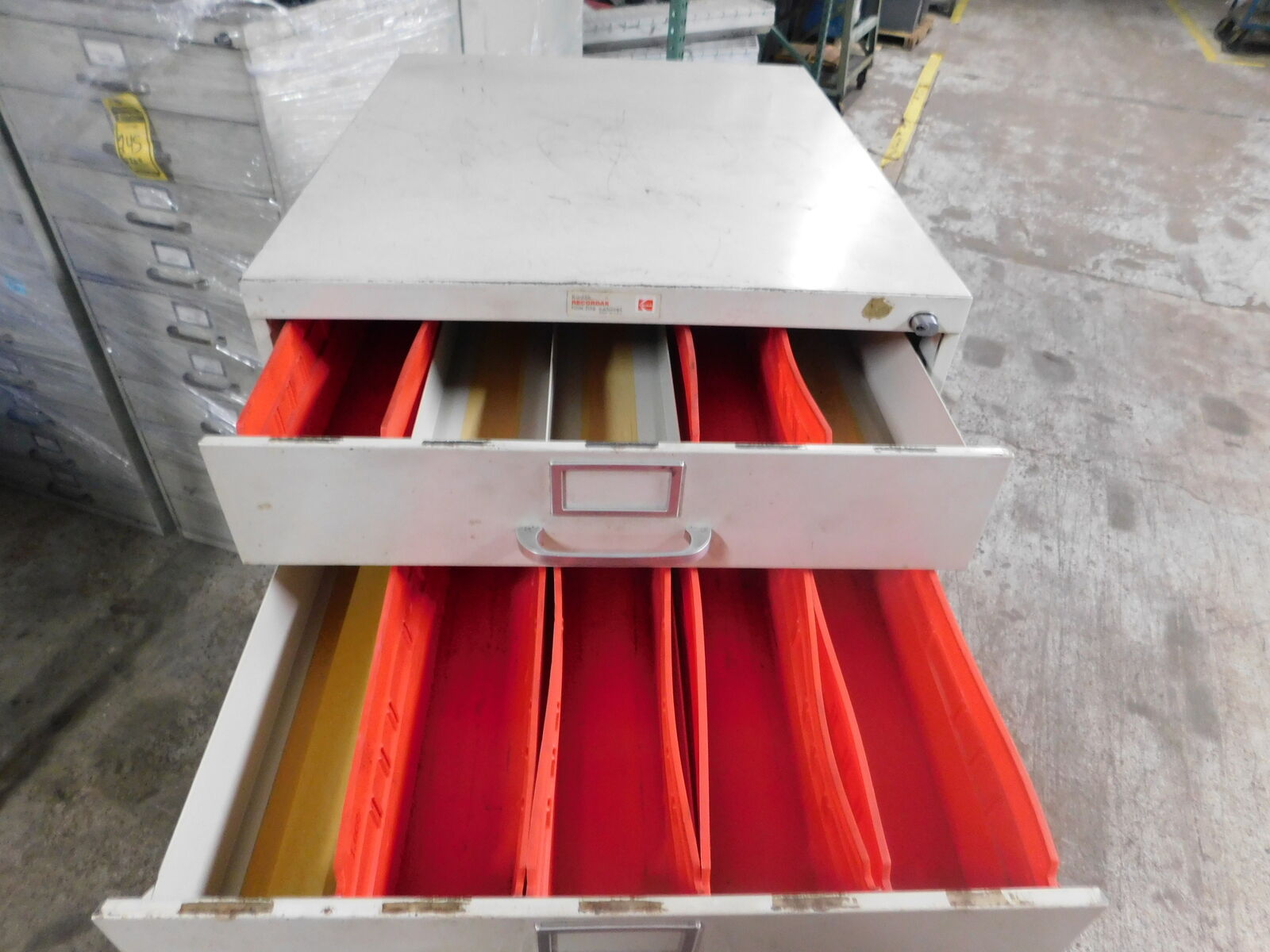
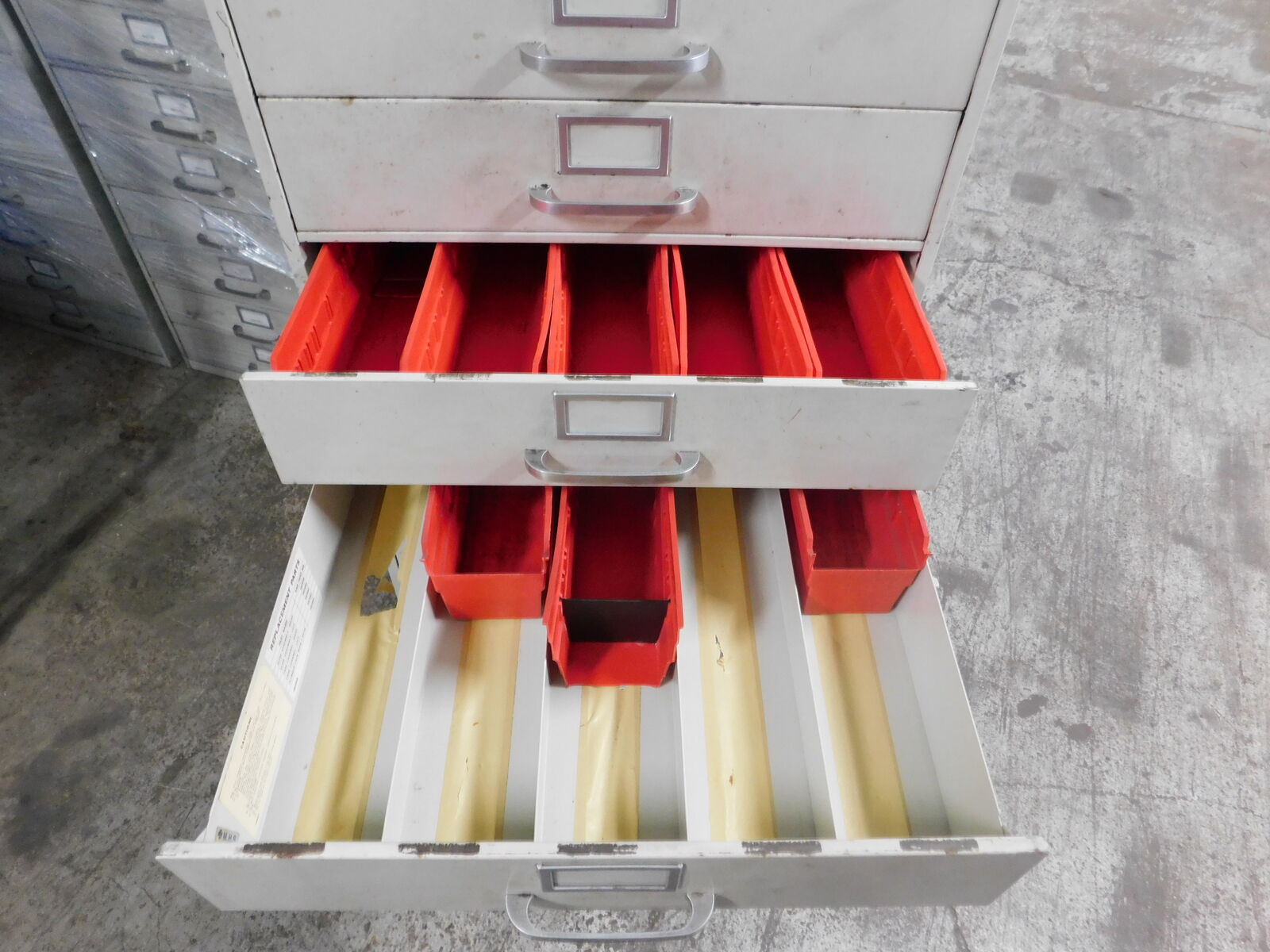
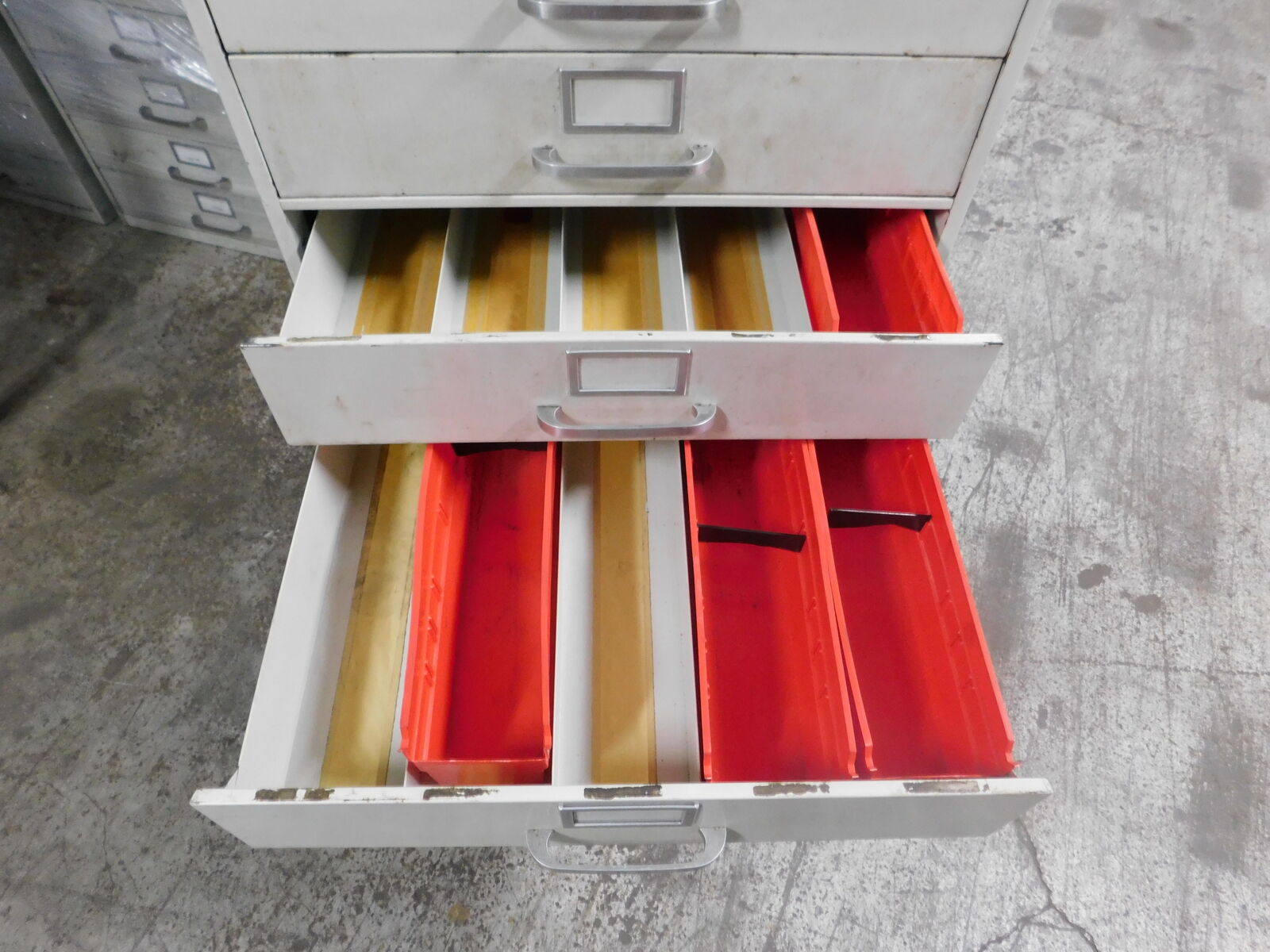
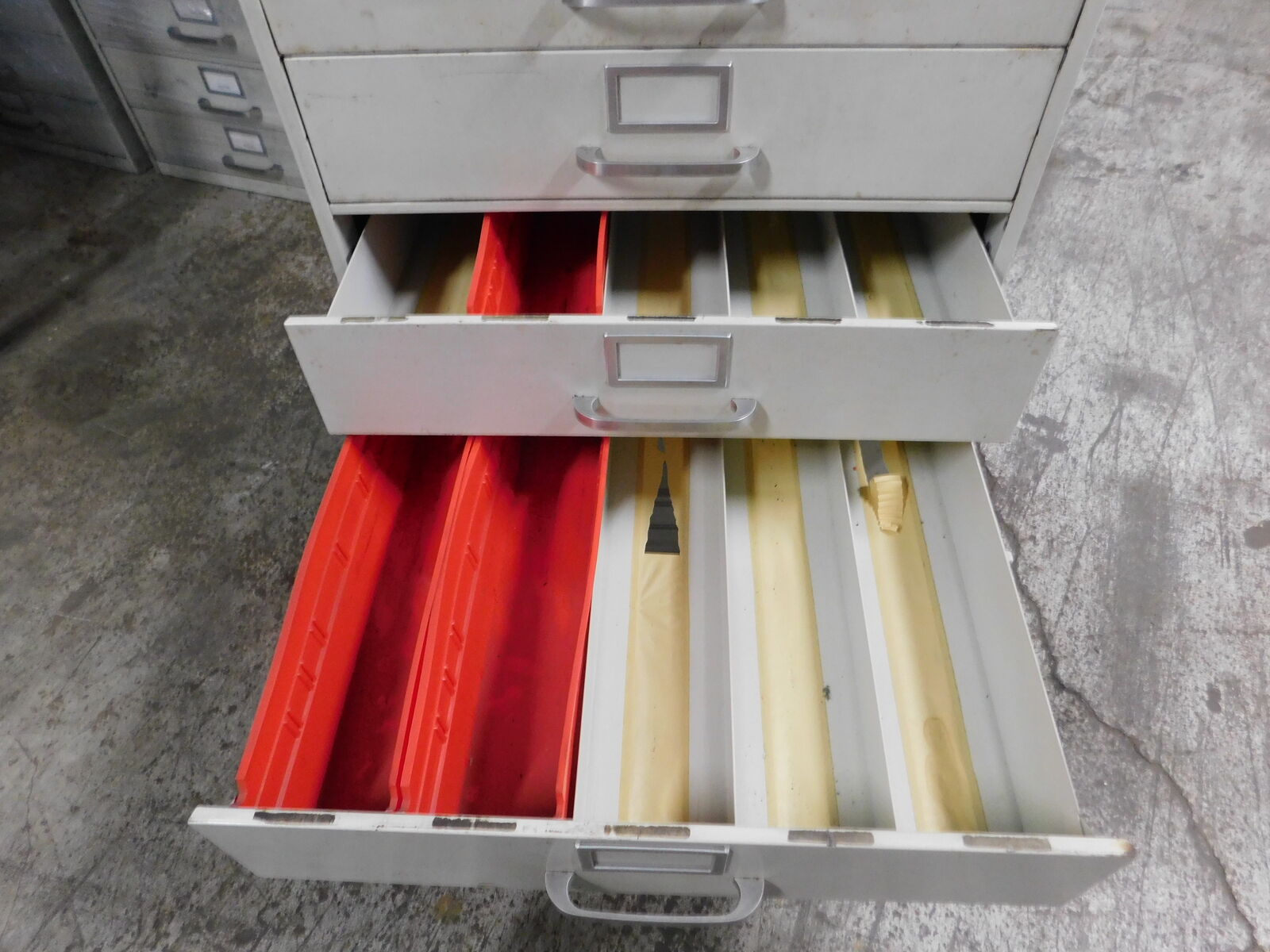
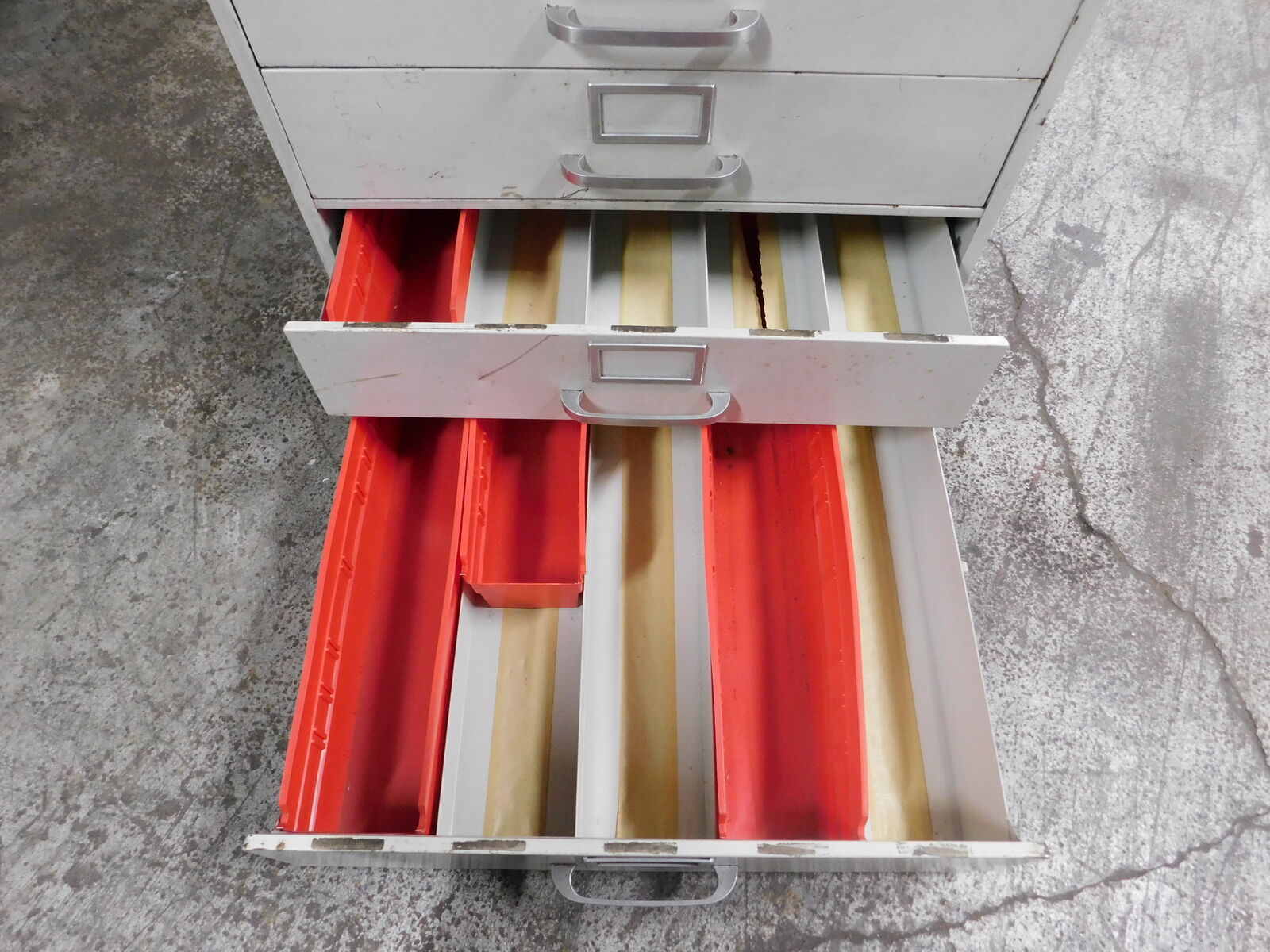
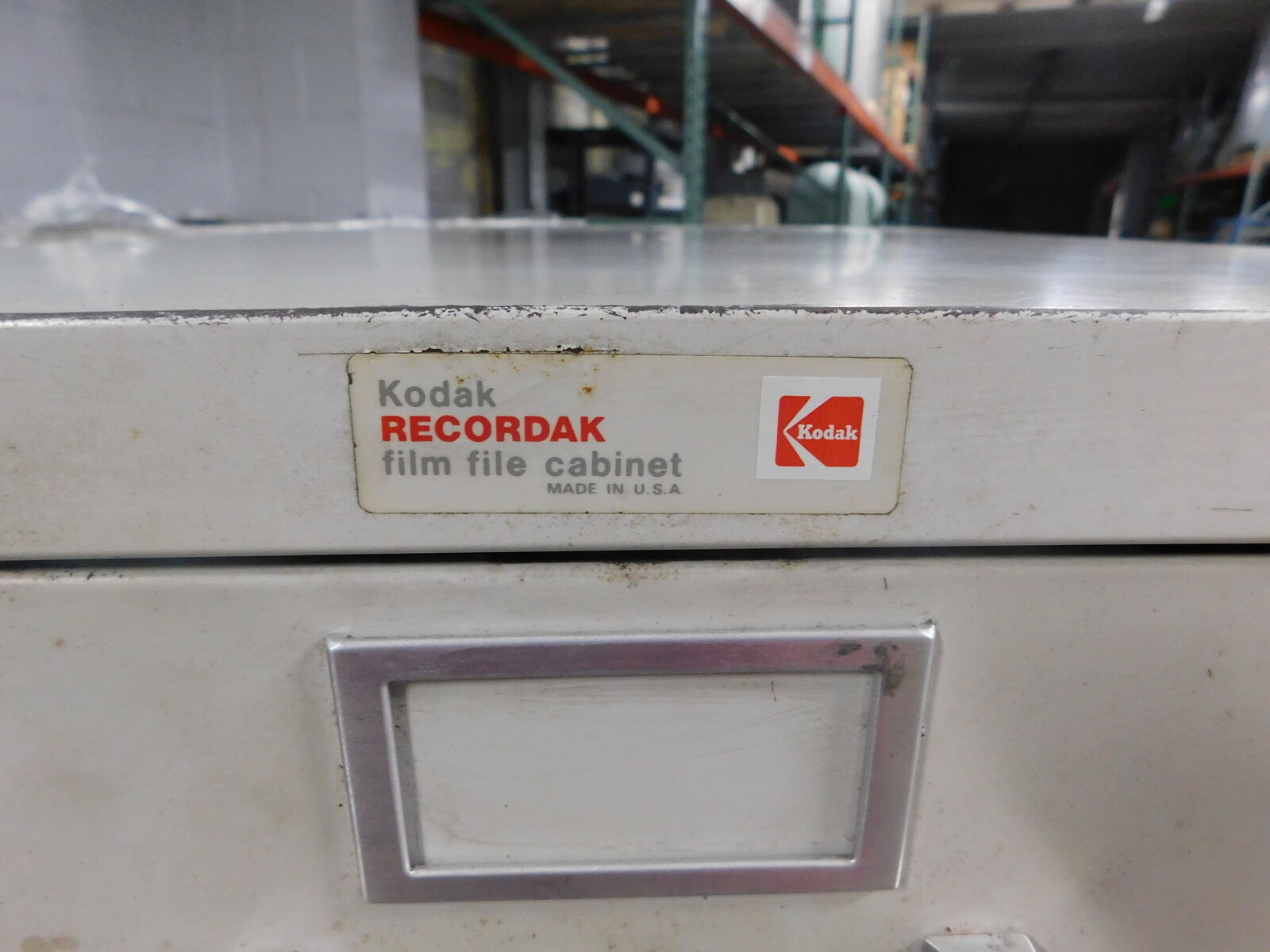
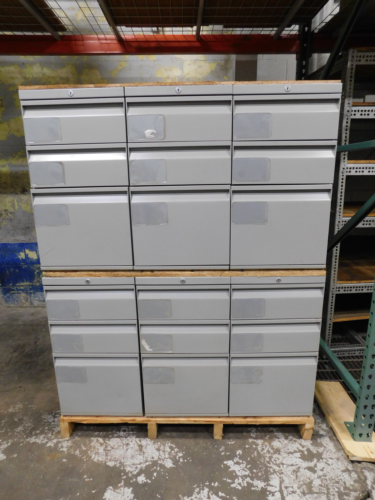
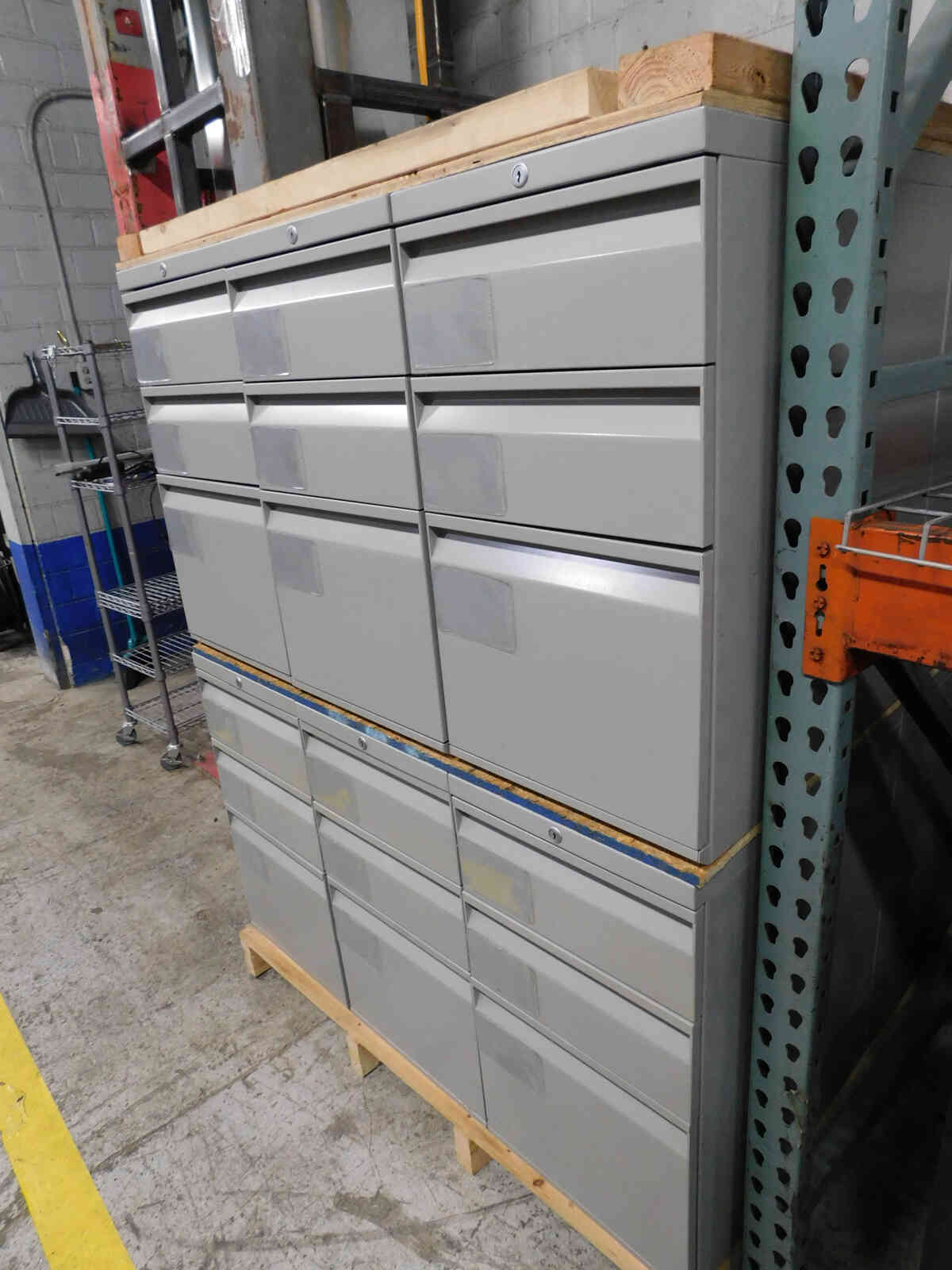
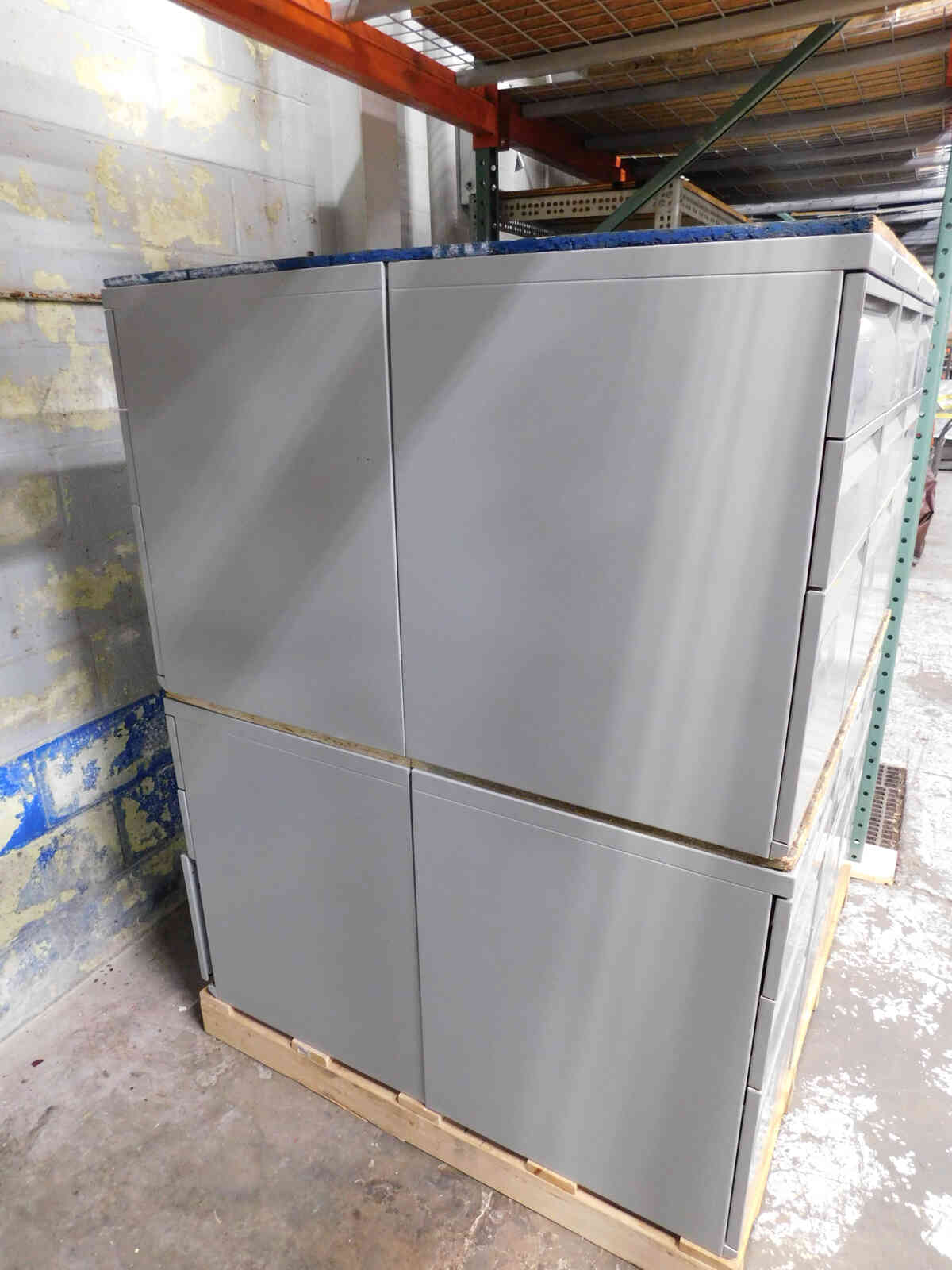
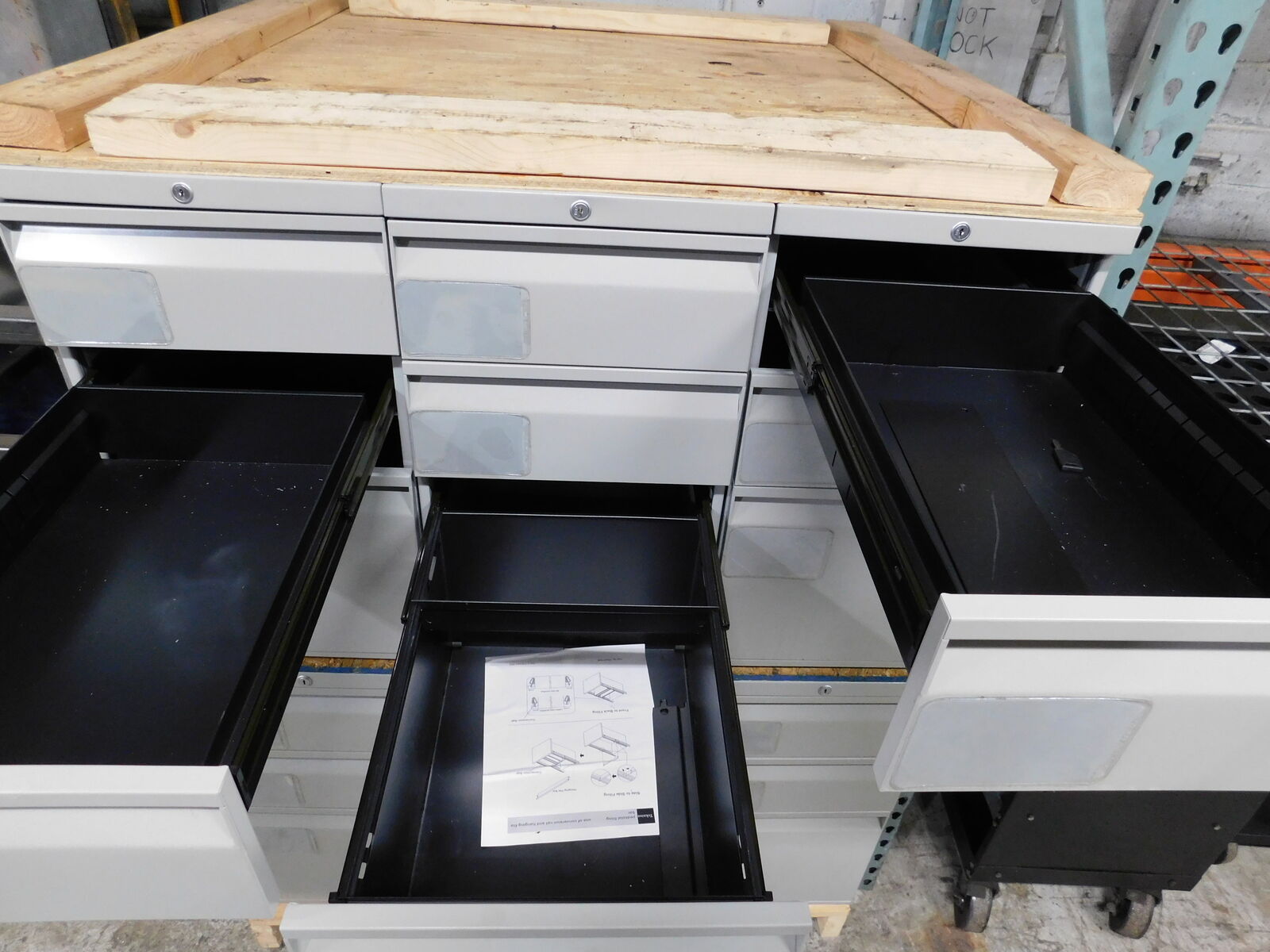
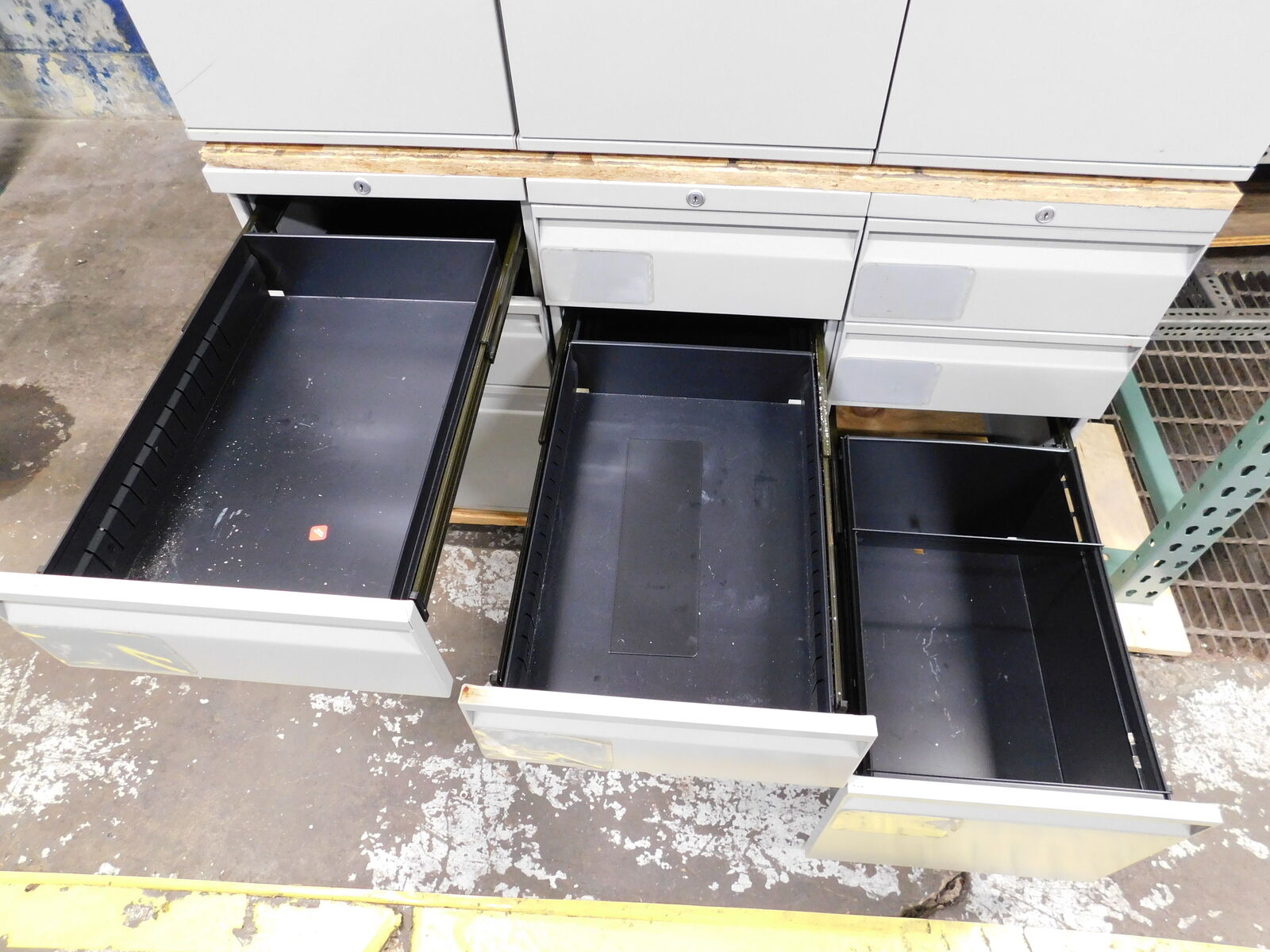
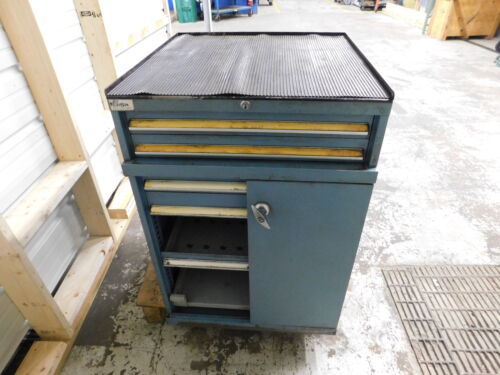
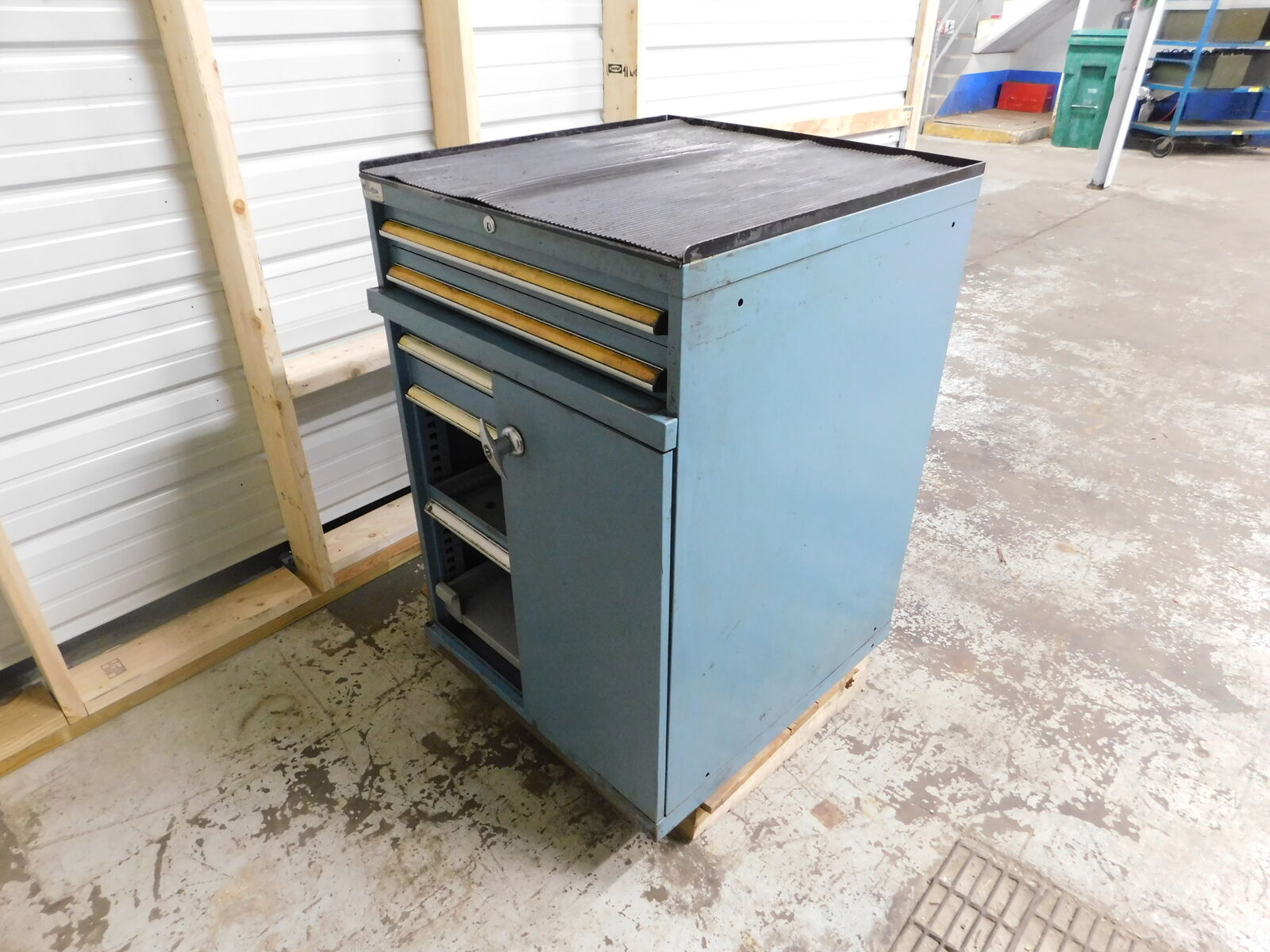
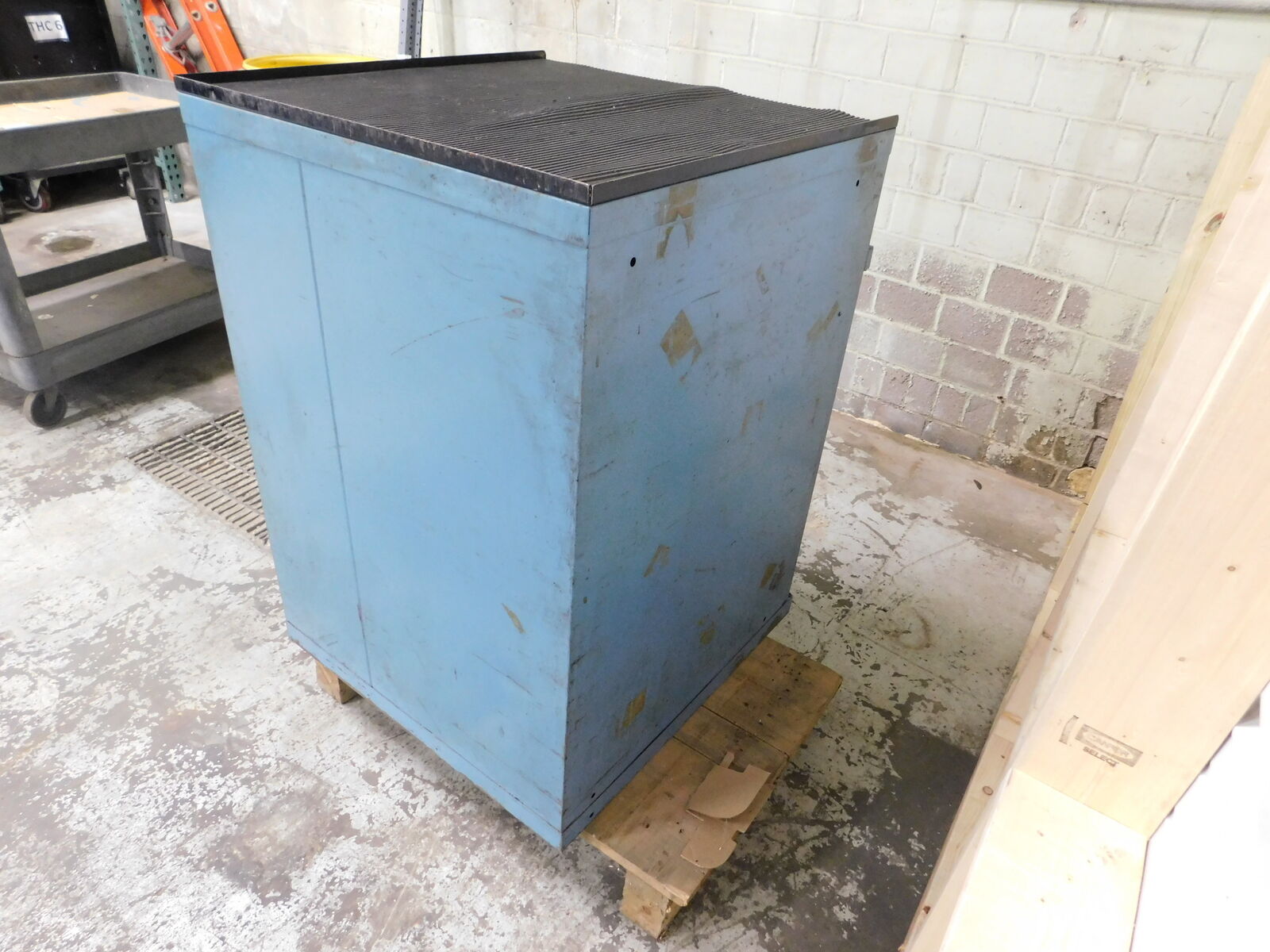
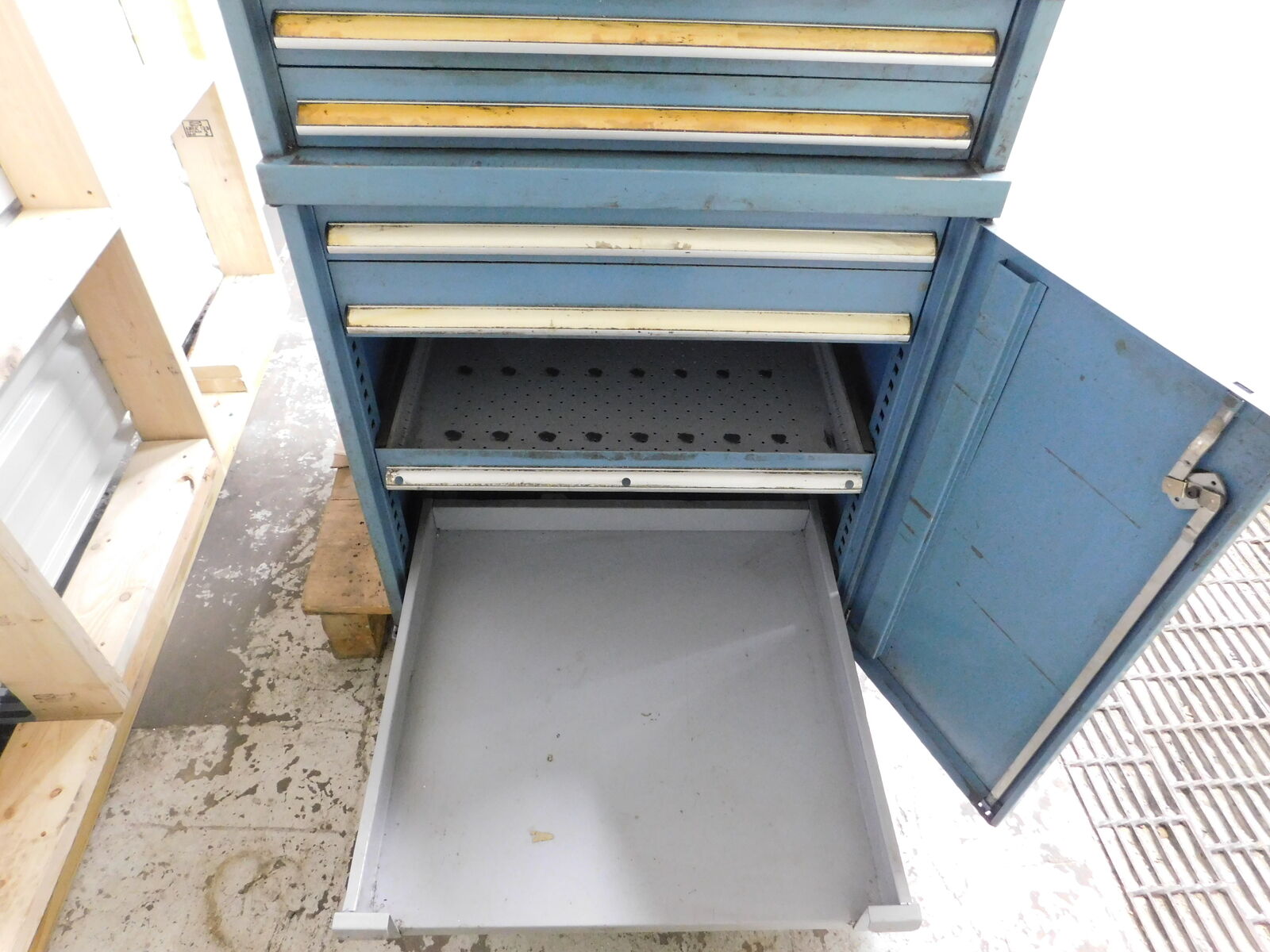
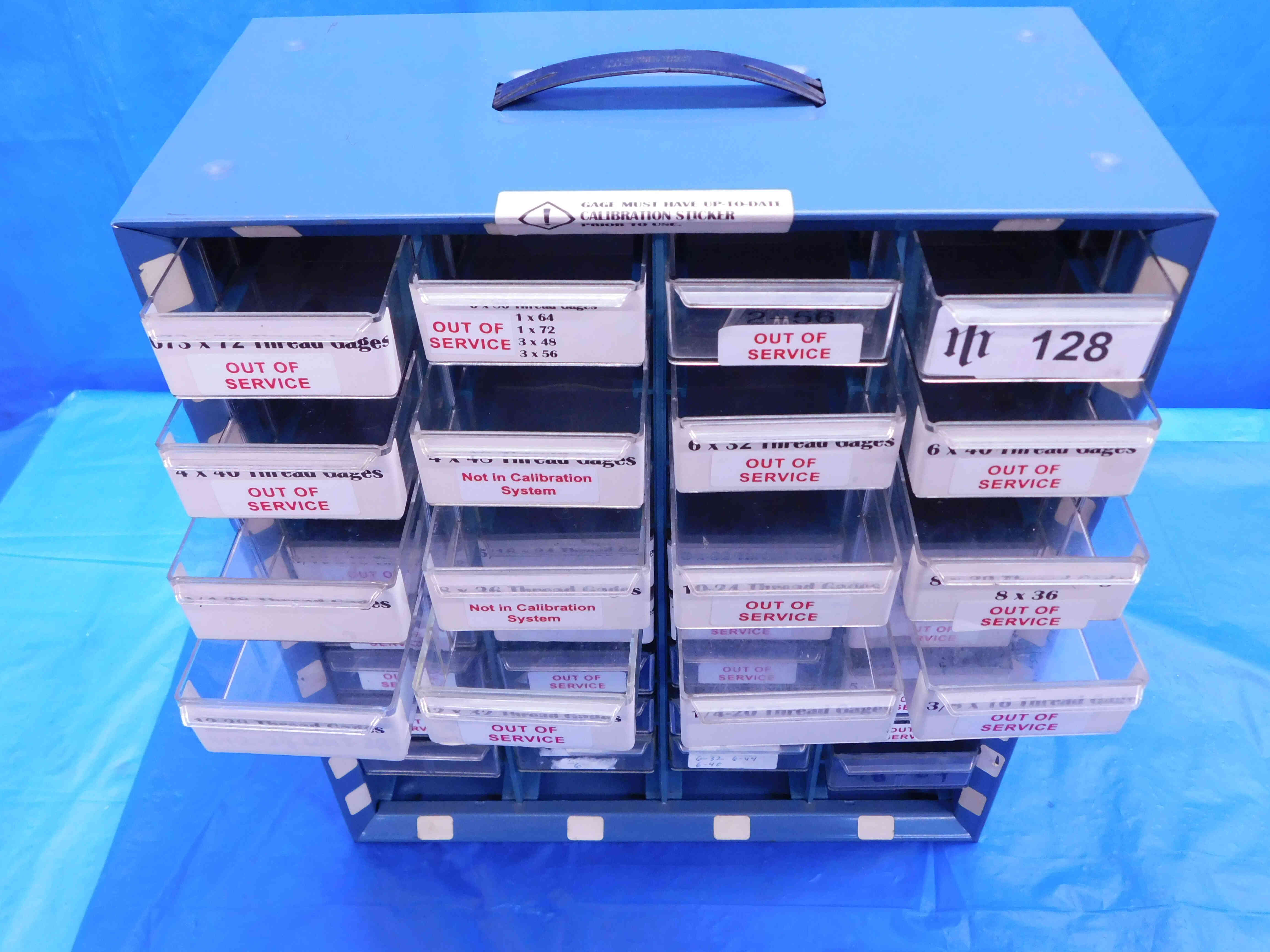
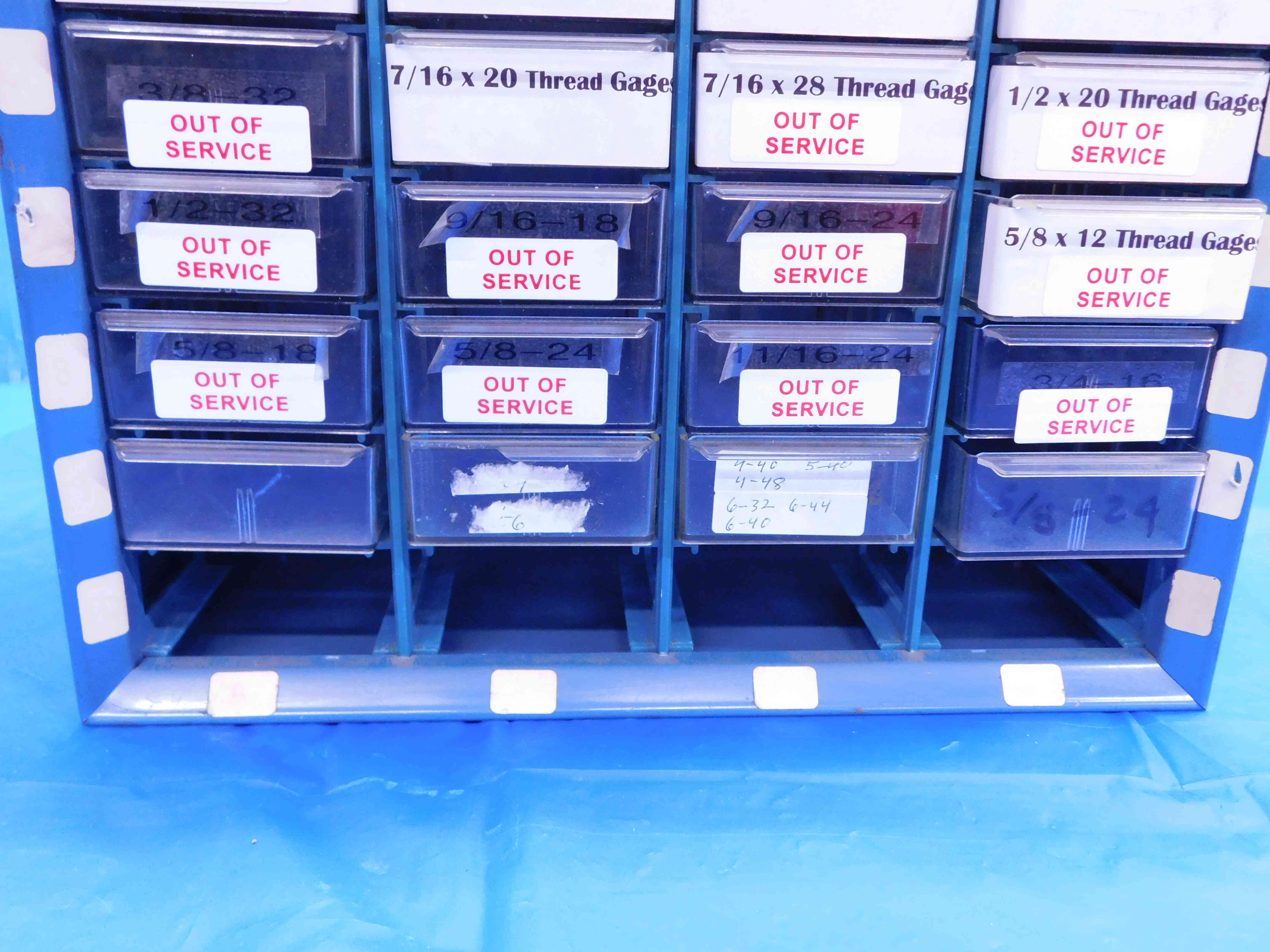
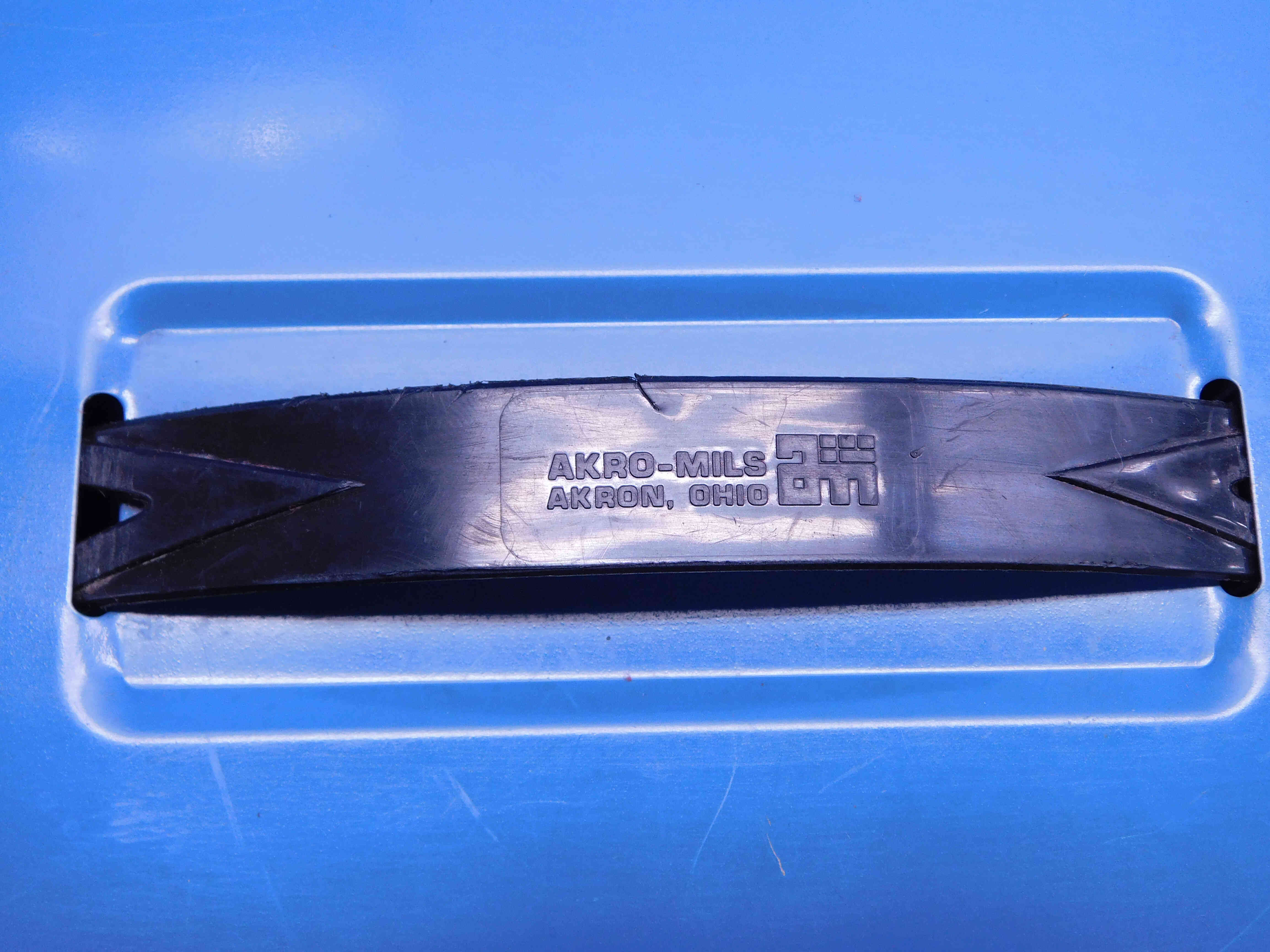
Cabinets are often not labeled with brands - if this is the case, click the "Unlabeled" button to the right of this cell. Make sure this is not left blank, or the listing will not upload properly.
Cabinet Width / Depth / Height
The cabinet dimensions can be measured using a tape measure. This does not need to be extremely precise and can be rounded to the nearest 1/4".
Width - Facing the side where the drawers open, measure from the left side of the cabinet to the right side of the cabinet.
Depth - Facing the side where the drawers open, measure from the front of the cabinet to the back of the cabinet (not including the drawer handles - start measuring from the flat face of the cabinet).
Height - Facing any side of the cabinet, measure from where the cabinet touches the floor to the highest point of the cabinet.
- If the cabinet has casters (wheels), include the casters in the height measurement and then state in the Additional Specifications (explained later in this FAQ) that the listed height includes the casters.
- If the cabinet is on a pallet do not include the pallet as part of the height measurement.
Note: When entering a whole-number inch size, always include the " sign. The " sign should not be included for any size including a fraction or decimal. So, for example: If a cabinet dimension is exactly twenty-four inches, it should be entered as 24" and not just 24. If the dimension is twenty-four and a half inches, it should be entered as 24 1/2 or 24.5 and not 24 1/2" or 24.5".
Metric size measurements should be entered with a lowercase "mm" (ex.: 16mm, 40mm).
As with all tooling, be sure to include the cabinet's weight and dimensions in the section the the left (pictured below). Since you will not be able to weigh most cabinets, the weight will often be an estimate. Contact your supervisor if you are not sure what weight to enter.
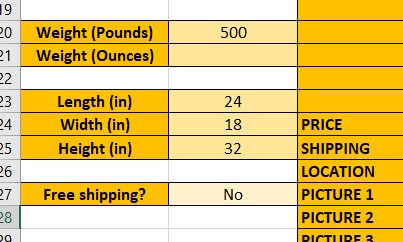
Most cabinets will need to be shipped via freight, but some smaller cabinets may be able to be shipped via UPS which can significantly reduce the shipping cost the customer will have to pay. The Tooling Template determines shipping methods automatically based on the entered weight and dimensions, but this can be overridden if needed. Contact your supervisor if you think a cabinet may need to have its shipping method changed.
This is the number of functional drawers/shelves in the cabinet. Missing drawers, or drawers that are damaged to the point where they are unusable, should not be included in this number (but be sure to describe them in the Special Condition - refer to the section at the bottom of this page for more info).
If the cabinet has wheels (also called casters), an additional category will appear asking for the caster diameter which can be measured using a tape measure.
Some cabinets can be locked. If a lockable cabinet comes included with a (working) key, make sure to mark this as "Y".
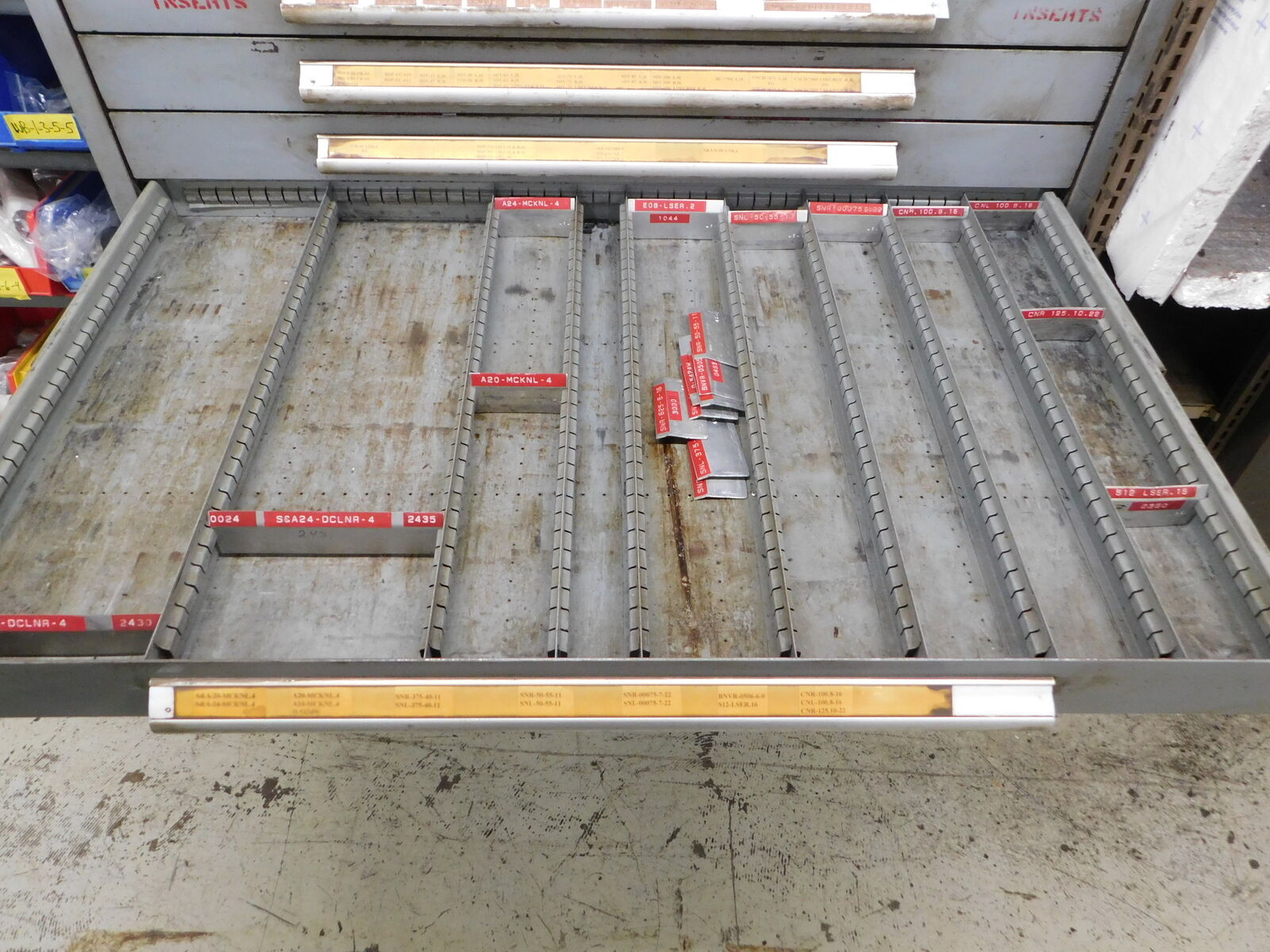
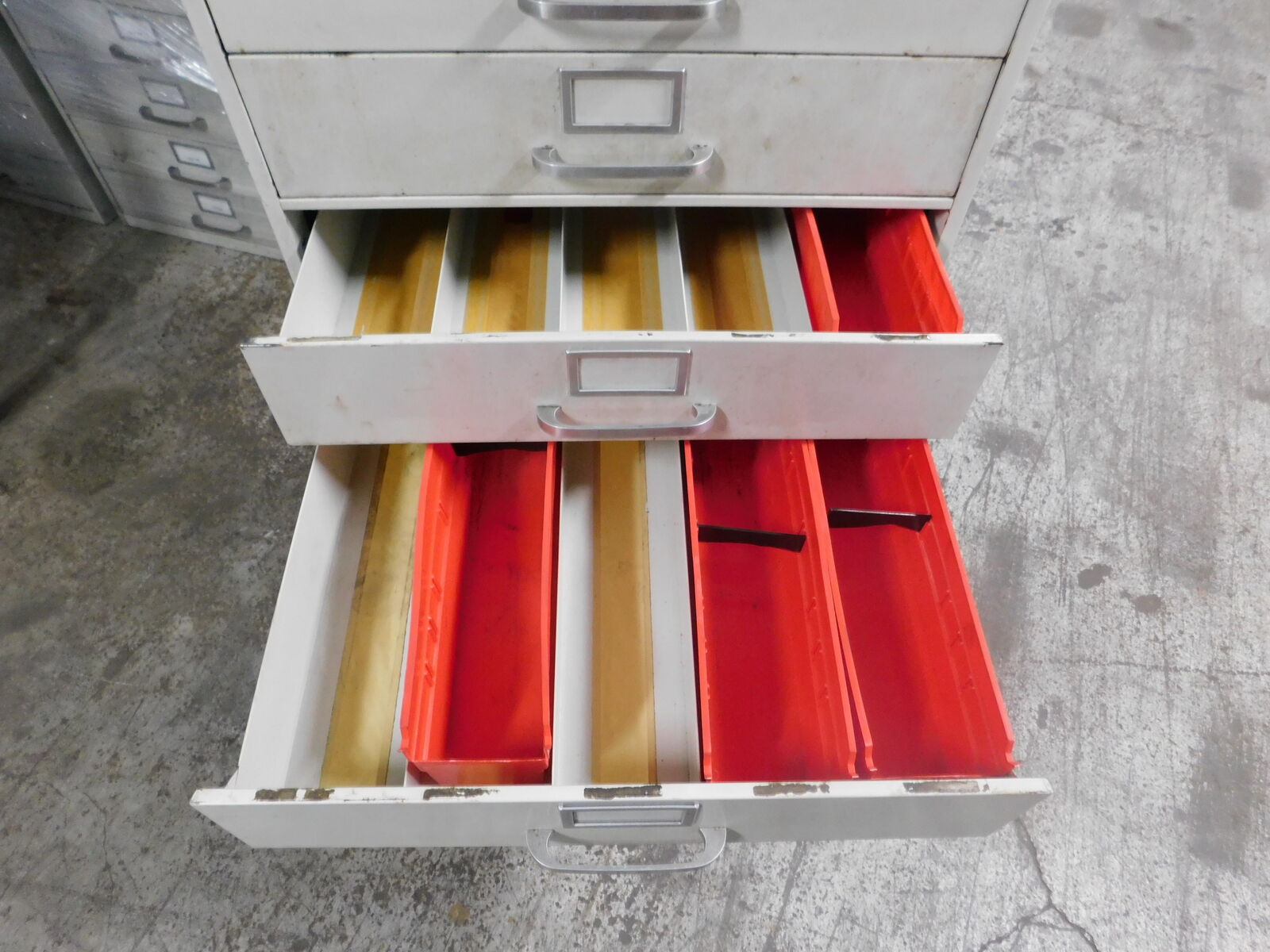
Cabinets will often include drawer dividers, such as the ones in the pictures above. If only some drawers contain dividers, this should be described in the Additional Specifications section (explained at the bottom of the page) - for example, "Drawers 1, 3, and 4 contain dividers. Drawers 2 and 5 do not."
Drawer Dimensions & Additional Information
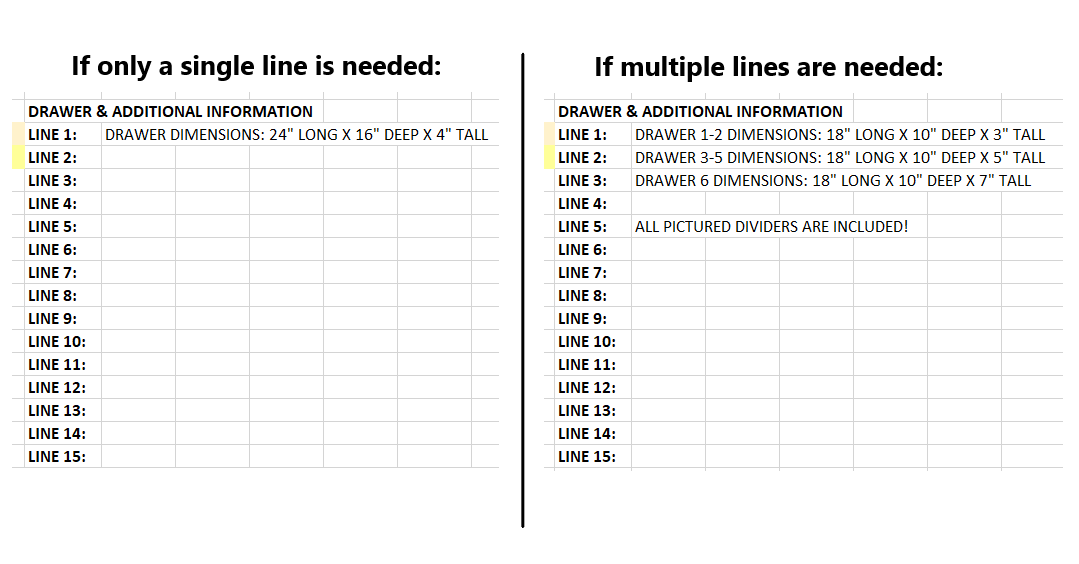
When the "Cabinet" category is selected on the tooling template, an additional section will appear to the right of the main listing information. This is for drawer dimensions and any other information about the cabinet that does not fall under the previous categories. Each line will translate to a separate line in the listing's description.
Width - Measured from the innermost part of the left side of the drawer to the innermost part of the right side.
Depth - Measured from the innermost part of the front of the drawer to the innermost part of the back of the drawer.
Height - Measured from the bottom of the drawer to the top of the slot the drawer slides into.
Refer to the picture below for an example of how to format this information:
The "Filler" section is used to add other relevant information to the title which is not covered by the other sections. Fillers can be a good way to increase a listing's visibility - we always want to include as much information as possible that we think a customer might be searching for in order to make sure that our listing is coming up in their search results.
There is not necessarily one right answer when it comes to fillers, and often it will be up to you to decide what should and should not be added as filler. Due to the many different types of cabinets, there is a variety of possible fillers you may want to include, such as (but not limited to): "Hardware", "Organizer", "Tooling", "Machine Shop", "Small Tools", "Large Tools", "Stackable", "Mobile", etc.
Additional Specifications & Special Condition
The Additional Specifications section should be used for any secondary labeling or additional measurements that do not fit in the other sections of the listing. There is no character limit here so any relevant information that is not already covered should be included (within reason - we don't want to overload the listing with unnecessary information, so ask your trainer if you are not sure whether or not to include something in this section).
The Special Condition section should be used for any special notes about the item's condition such as damage or modification. Try to be specific when describing the condition, and reference pictures that point out the damage / modification if applicable. For example, "The handle on the 3rd drawer is broken - see picture #8 for details." General wear and tear does not need to be mentioned, but anything that will affect the item's usage should be included here.
Once all information is entered, click here for the next steps.