
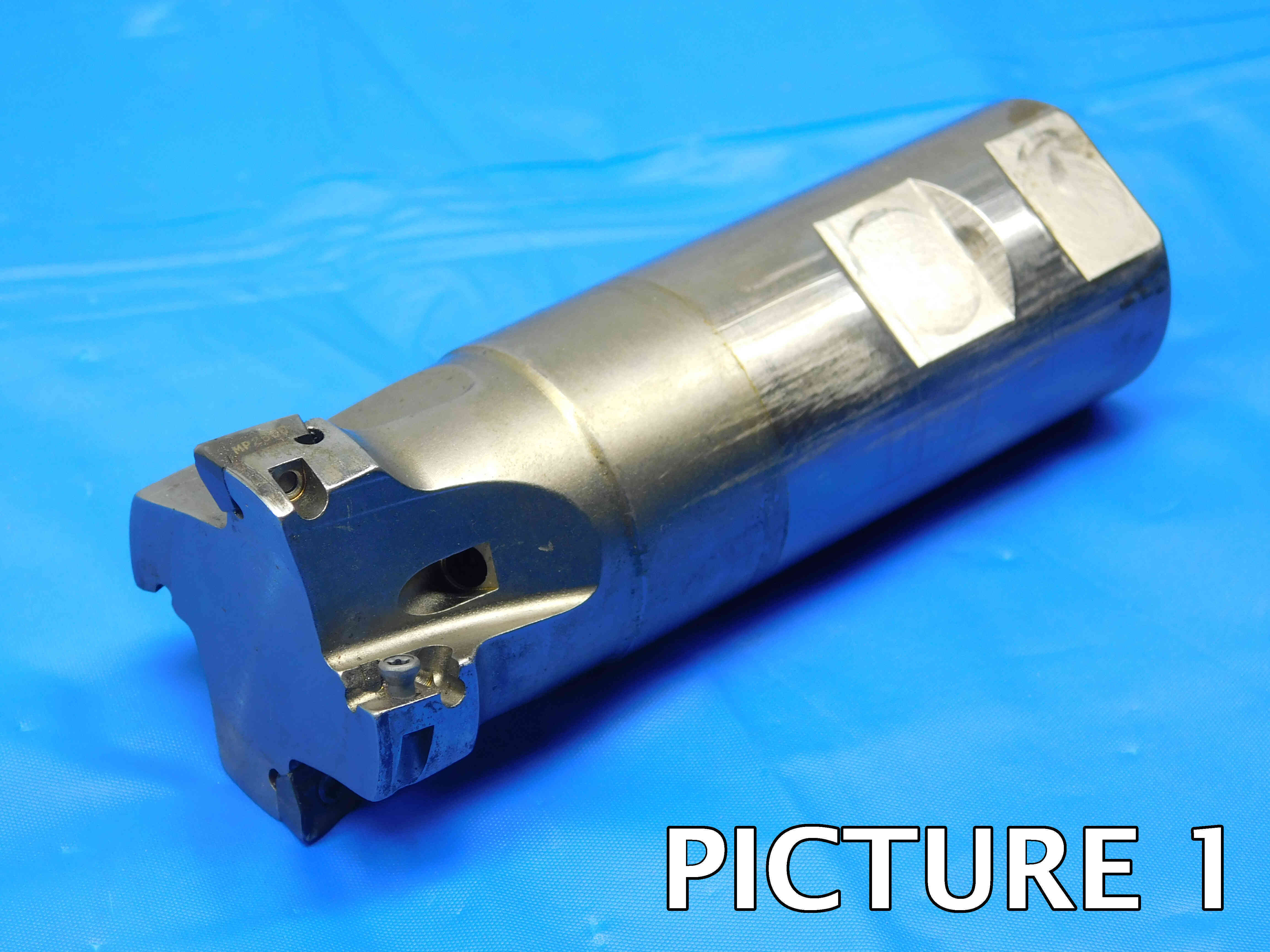
Indexable end mills use replaceable inserts which can be changed out when they get worn down, greatly extending the life and usability of the tool.
Indexable end mills are sometimes easily mistaken for Indexable Drills. Here are some things to look out for that can help differentiate the two:
1. Flute Type - Indexable drills usually (but not always) have spiraled flutes. Indexable end mills, meanwhile, almost always have straight flutes such as in the picture above.
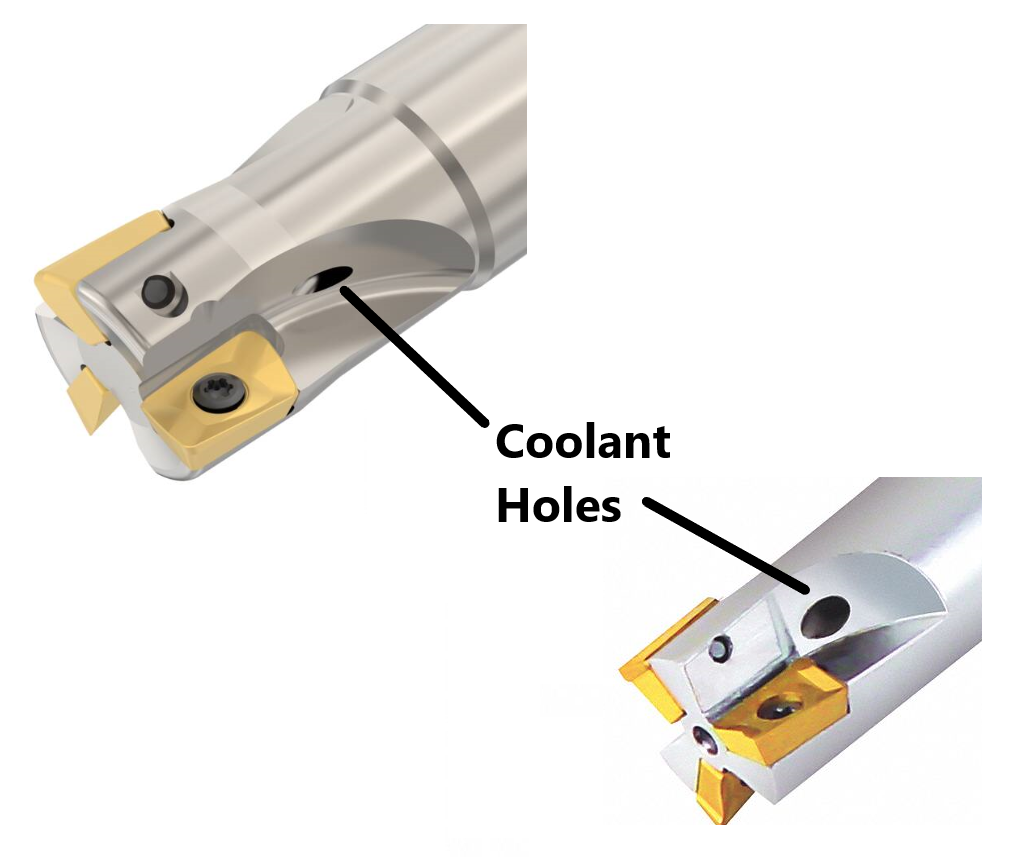
2. Coolant Thru Holes - A coolant-through drill will have coolant holes at the tip of the drill, while a coolant-through end mill will have coolant holes along the sides of the flutes. For some examples of what this looks like, refer to the "Coolant Thru" section further down this page.
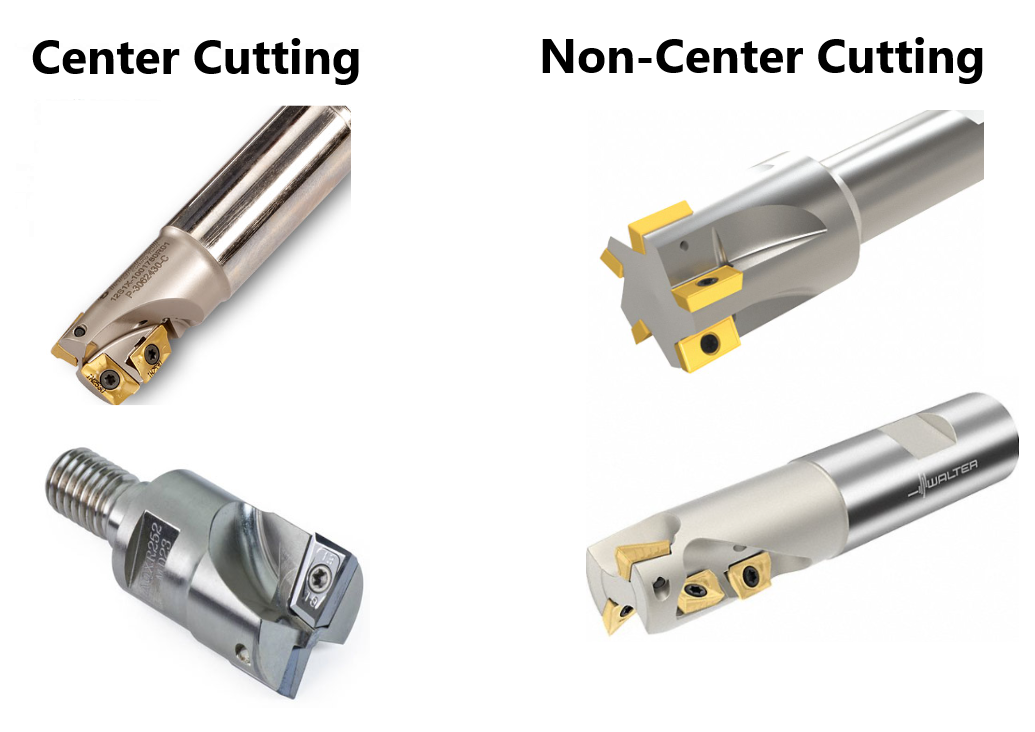
3. Insert Position - The inserts in an indexable drill are often spaced unevenly, with one on the outside edge (called the "peripheral insert") and one closer to the center (the "central insert"). Additionally, the inserts frequently (but not always) are angled to create a pointed tip at the center. Indexable end mills, meanwhile, typically only cut along the edges of the flutes and not the center. Center-cutting indexable end mills do exist (see the "Center Cutting" section further down this page) but will typically still have all of their inserts touching the outer edges of the flutes rather than the offset style used by many drills.
4. Number of Flutes - Indexable drills almost always have only two flutes, while indexable end mills frequently have three or more - so if an indexable tool has more than two flutes, it is likely an end mill and not a drill.
Use WD-40 and a Scotch Brite pad to remove any rust or residue, especially in and around the insert pockets. Be careful not to remove any labeling while cleaning. Wipe down with a dry rag before taking pictures.
Click here for info on how to upload pictures
1st Picture: A three-quarters (or "3D") shot of the end mill, with the working end facing the camera. Make sure that at least one of the inserts (or insert pockets) is fully visible in this picture. Any packaging should also be included in this picture.
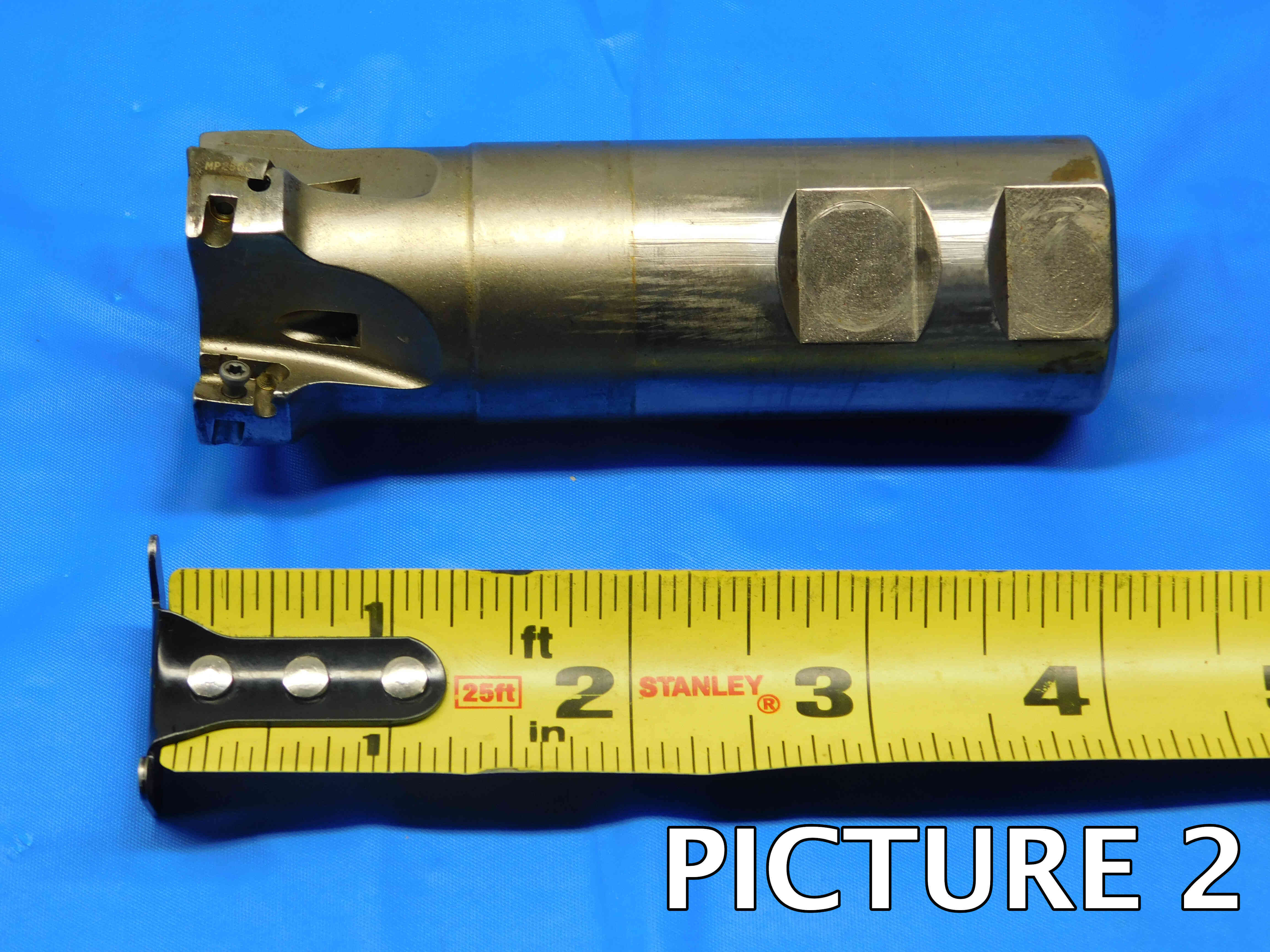
2nd Picture: A side view of the end mill, with a tape measure at the bottom of the frame to provide size reference. Like the first picture, make sure that at least one of the insert pockets is fully visible. If there is labeling on the end mill, it should be visible if possible and readable (i.e., right-side up). Any packaging should be included in this picture as well.
Note: If you have packaging with labeling on it, make sure that it actually matches the end mill - and if it does not, black out the package labeling with a marker. It is not uncommon for used tooling to end up in non-original packaging, and we do not want to cause any confusion by having incorrect brands or part numbers showing in the pictures.
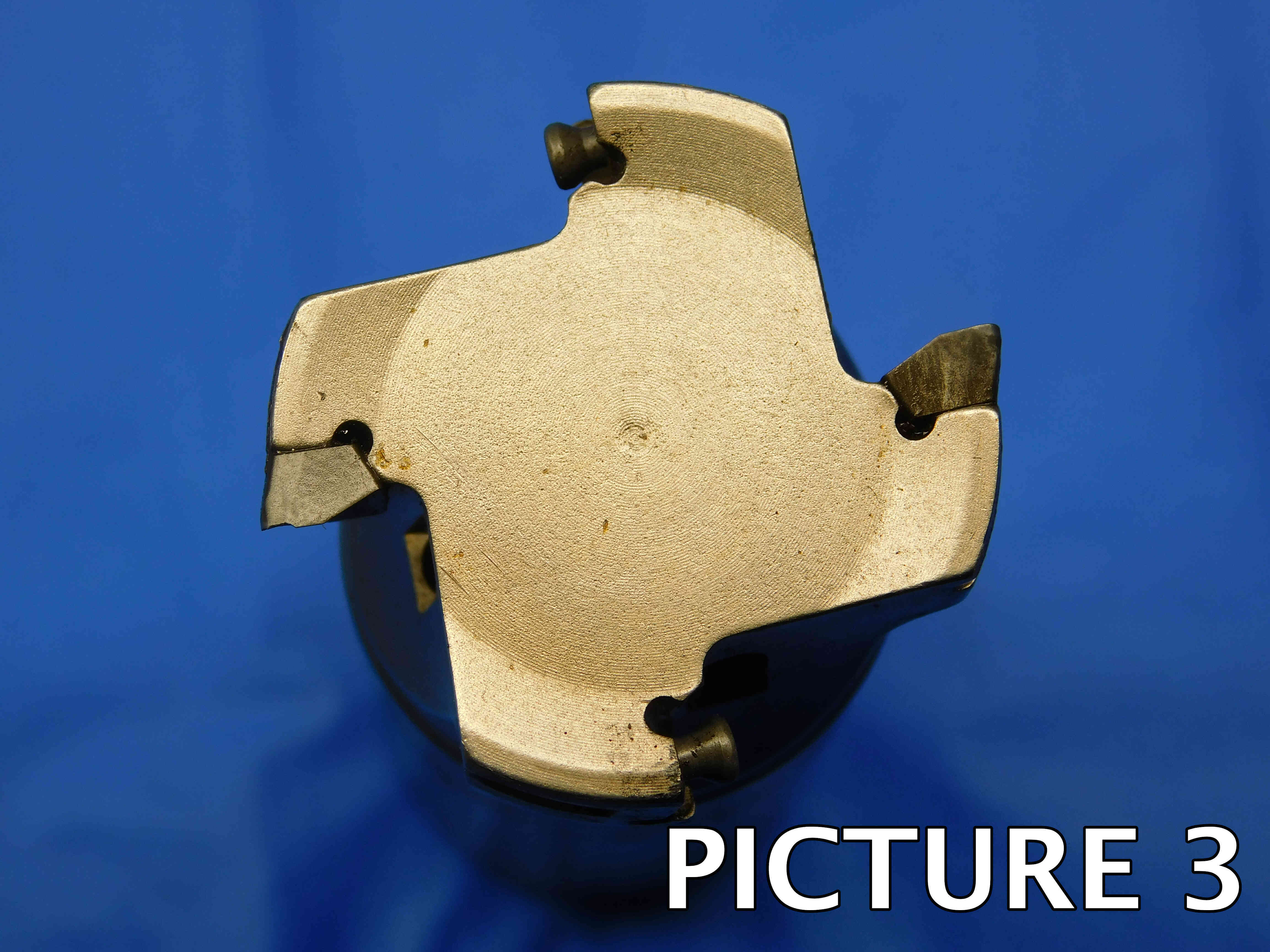
3rd Picture: A head-on shot of the working end, in which the bottom of each pocket is visible (take multiple pictures if needed on an especially large end mill)
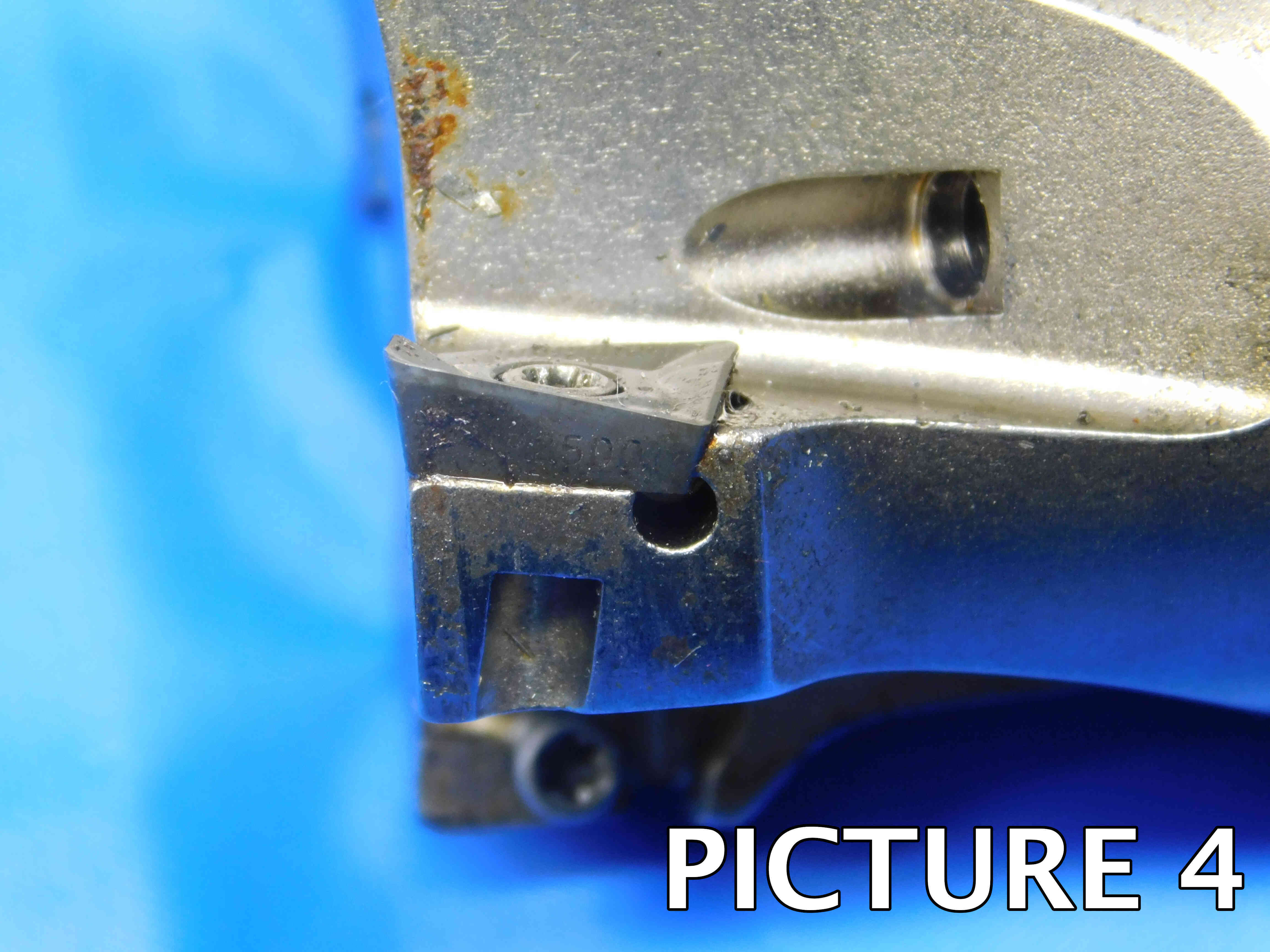
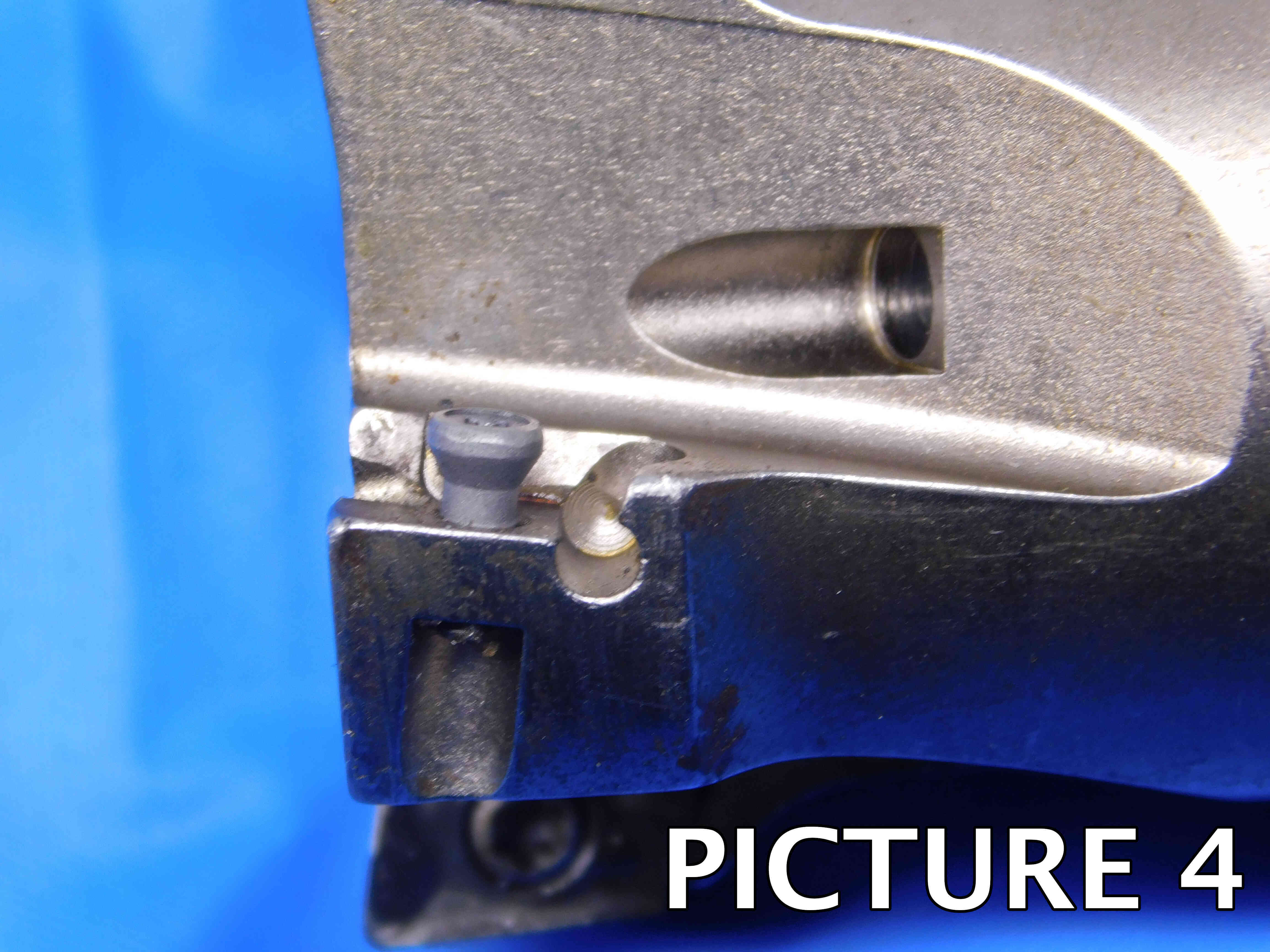
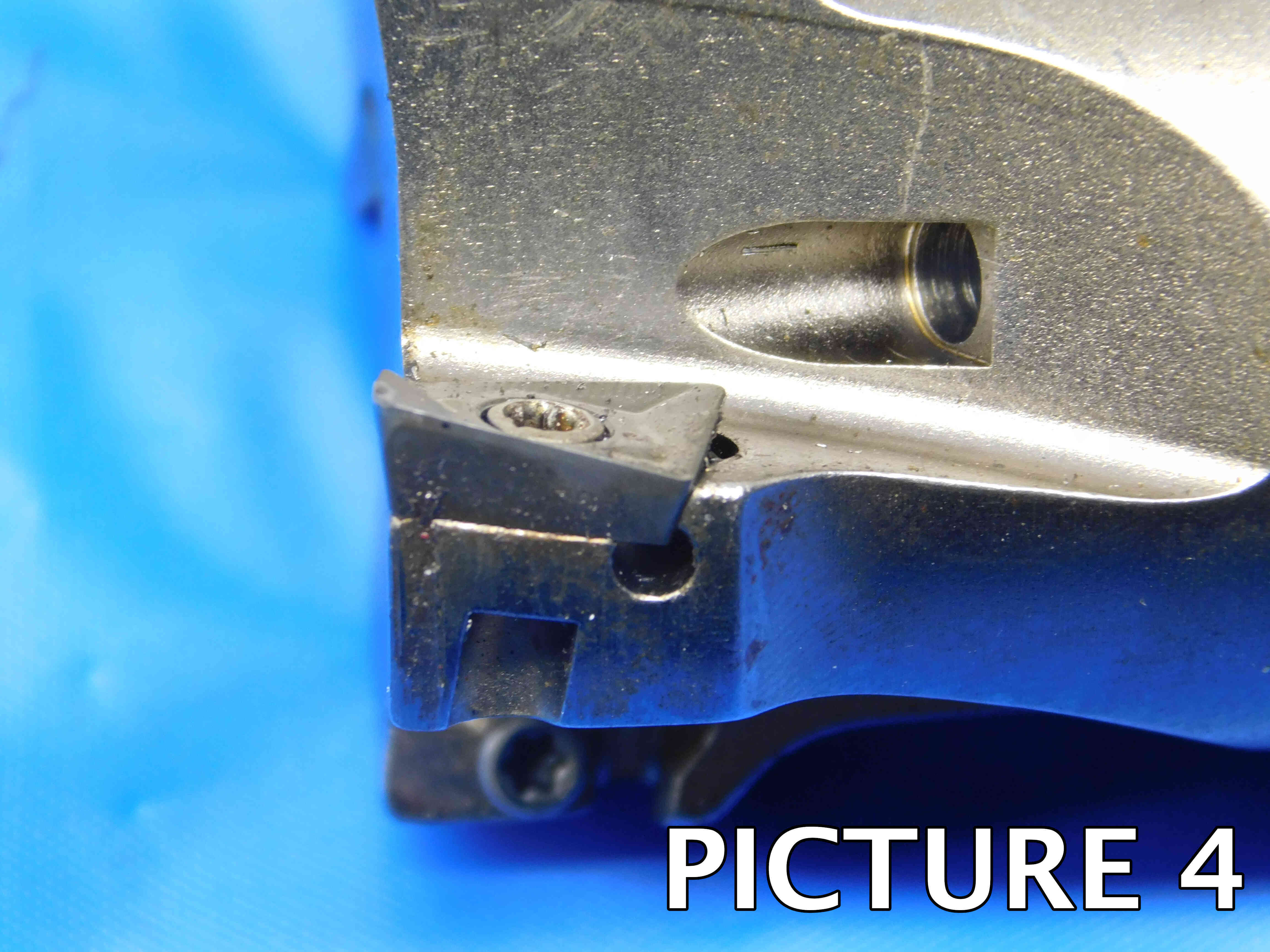
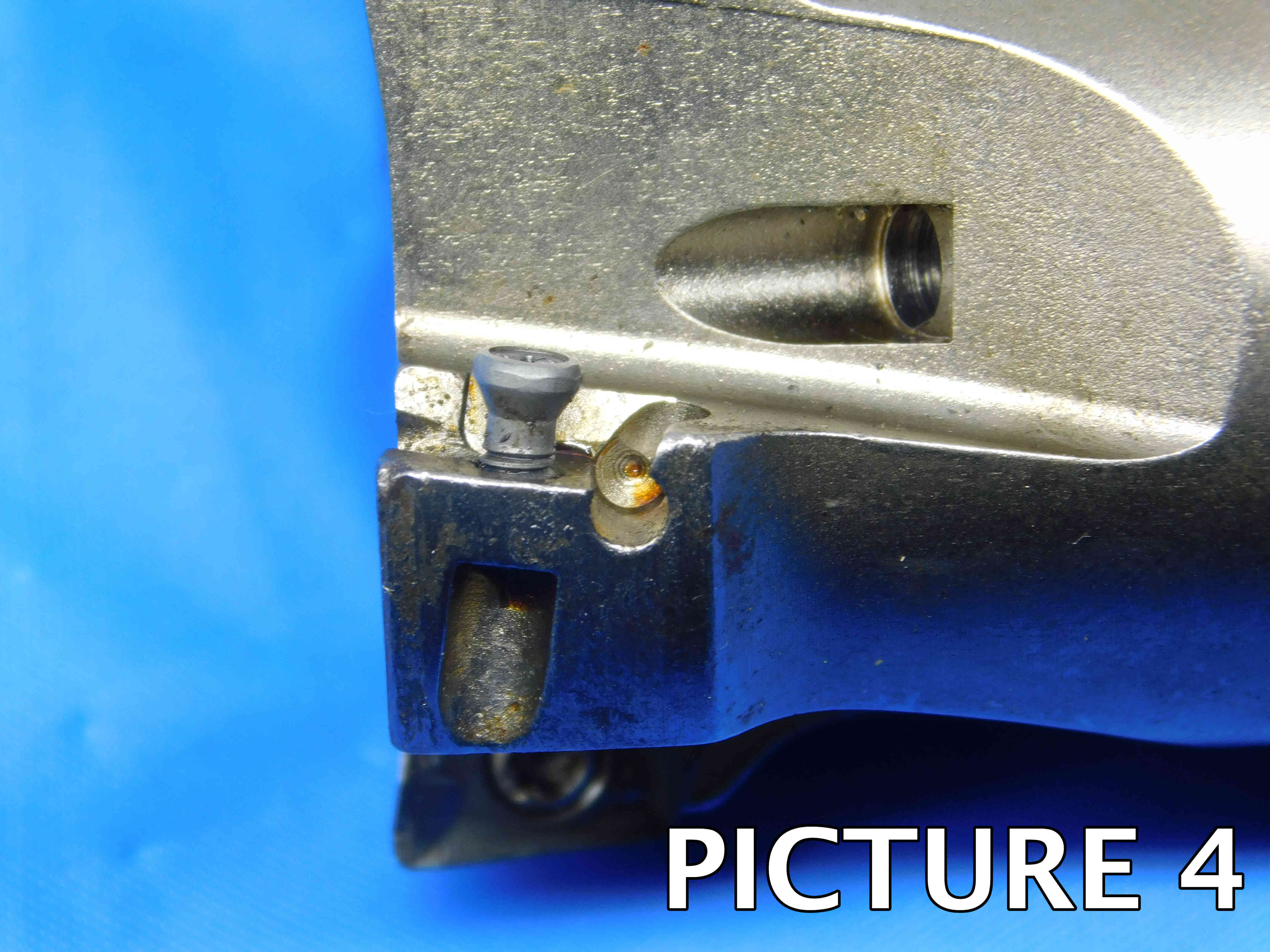
"4th" Pictures: A side view of each insert pocket. On a helical mill with multiple inserts per flute (such as the third example below), Try to get each entire flute in one picture rather than shots of each individual insert.
All used indexable end mills must include the head-on and side-view insert pocket pictures and they must match the examples shown below! The insert pocket is the most important part of the tool and the condition must be 100% clear in the pictures! ***If an indexable end mill is NEW, you may skip the side view pocket pictures as there will be no wear / damage that needs to be shown***
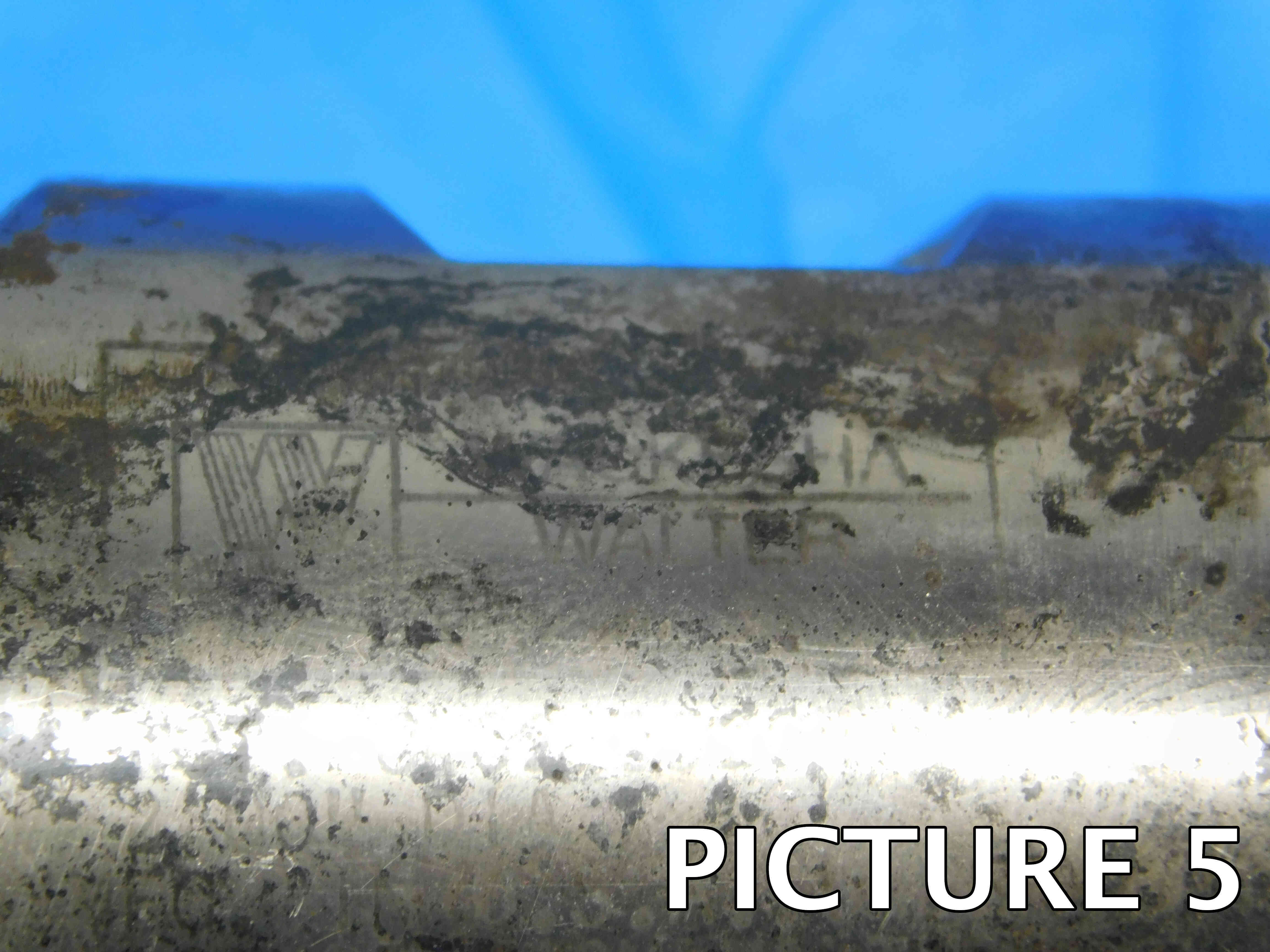
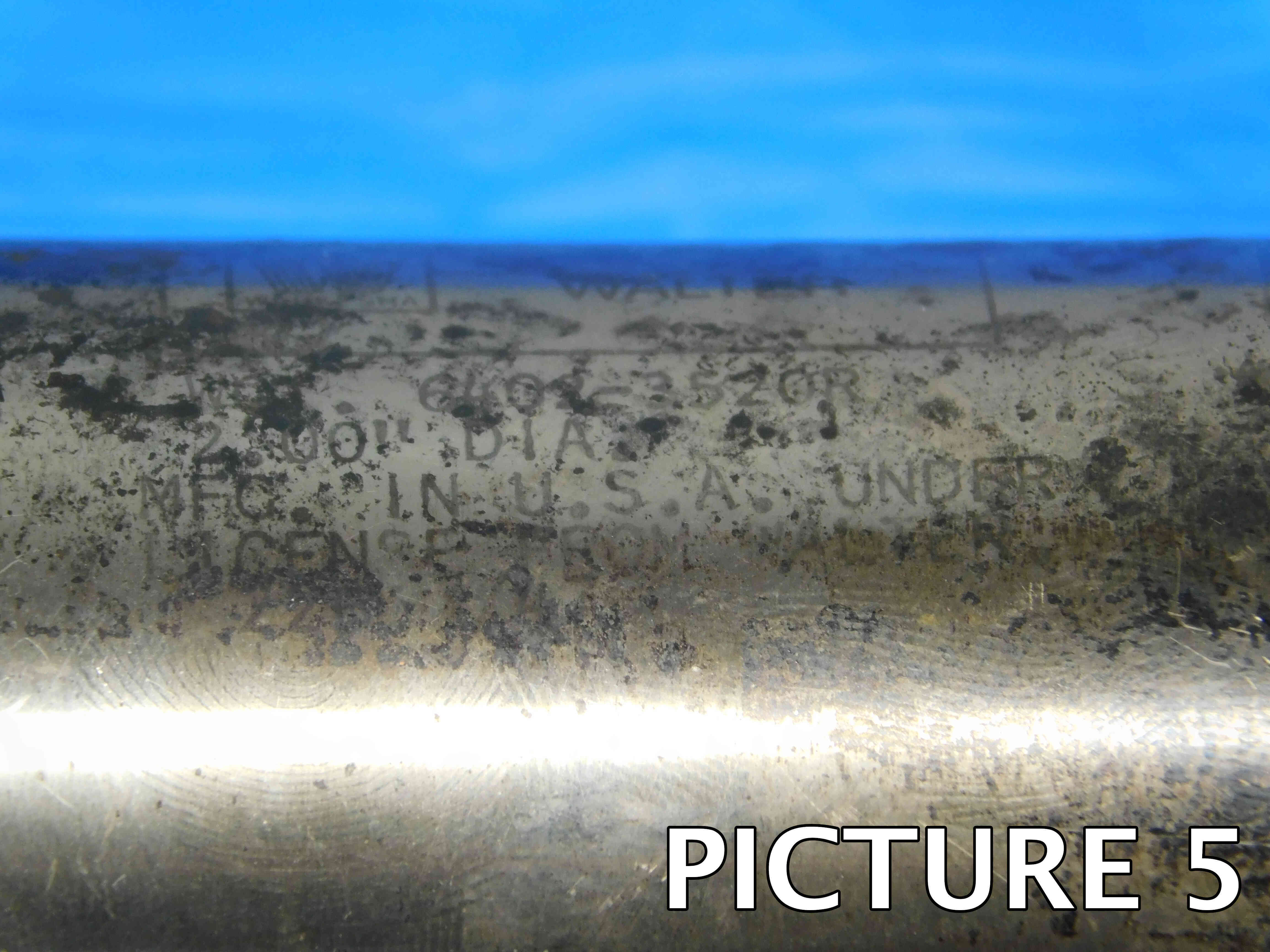
"5th" Picture: A close-up shot of the labeling. Depending on the size of the end mill and the location of the labeling, this may require more than one picture. If there is no labeling, or if it is too faded too show up in a picture, skip this picture.
Additional Pictures: Any damage or modifications, especially to the insert pockets or shank, must be clearly pictured. Use a pen to point to the damaged / modified areas. If any of the insert pockets are missing their screws, it MUST be pictured as well as mentioned in the "Special Condition" section. If there are any flat sections on the shank (whether manufactured or modified) which are not clearly visible in the previous pictures, they should be shown in an additional picture as well. If you think you may need additional pictures for any other reason, check with your trainer to see if they are necessary.
Please refer to the examples below:
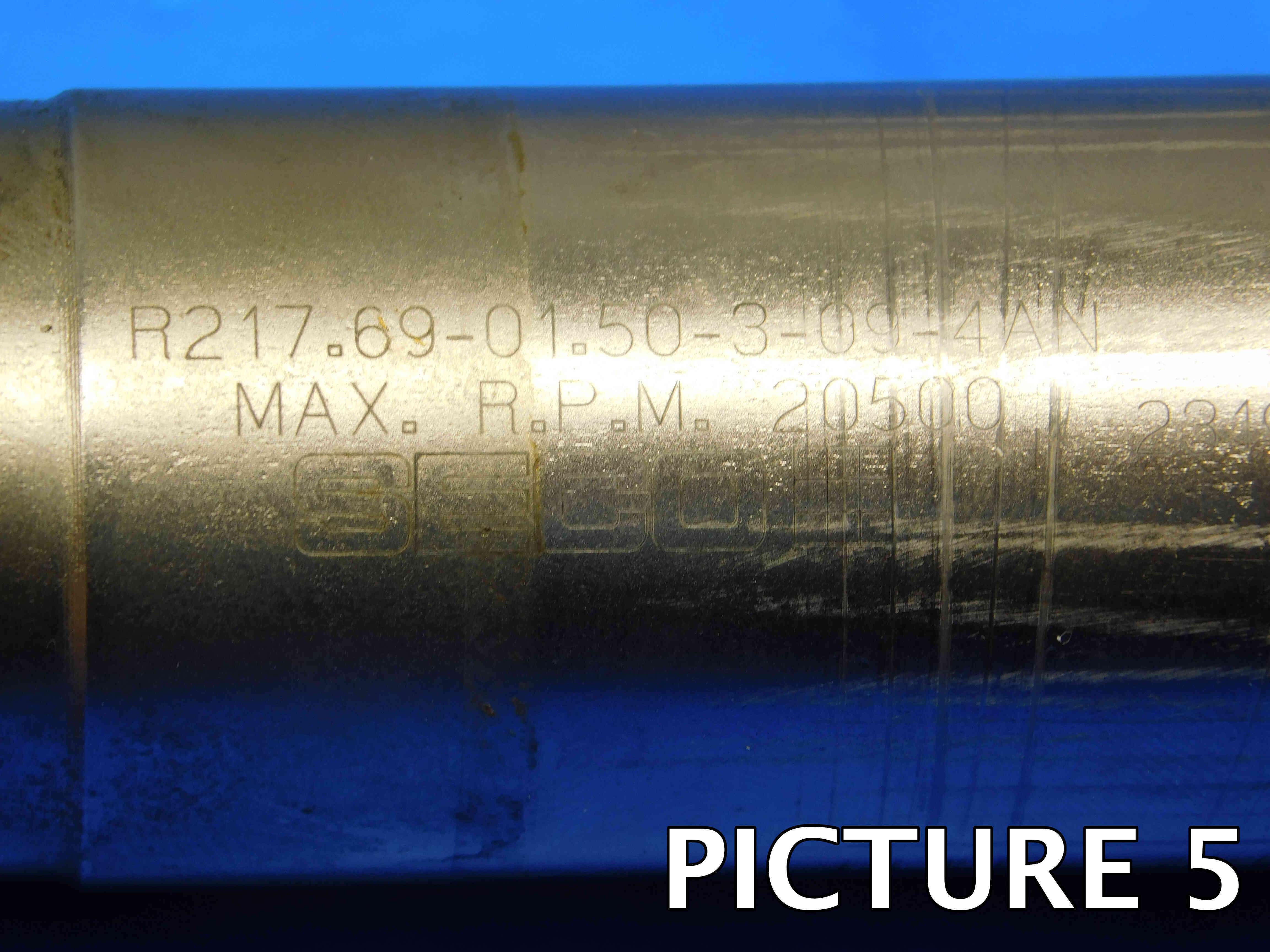
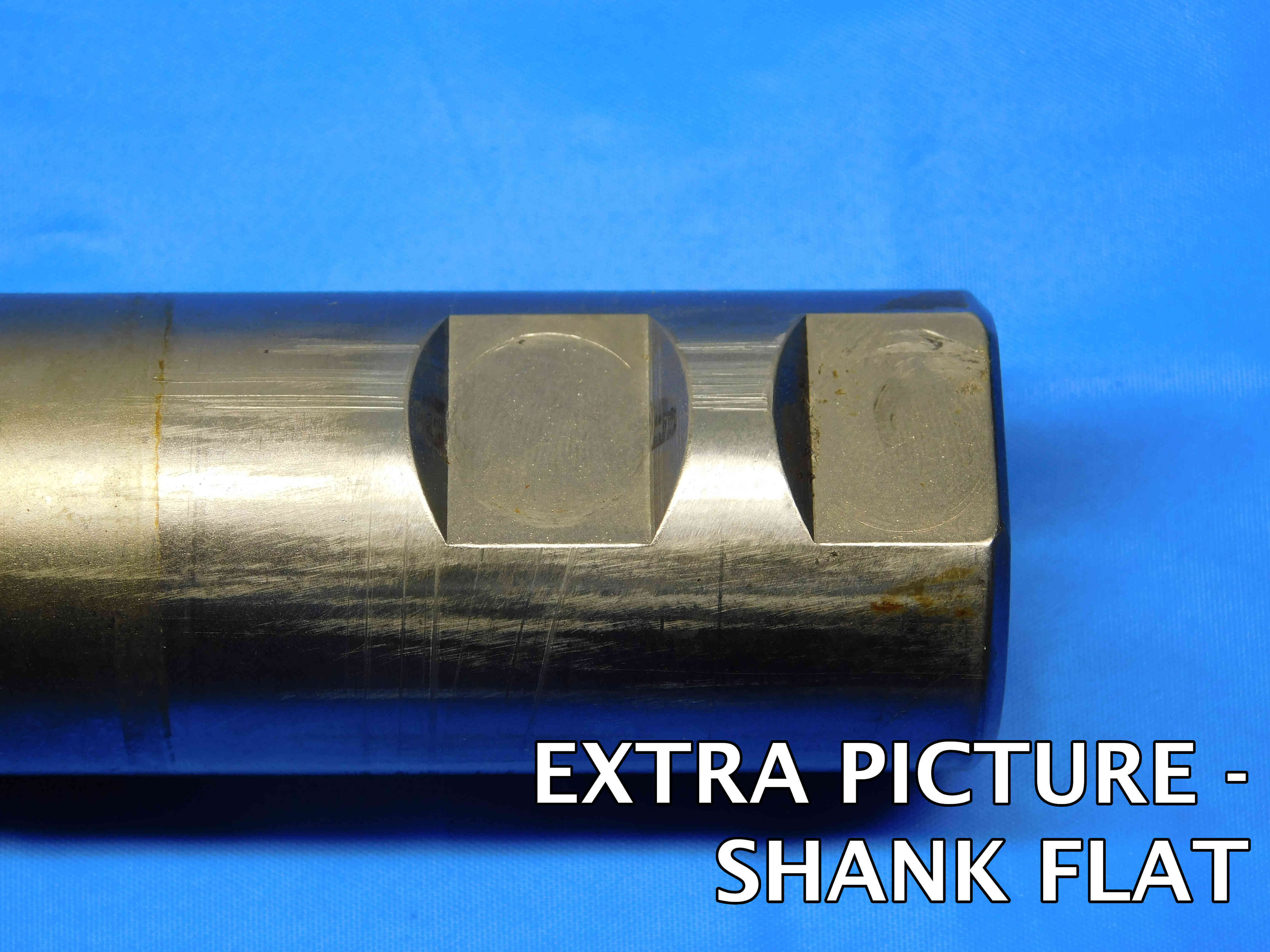
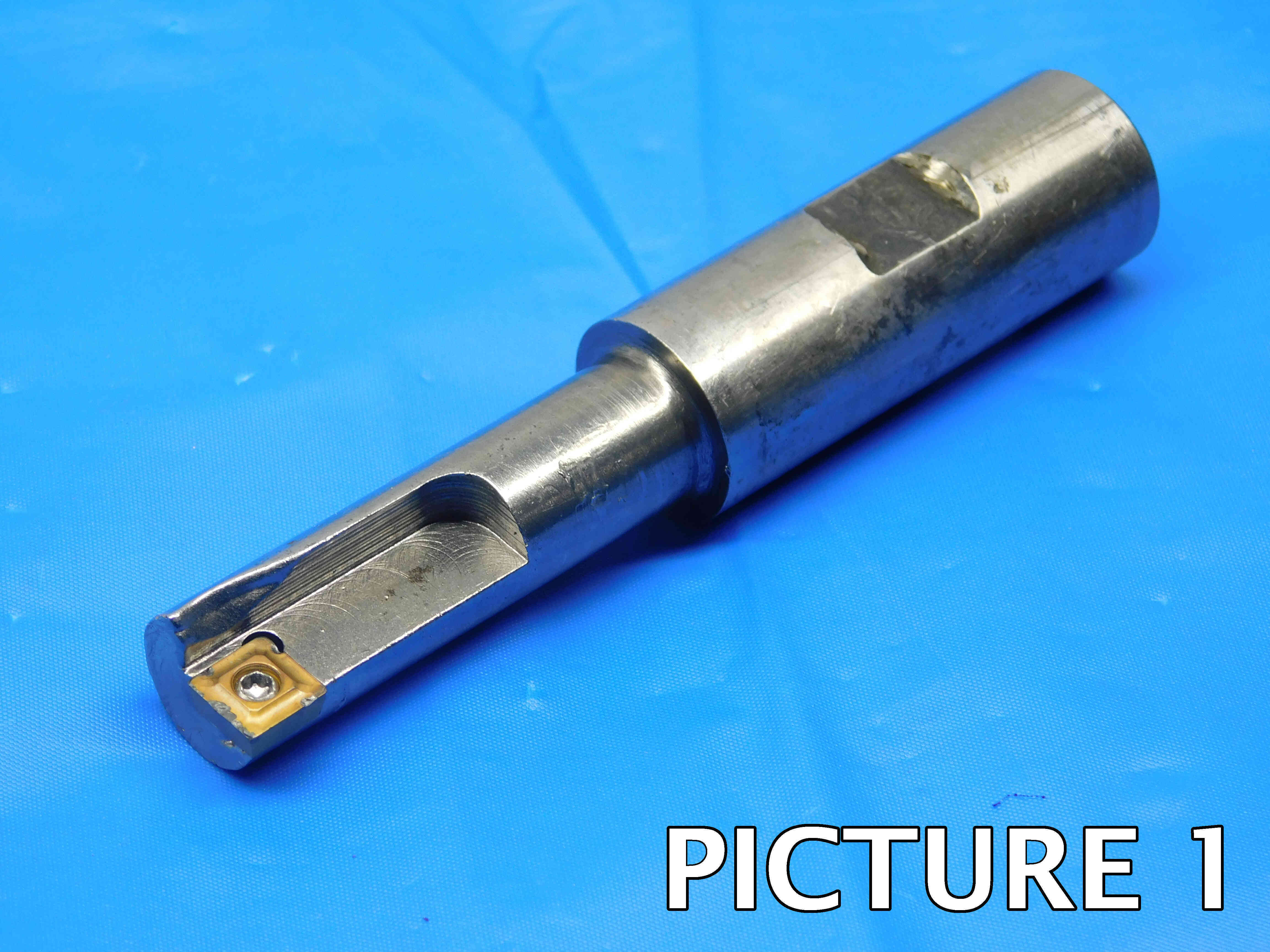
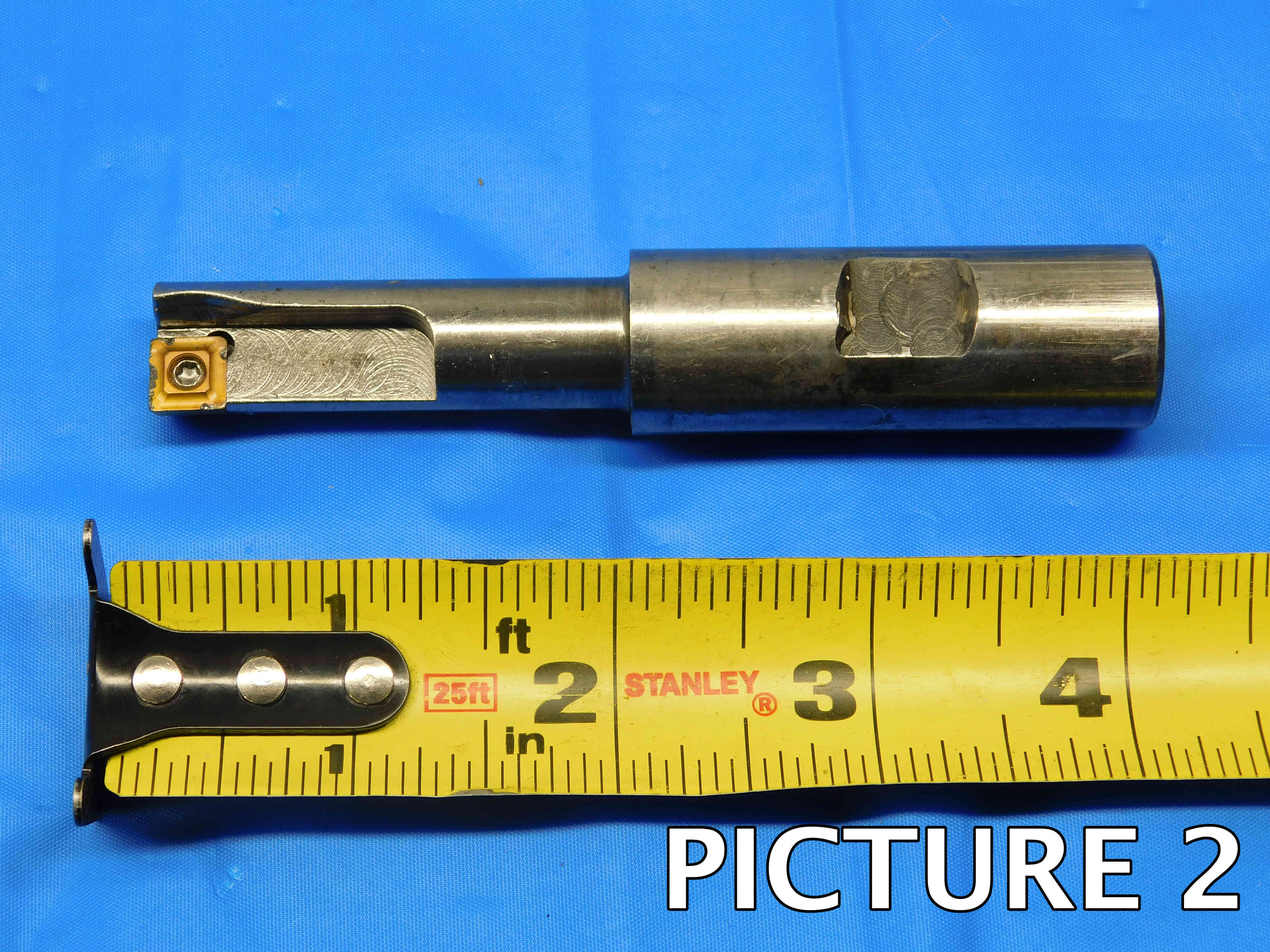
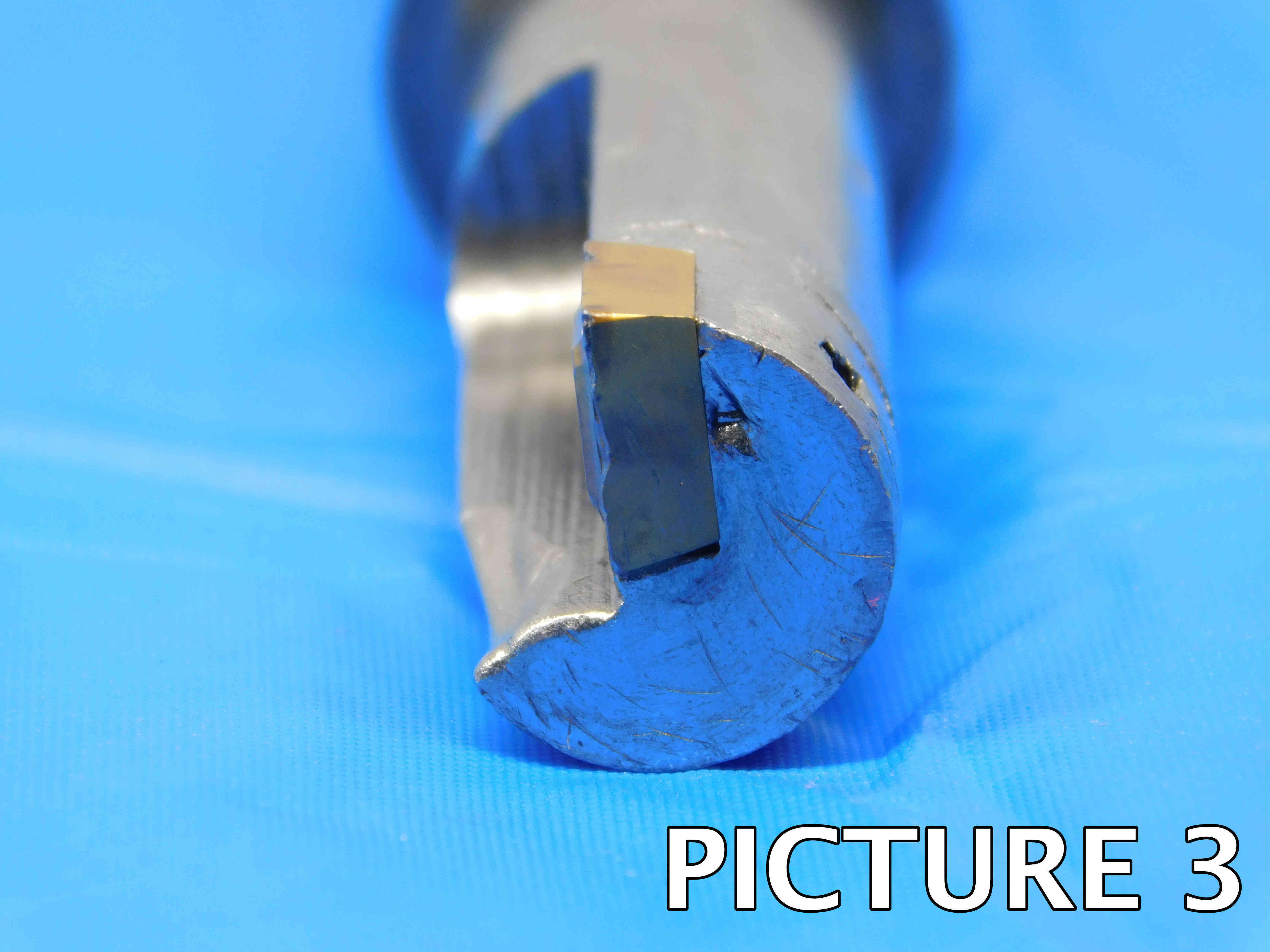
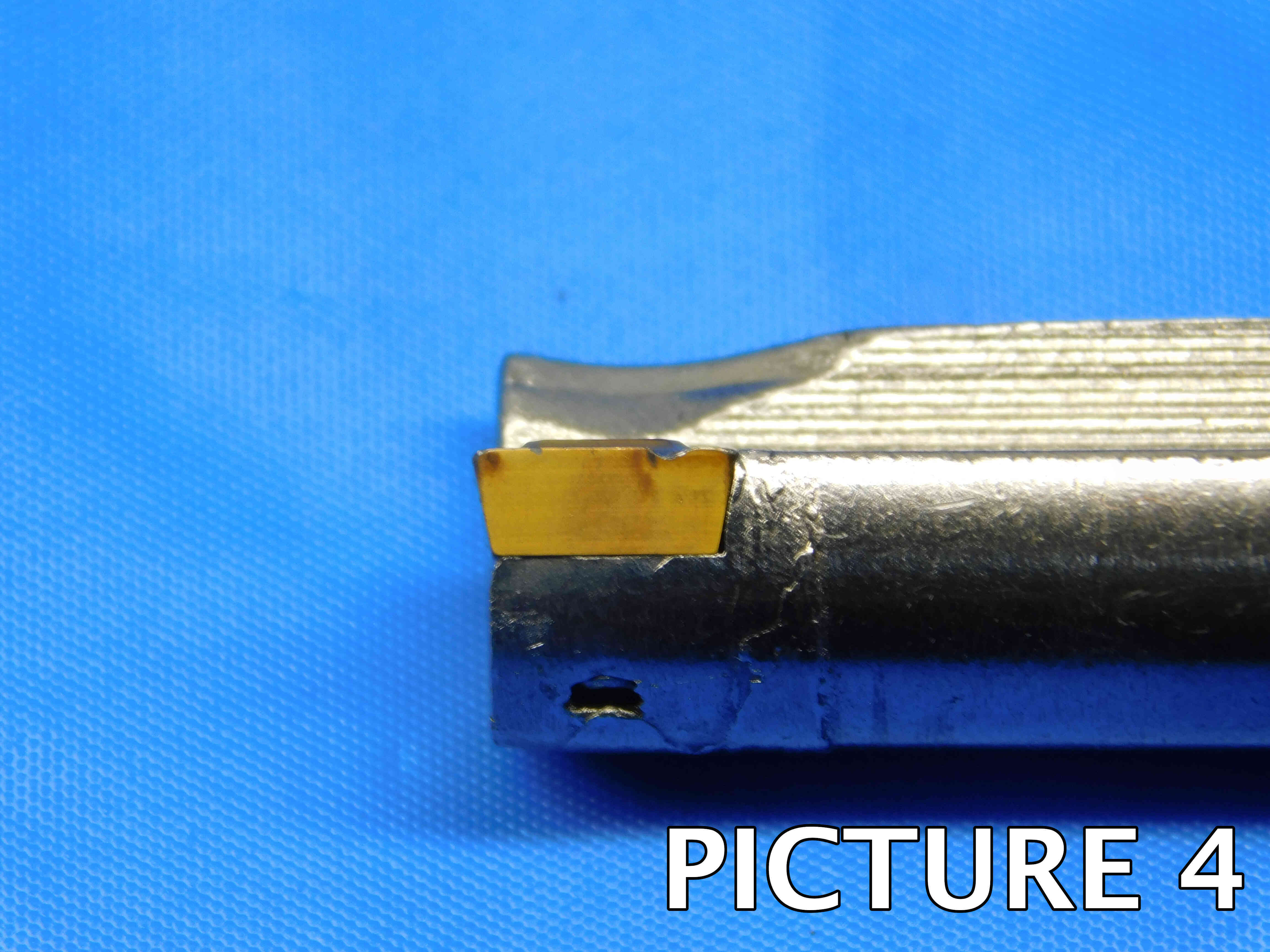
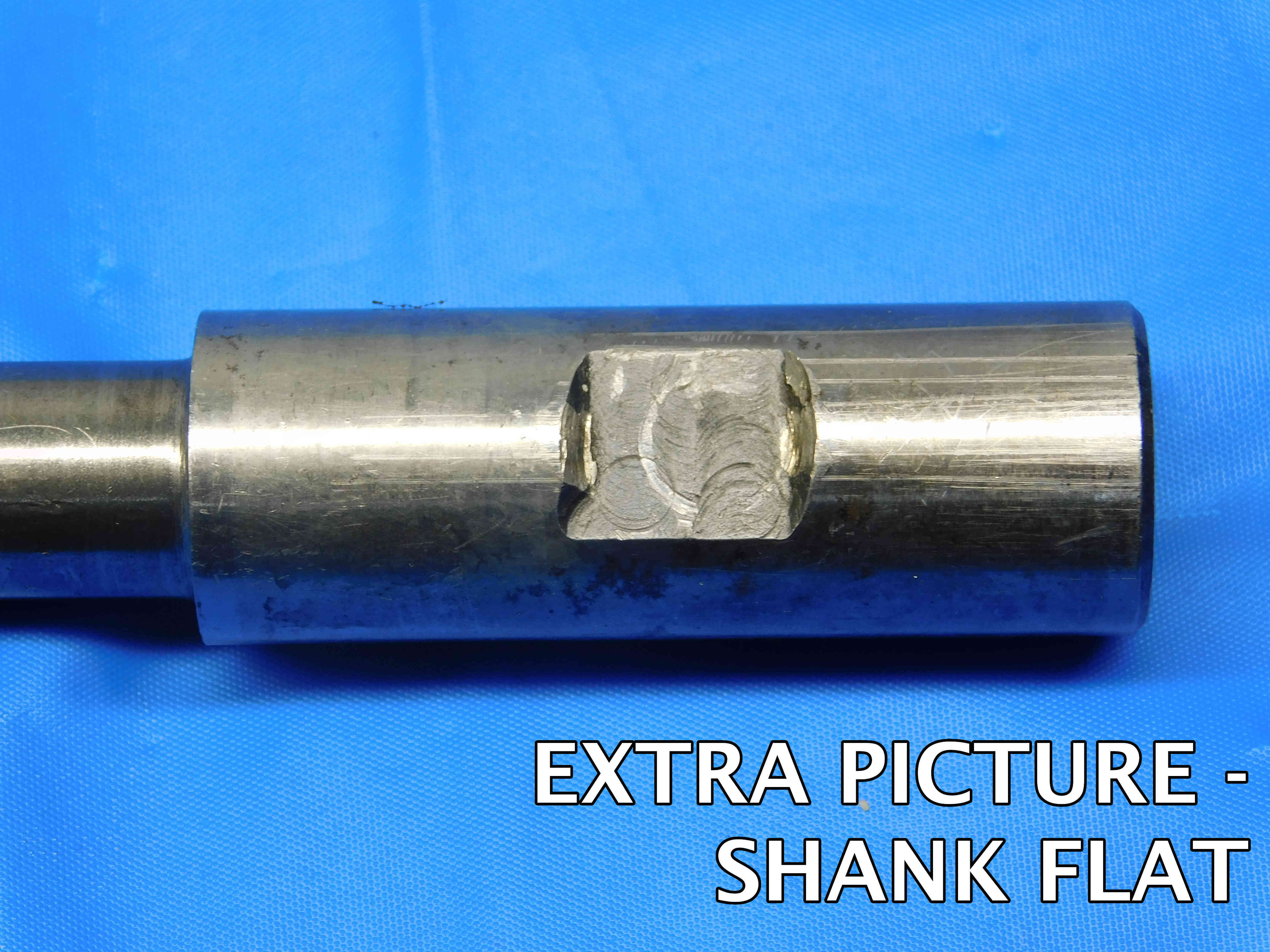
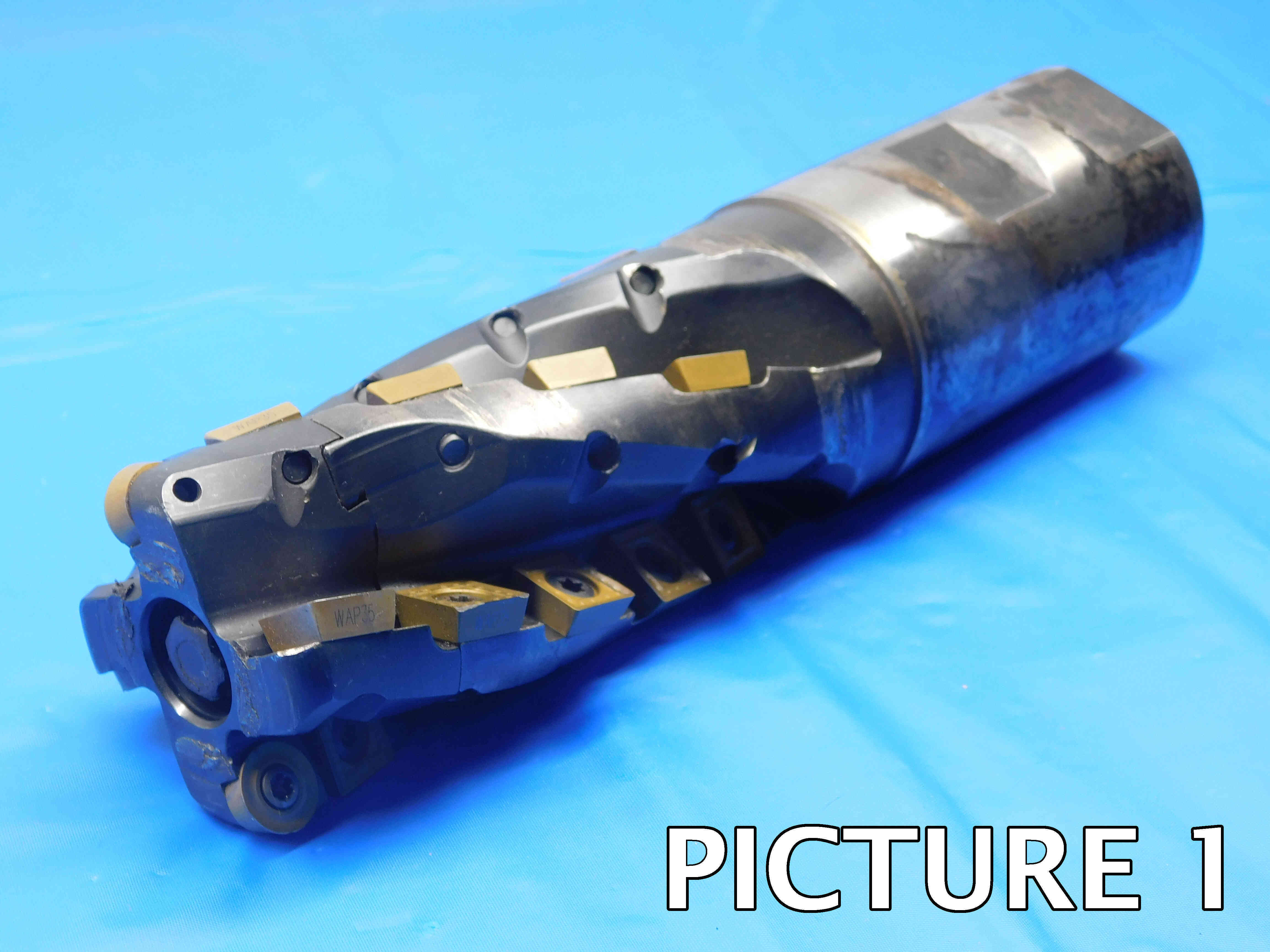
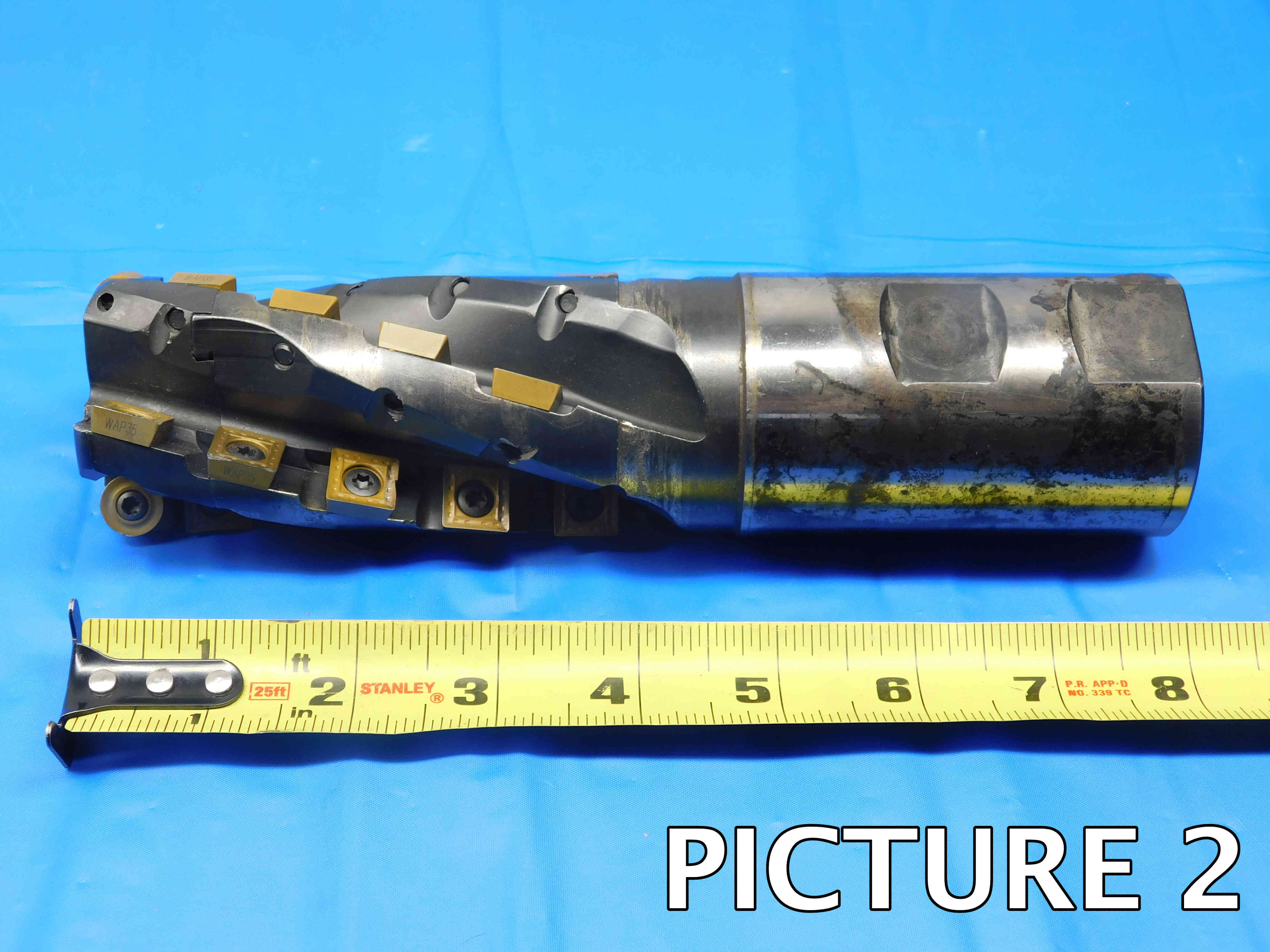
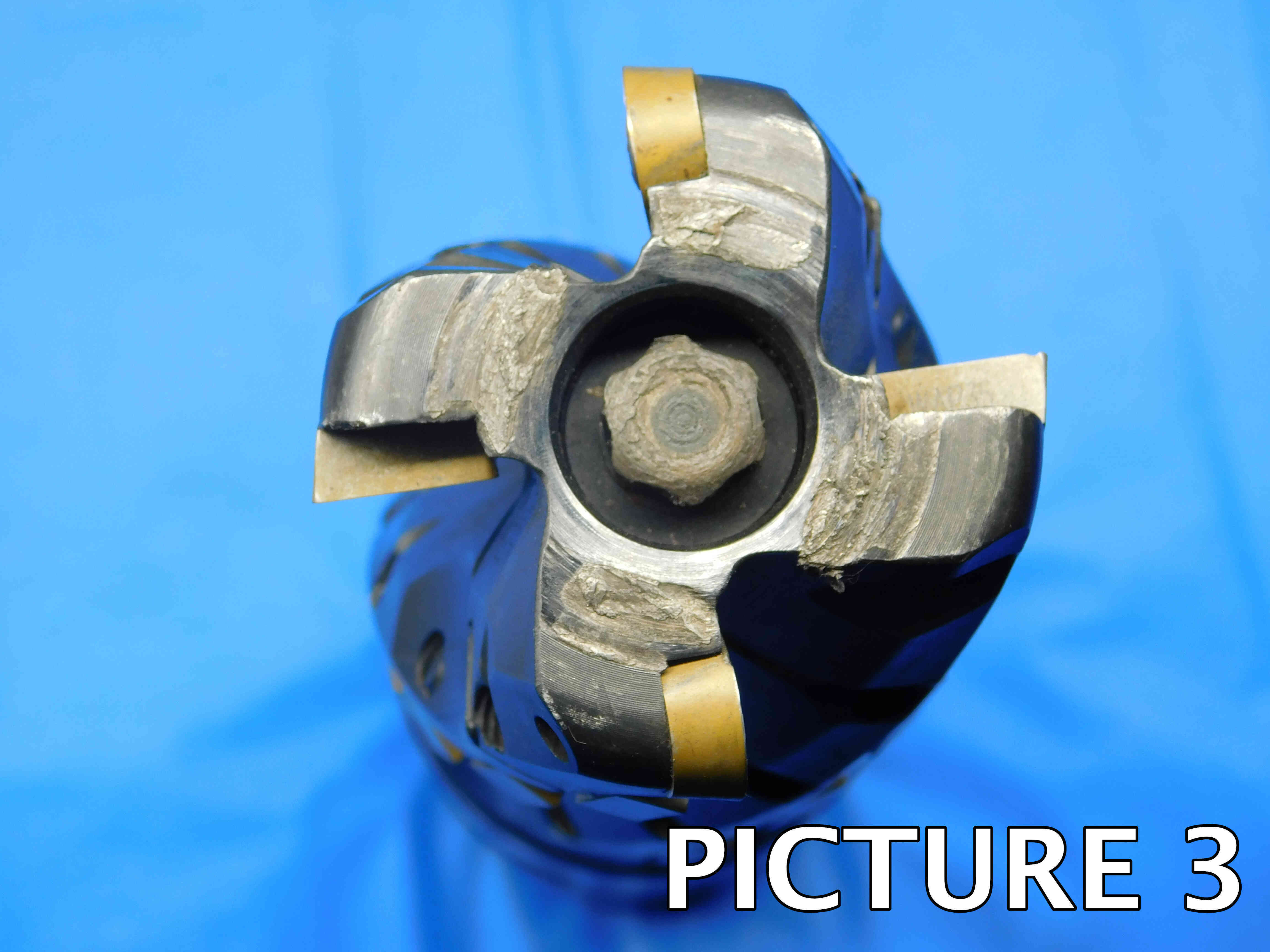
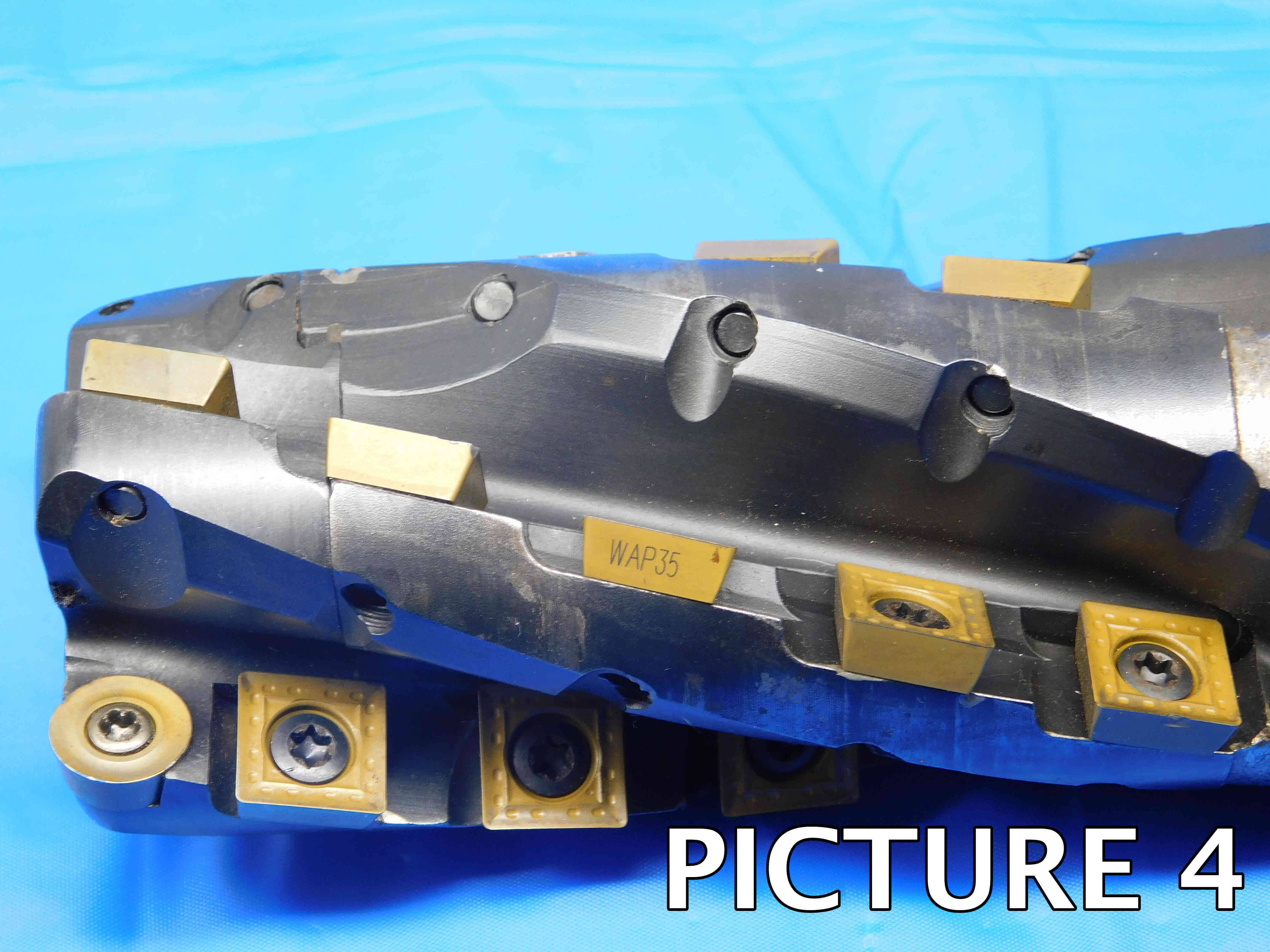
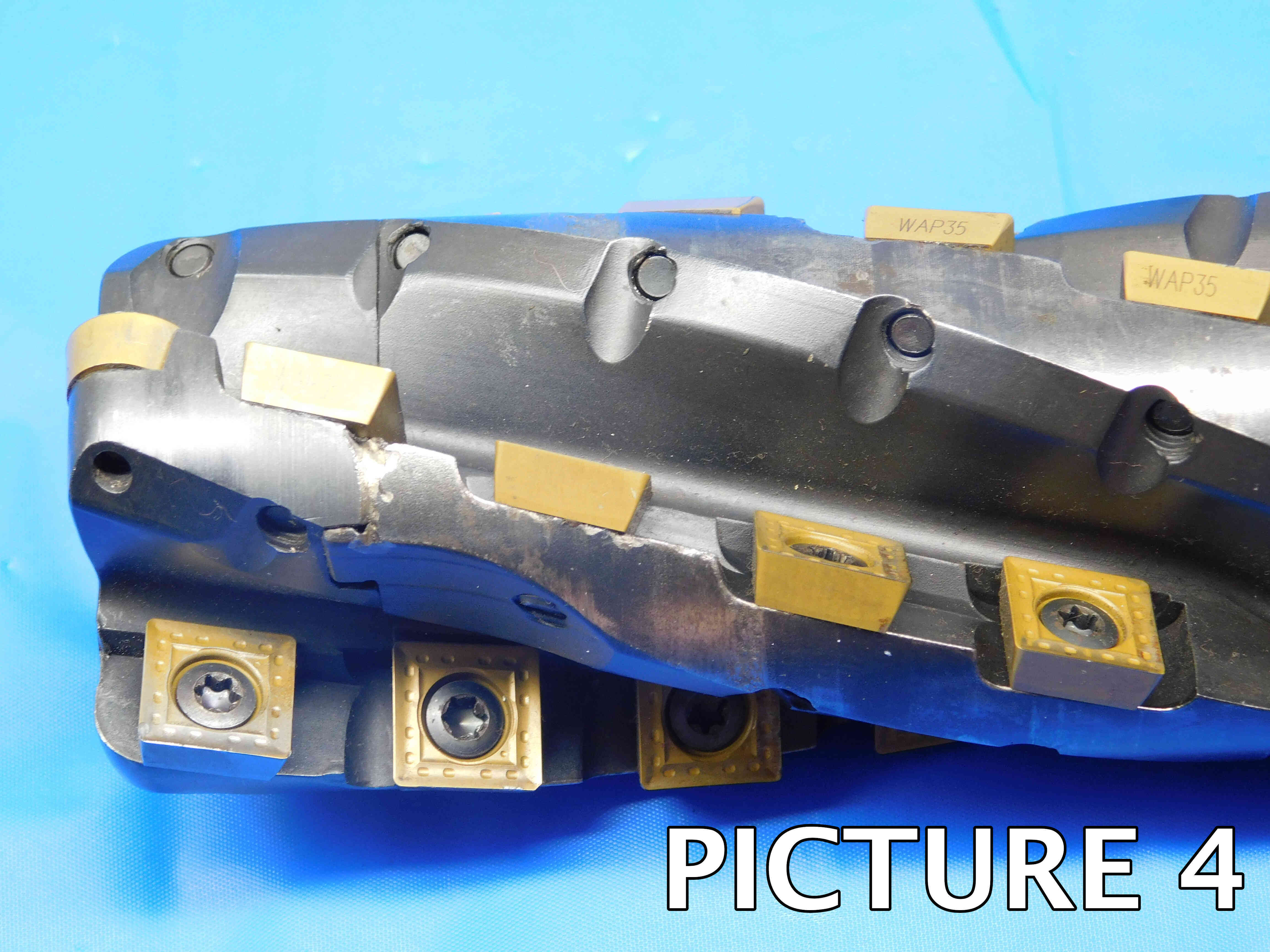
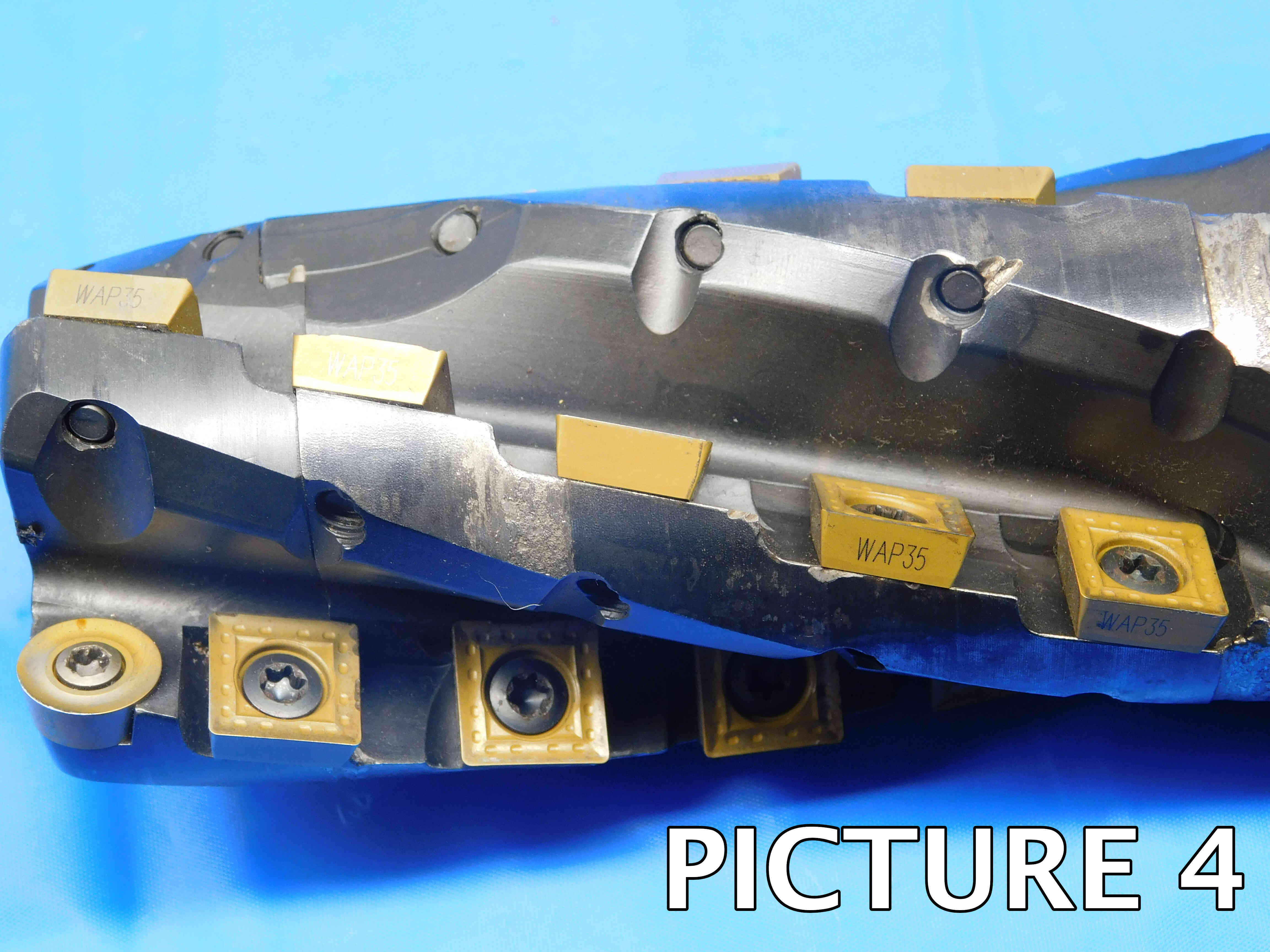
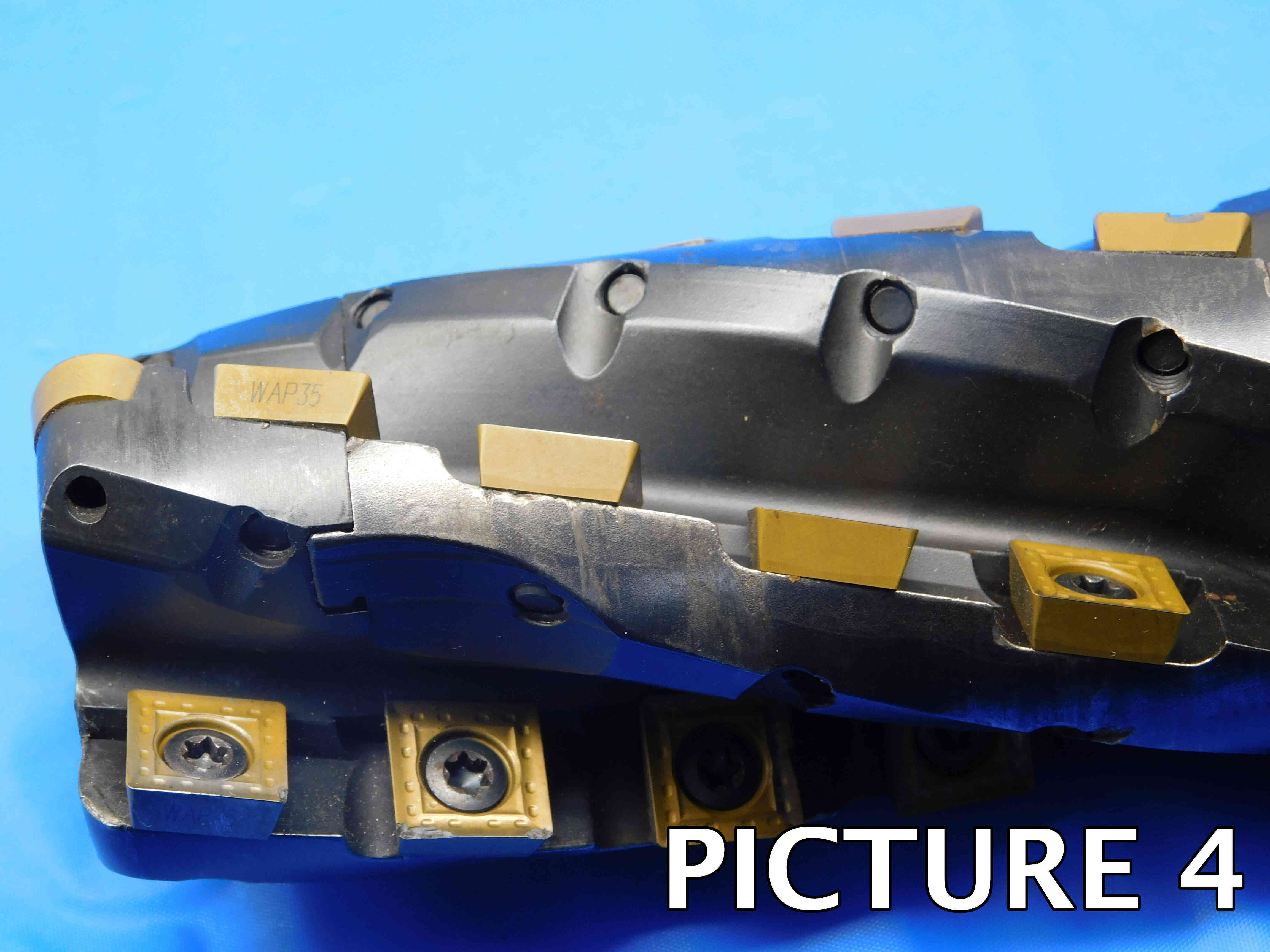
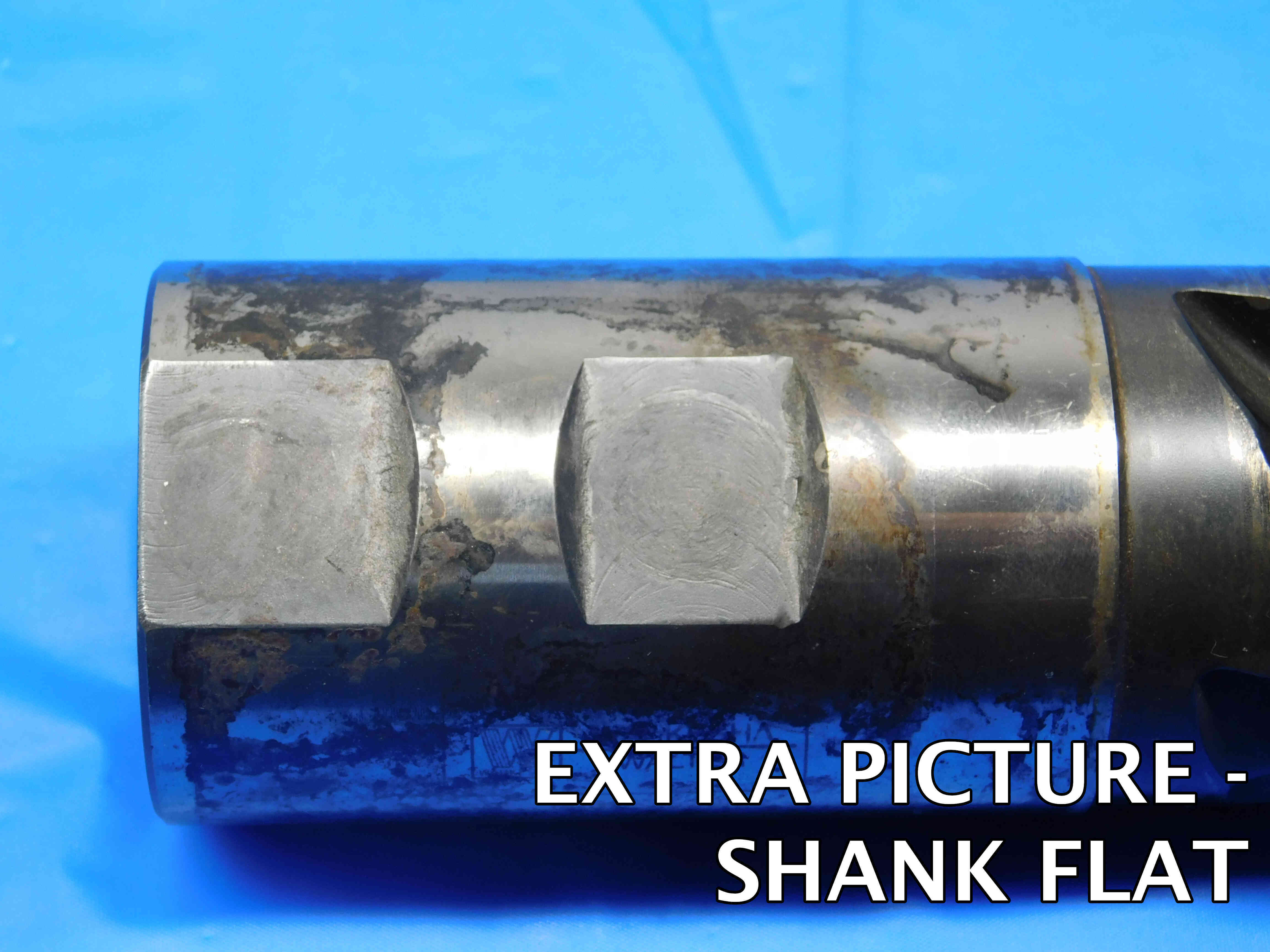
If there is no brand labeled, click the "Unlabeled" button to the right of this cell. Make sure this cell is not left blank, or the listing will not upload properly. Note: Items are often labeled with the country of origin (USA, China, Japan, Poland, etc). This should NOT be entered as the brand, and furthermore should not be included in the listing at all EXCEPT for USA which can be used as a filler.
Indexable end mills may be designed to be coolant thru / fed in order to protect the tool & workpiece from overheating. This can be identified by unthreaded holes typically near the insert pocket that will connect to a central hole at the end of the shank where the coolant enters. Threaded holes that are used by the insert screws ARE NOT coolant thru holes. Refer to the image below for an example of what indexable end mill coolant holes will look like.
An indexable end mill is center cutting if the cutting edge (the inserts) extend all the way to the center of the end mill's head. Unlike non-indexable end mills, it is most common for indexable end mills to be non-center cutting. Below are some examples of both center cutting and non-center cutting indexable end mills.
Like non-indexable end mills, there are multiple types of indexable end mills which are used for different applications. The most common are described below, but you will likely run into other types which are not always easy to distinguish just by looking at them. If the tool has labeling, try searching the part number online - you will often be able to find a product page from the manufacturer or a reputable distributor that can provide information such as type, dimensions, and inserts held. If you are not sure about an indexable end mill's type, leave this section blank.
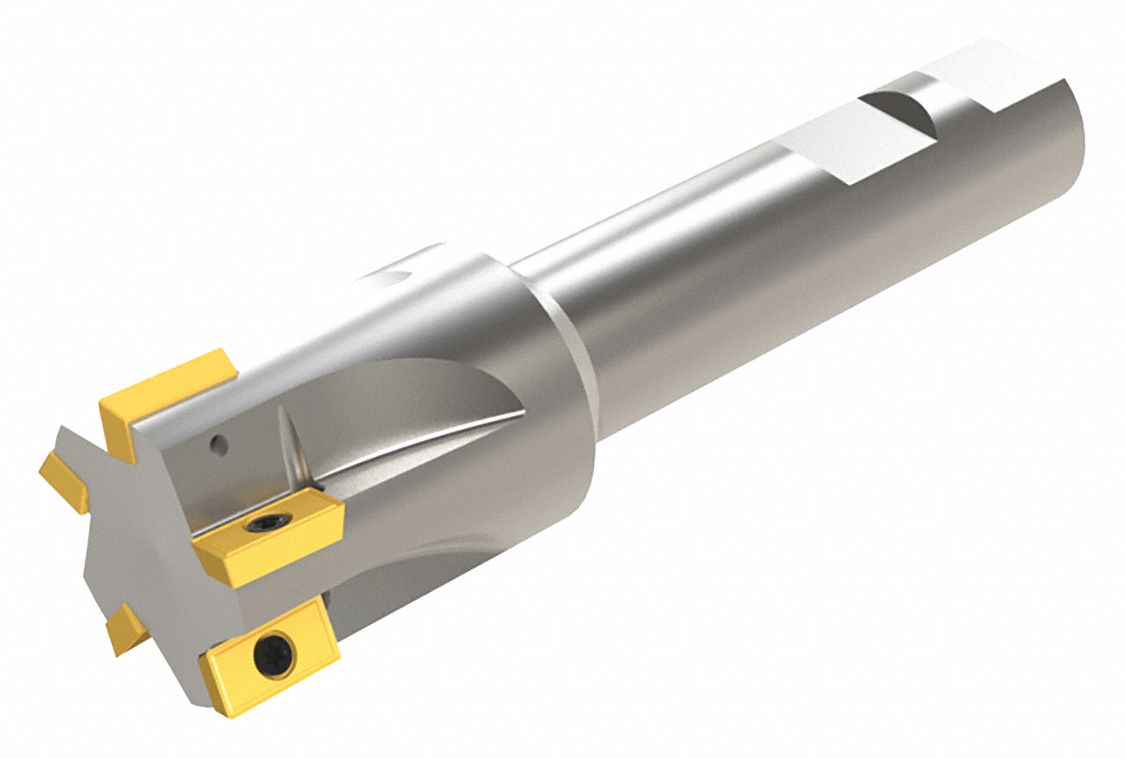
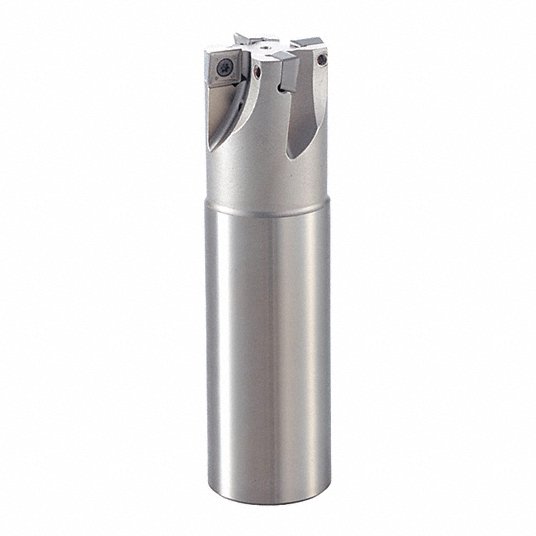
One of the most common types of indexable end mills, these tools are named for their 90 degree angle cutting edge which is used to mill squared-off corners into a workpiece. They tend to use common square and rectangular insert types like SNMG or APKT.
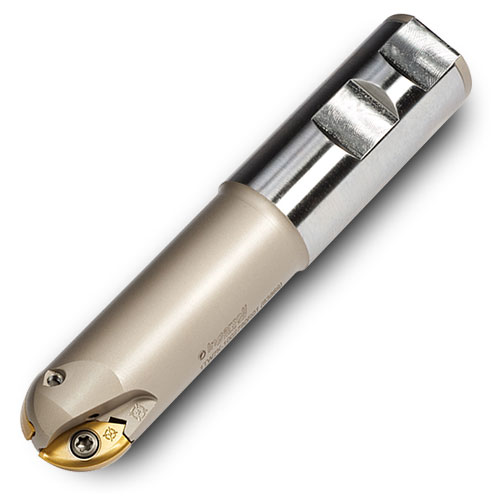
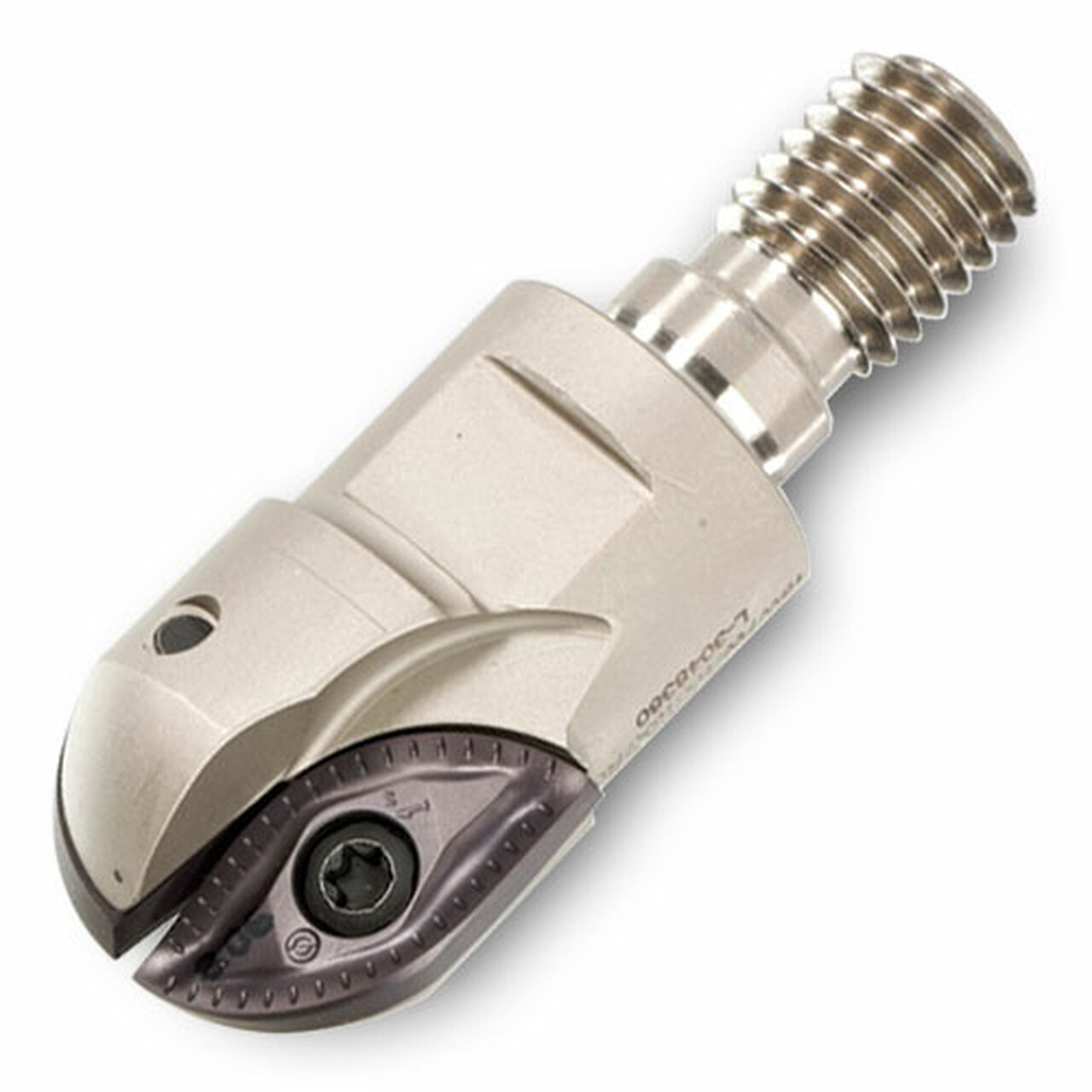
Ball nose indexable end mills (also sometimes called just "Ball Indexable End Mills") are easily distinguished by their rounded cutting edge. They are almost always center cutting and often use specialized inserts.
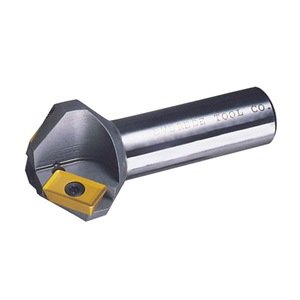
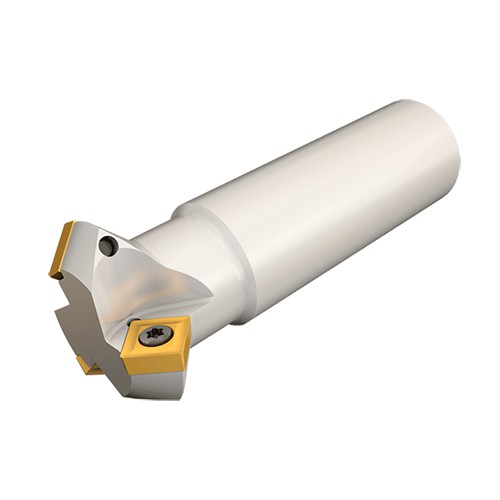
Chamfering end mills (frequently referred to as just "Chamfer Mills") have a specific cutting angle, most commonly 45 or 60 degrees. They are used to cut sloped edges (also called a chamfer). The chamfer angle should be included in the listing whenever this information is known. Like square shoulder end mills, indexable chamfer mills typically use common square or rectangular insert types such as SNMG or APKT.
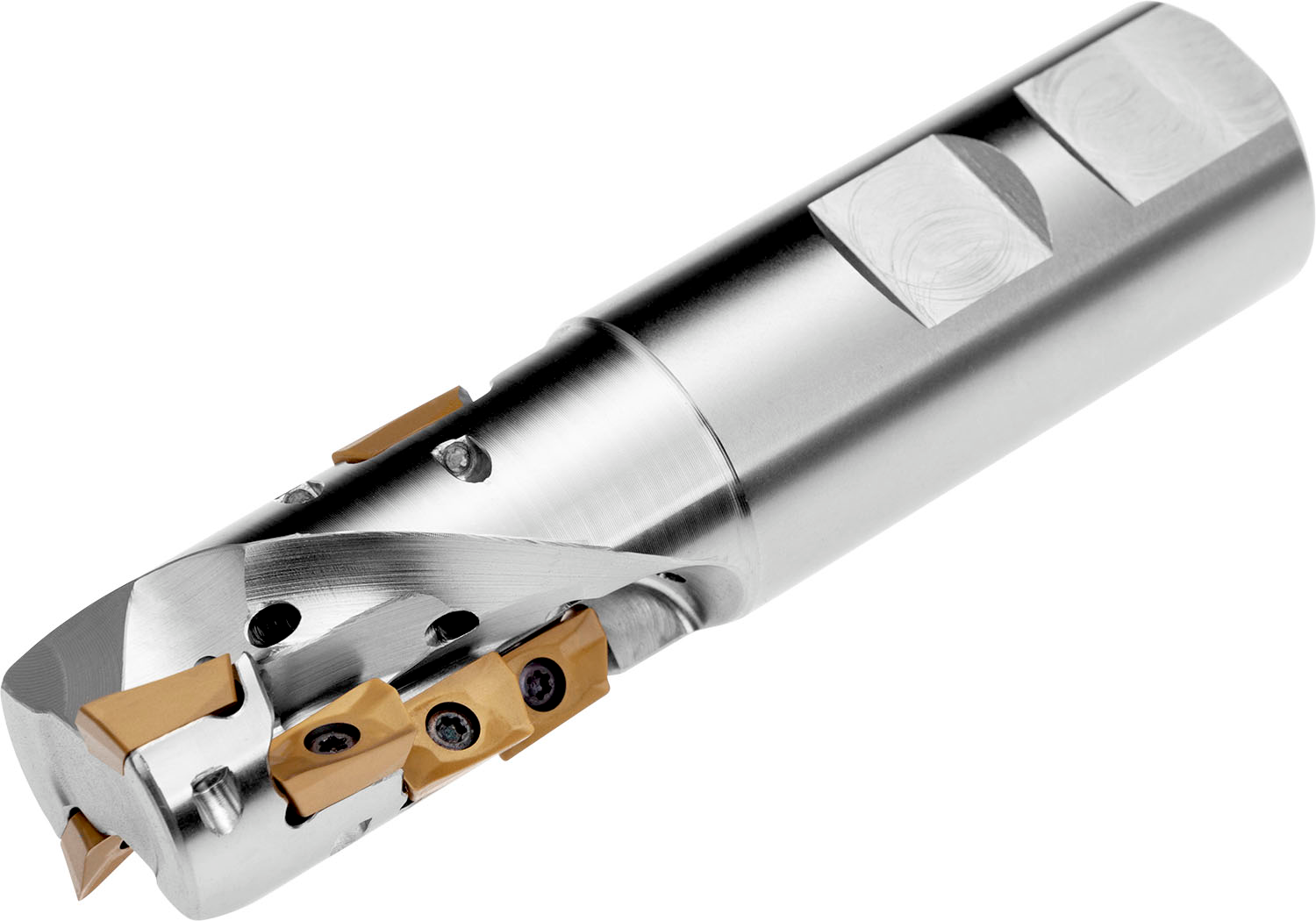
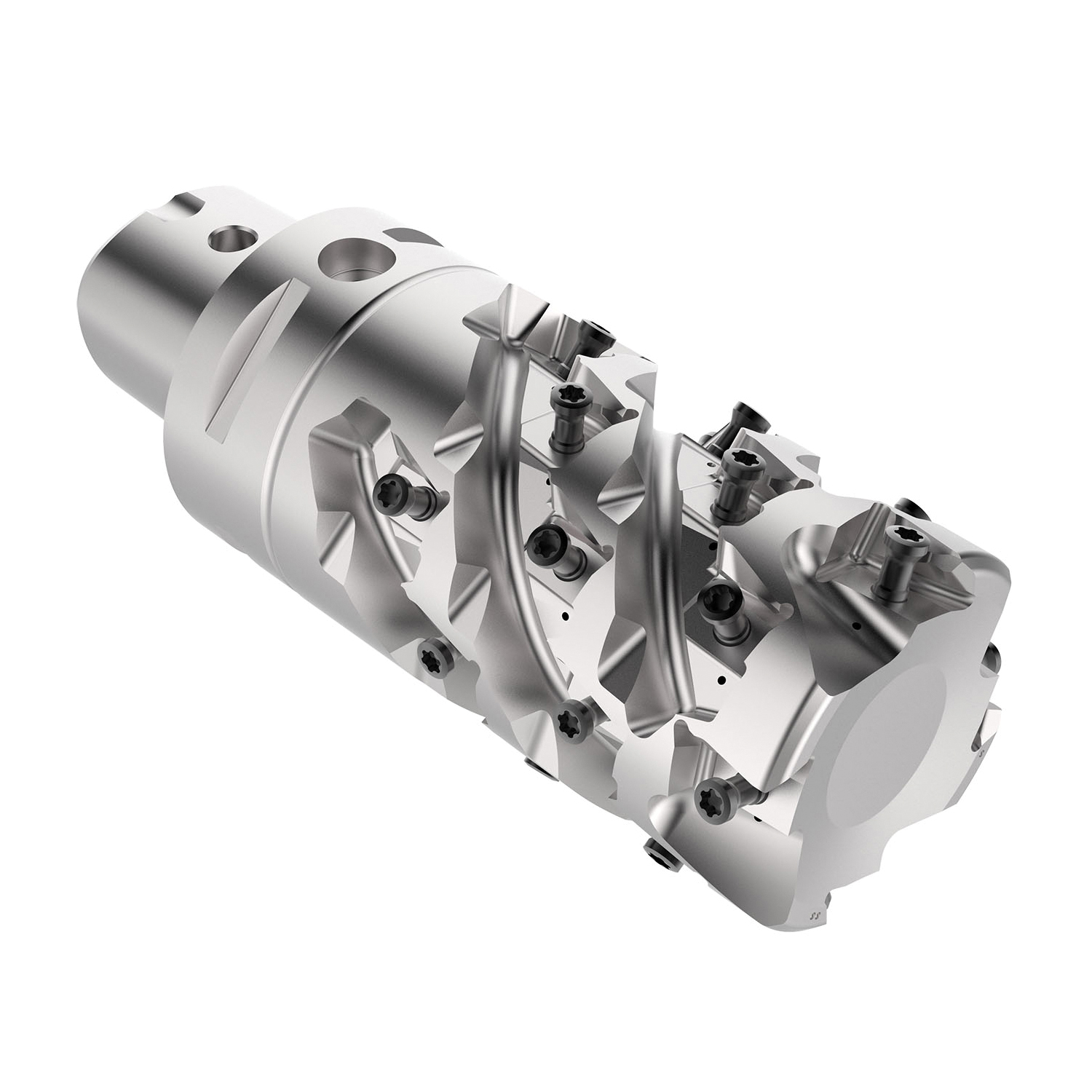
Helical indexable end mills have multiple inserts per cutting edge in a spiraling pattern, increasing the tool's length of cut and allowing for material to be removed from the workpiece more quickly.
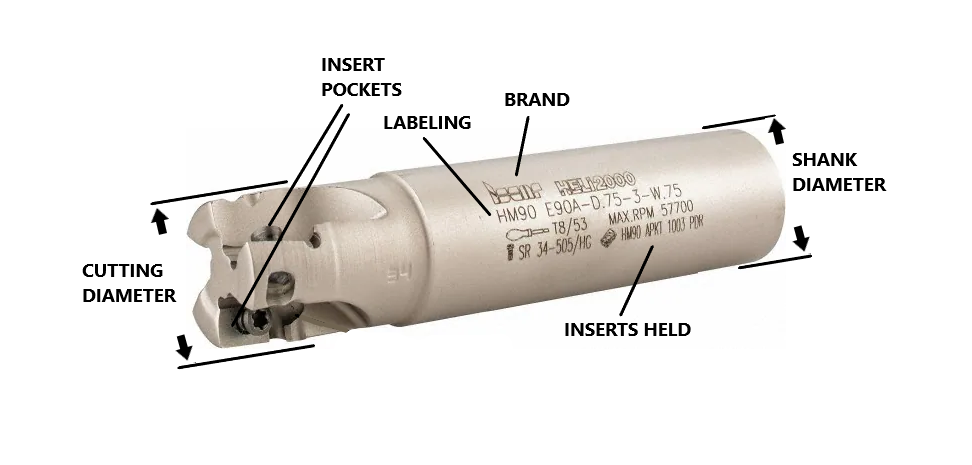
The Cutting / Milling Diameter is often labeled, but can also be measured from the end of the cutting surface of insert (the furthest & highest point on the insert from the center of the end mill) across the face of the end mill to the opposite end.
If there are an even number of flutes and there are inserts present this can be measured with calipers. If there are an odd number of flutes and there is no hint given from the labeling, you can figure out the diameter via measuring from the end of one insert to the center of the end mill (or as close as you can approximate) and multiply this distance by 2. Since this is not an exact measurement, you may have to round slightly one way or the other (indexable end mills typically have standard sizes and usually do not go smaller than 1/8 increments).
For end mills with only a single flute, there is often not a simple way to measure the cutting diameter so you will likely have to rely on labeling or researching the part number to find this measurement.
Note: When entering a whole-number inch size, always include the " sign. The " sign should not be included for any size including a fraction or decimal. So, for example: If an end mill's cutting diameter is exactly one inch, it should be entered as 1" and not just 1. If the cutting diameter is one and a half inches, it should be entered as 1 1/2 or 1.5 and not 1 1/2" or 1.5".
Metric size measurements should be entered with a lowercase "mm" (ex.: 16mm, 40mm).
The overall length is very simple; measure the distance between the farthest two points on the tool. This can be done with handheld calipers or even a tape measure as this does not need to be as precise as other measurements.
The shank diameter can be measured with calipers and is often a common size, however this is a precise measurement and should not be rounded if it is more than .005" off from a fractional size. You may also encounter indexable end mills with special modular connections such as Capto or ABS which are designed to fit into specific machines or tool holders. For more information on these connection types, please refer to the Modular Connection Types tutorial page.
This refers to the number of distinct cutting edges at the end of the indexable end mill. This is not necessarily the same as the total number of inserts that the tool holds - for example, the two end mills shown in the "Helical" type section above would be considered to have 2 and 4 flutes respectively, even though the number of inserts they hold is greater than that.
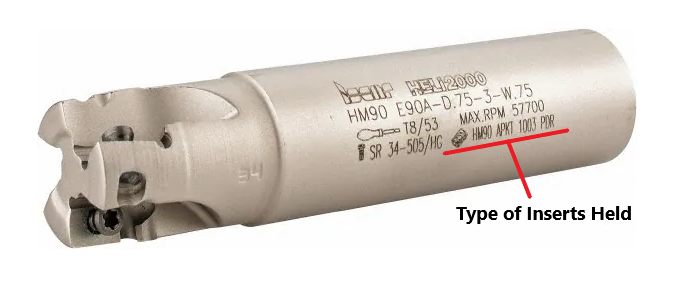
The type of inserts held will sometimes be labeled on the tool itself, often notated by the letters "INS" or with a picture of an insert such as in the image above. You may also be able to find insert information from a manufacturer's product page (if one exists) by searching the tool's part number online. It is also possible to identify some types of inserts based on their shape and dimensions - for more information, refer to the Identifying Inserts page.
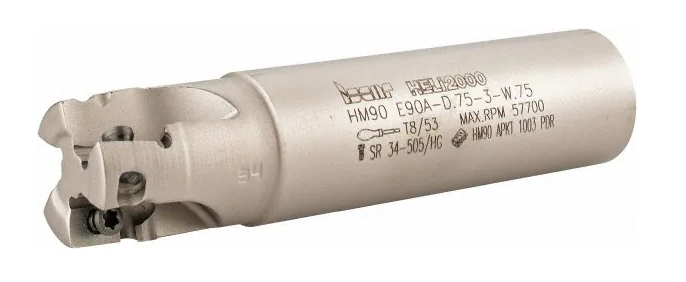
Labeling is often located on the shank and may include a variety of information. The example above has a part number (HM 90 E90A-D.75-3-W.75) as well as information about max RPM, the type of inserts it holds (HM90 APKT 1003 PDR) and even part numbers for the insert screws and screwdriver it uses. When you have a large amount of labeling like this, enter just the part number into the "Labeling / Part #" section, and enter the rest of the labeling into the "Additional Specifications" section at the bottom of the slot.
The "Filler" section is used to add other relevant information to the title which is not covered by the other sections. Fillers can be a good way to increase a listing's visibility - we always want to include as much information as possible that we think a customer might be searching for in order to make sure that our listing is coming up in their search results.
There is not necessarily one right answer when it comes to fillers, and often it will be up to you to decide what should and should not be added as filler. Indexable end mills generally do not require much filler, but some possible fillers include:
-Any secondary branding / products names, for example "HELI2000" in the picture above
-Secondary labeling
-"USA" or "USA Made" for any US Manufacturers (you may need quickly research a brand if you are not sure since this will not always be specifically labeled)
Note: Keep in mind that titles have a maximum limit of 80 characters.
Additional Specifications & Special Condition
The Additional Specifications section should be used for any secondary labeling or additional measurements that do not fit in the other sections of the listing. There is no character limit here so any relevant information that is not already covered should be included (within reason - we don't want to overload the listing with unnecessary information, so ask your trainer if you are not sure whether or not to include something in this section).
The Special Condition section should be used for any special notes about the item's condition such as damage or modification. Try to be specific when describing the condition, and reference pictures that point out the damage / modification if applicable. For example, "There is some damage around one of the insert pockets - see picture #5 for details." General wear and tear does not need to be mentioned, but anything that will affect the tool's usage should be included here.